
Click-to-DM Ads into Instagram Automation
Last reviewed: August 2026. Click-to-DM ads are a Meta ads destination: the person taps a send-message style call to action and Instagram opens a thread. Ice breakers, welcome messages, and campaign objects live in Ads Manager and Meta’s inbox settings. CommentLink is not Ads Manager. We do not attach automations to ad IDs, and we do not “run your Click-to-DM ads.” Ad names, toggles, and fees change; recheck Meta’s current ads and messaging docs the week you launch. We will not invent CPM or conversation prices here.
If they message you, a DM-keyword or welcome-style flow might apply the same as any inbound DM. A comment-keyword rule will not fire from an ad click. Test the path with a small spend and a test account before you scale. The artefact you want is the order of bubbles, not a dashboard that claims the ad “connected.”
What Click-to-DM ads actually are
They are paid inventory whose destination is a message thread, not a landing page. Meta documents this as an ads product. The first automated lines you see after the tap are configured in Meta’s surfaces (ads + messaging settings), not in a CommentLink campaign UI — we do not have one.
Do not conflate this with comment-to-DM. Comment-to-DM starts from a public comment on media you connected. Click-to-DM starts from an ad. Different trigger, different vendor for the click.
How an ad click opens a thread in Meta
- You build a campaign in Meta Ads with a messaging destination (names and toggles change — use current Ads Manager help).
- The person taps the ad’s message CTA.
- Instagram opens a thread. Meta may show ice breakers or a welcome message you configured in Meta.
- They may tap a suggested reply or type freely.
- CommentLink sees this only as an inbound DM if your connected account receives it — not as “campaign 123 fired.”
- If you built a DM-keyword trigger, it may match what they typed. If you only built a comment trigger, nothing CommentLink-side runs from the click alone.
Ad-started DMs versus comment-started DMs
Home-gym equipment ad. Ice breaker in Meta: “Sizing” / “Delivery.” They tap Sizing. That tap is Meta’s. Your CommentLink comment rule named SIZE on a Reel never saw this person. If you want a DM keyword SIZE to send the chart, they must type or you must confirm Meta’s ice breaker text matches a trigger you actually built.
Comment on a Reel: SIZE. That is comment-to-DM. Different entry. Do not assume one automation covers both.
After they write, qualification can look like any inbound thread — qualification flows and welcome openers into qualification — but the ad click itself is not a CommentLink node.
Configuring Meta ads and CommentLink separately
- In Meta: destination, audience, creative, ice breakers, any Meta welcome message. Confirm current labels in Ads Manager help.
- In CommentLink: DM-keyword or inbox rules for phrases you expect after they type. Do not look for an ad-ID field; it is not there.
- Do not point the ad at “comment LINK on our Reel” unless you also want that as a second, slower path.
- Test with a small spend: tap the ad from a test account, see which bubble appears first (Meta’s or yours), and whether your DM keyword fired.
- Staff handoff for “the ad said X and you sent Y.” Paid traffic argues faster.
- Hub for DM automation generally: Instagram DM automation.
Mistakes that treat ads as a CommentLink trigger
- Buying ads because a blog said CommentLink “runs Click-to-DM.” Instead: ads stay in Meta.
- Expecting a comment keyword to fire on an ad tap. Instead: build and test a DM-side trigger if you use us at all.
- Inventing a price or “CommentLink ads fee.” Instead: Meta’s ad bill is Meta’s; our fees are on the pricing page you can check live.
- One welcome that pitches a SKU the ad did not mention. Instead: match the creative.
- No test spend. Instead: one tap from a test account before you scale.
- Assuming ice breakers are CommentLink buttons. Instead: those are Meta’s.
Conservative habits while Meta docs move
- Recheck Ads Manager help the week you launch. Names of destinations change.
- Put the real next step in Meta’s first message if that is what the person sees first.
- Keep CommentLink copy aligned so two bots do not stack.
- No guaranteed ROAS language in the DM or on this page.
Copyable inbound-DM path after paid traffic
Meta first message (you configure there): “Thanks for writing from the ad — reply SIZE, DELIVERY, or HUMAN.”
CommentLink DM keywords (if you use them): SIZE → chart URL; DELIVERY → published shipping page; HUMAN → handoff.
Do not attach this sheet to an ad ID in CommentLink. There is no such field.
If Meta already sent the chart, do not send it again from a second tool.
What a small test spend is for
Before you scale a messaging destination, tap the ad from a test account that is allowed to see it. Write down the first three bubbles in order: Meta ice breaker, Meta welcome, then anything CommentLink sent. If two tools sent the same chart, turn one off. If CommentLink sent nothing, you only built a comment rule — the click never hit it.
Do not invent a “good CPC” here. Costs live in Ads Manager and they move. The test is for sequence and honesty: does the first message match the creative? If the ad promised a size chart and the first bubble is a newsletter pitch, fix Meta’s welcome before you touch CommentLink.
Keep the test account’s thread. Screenshot it. That is the artefact you show a media buyer when they ask why “automation didn’t run.”
Avoiding two bots in one thread
Meta can send a welcome. CommentLink can send a DM-keyword reply. A third “inbox app” can send another. Paid traffic will call that spam even when each send is technically allowed. Pick one owner for the first payload. If Meta already delivered the chart, CommentLink should stay quiet unless they type a new word.
Ice breakers are Meta’s suggested replies. They are not CommentLink buttons and they are not comment keywords. If you want SIZE to work after an ad, people must type SIZE or you must confirm the ice breaker text is something your DM trigger actually matches — then test, because this pairing is easy to get wrong.
When paid DMs need a human closer
Chargebacks, “the ad lied,” custom enterprise quotes, and angry all-caps should not get a second SKU card. Paid traffic that arrived on a promise you cannot keep is a trust problem, not a keyword miss.
Stop stacking automations until a person has read the thread. CommentLink will not manage the campaign; your media buyer still owns the ad.
An ad click is not a comment-to-DM send
Click-to-DM ads open a thread because Meta opened it. CommentLink does not buy, target, or report those ads. If you then run a DM_KEYWORD rule on HELLO, you are automating the inbound, not the click. Do not tell finance that comment-to-DM “ran the campaign.” UTMs on the first automated reply can still mark the destination; they do not make CommentLink an ads manager.
Last reviewed August 2026. Recheck Meta’s Click-to-Direct / click-to-message docs before you promise a setup we do not sell.
FAQ
Does CommentLink manage Click-to-DM ads?
No. Ads stay in Meta. We can automate some inbound DMs if you build that trigger. We do not attach automations to ad IDs.
Will my comment-to-DM rule fire when someone taps the ad?
No. Comment rules need a comment on connected media. An ad tap is not a comment.
Can I use DM keywords after they message from an ad?
Possibly, if they type a word you trigger on. Test. Ice breakers are configured in Meta.
Where do ice breakers live?
In Meta’s ads and messaging settings. CommentLink does not have an ads campaign UI.
Do you publish Click-to-DM prices here?
No. Ad costs are Meta’s and they move. Check Ads Manager and Meta’s current docs.
Is this the same as comment-to-DM?
No. One starts from an ad destination. The other starts from a public comment.
Can CommentLink create CTD ads?
No. We can reply after they write, if you built a DM keyword or welcome opener. Ads stay in Ads Manager.
Related reading
See Instagram DM automation
Comments, Stories, keywords, follow-gates, lead capture and a shared inbox — official Meta APIs.
See DM automationRelated articles
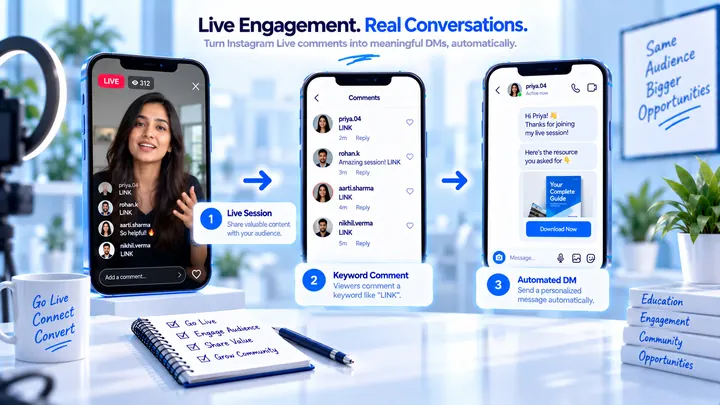
Instagram Live Comment Automation: What Is Actually Possible
Meta’s Private Reply API can address Live comments while the broadcast is live. CommentLink does not currently expose a Live comment trigger. Do not buy a “Live AutoDM” promise we do not ship.
Instagram Automation for Salons
BOOK and PRICE comments can send the booking link while chairs are full.
Instagram Automation for Restaurants
MENU and BOOK comments can send reservation links during service — without turning the thread into spam.