
Official Graph API vs Unofficial Instagram Tools
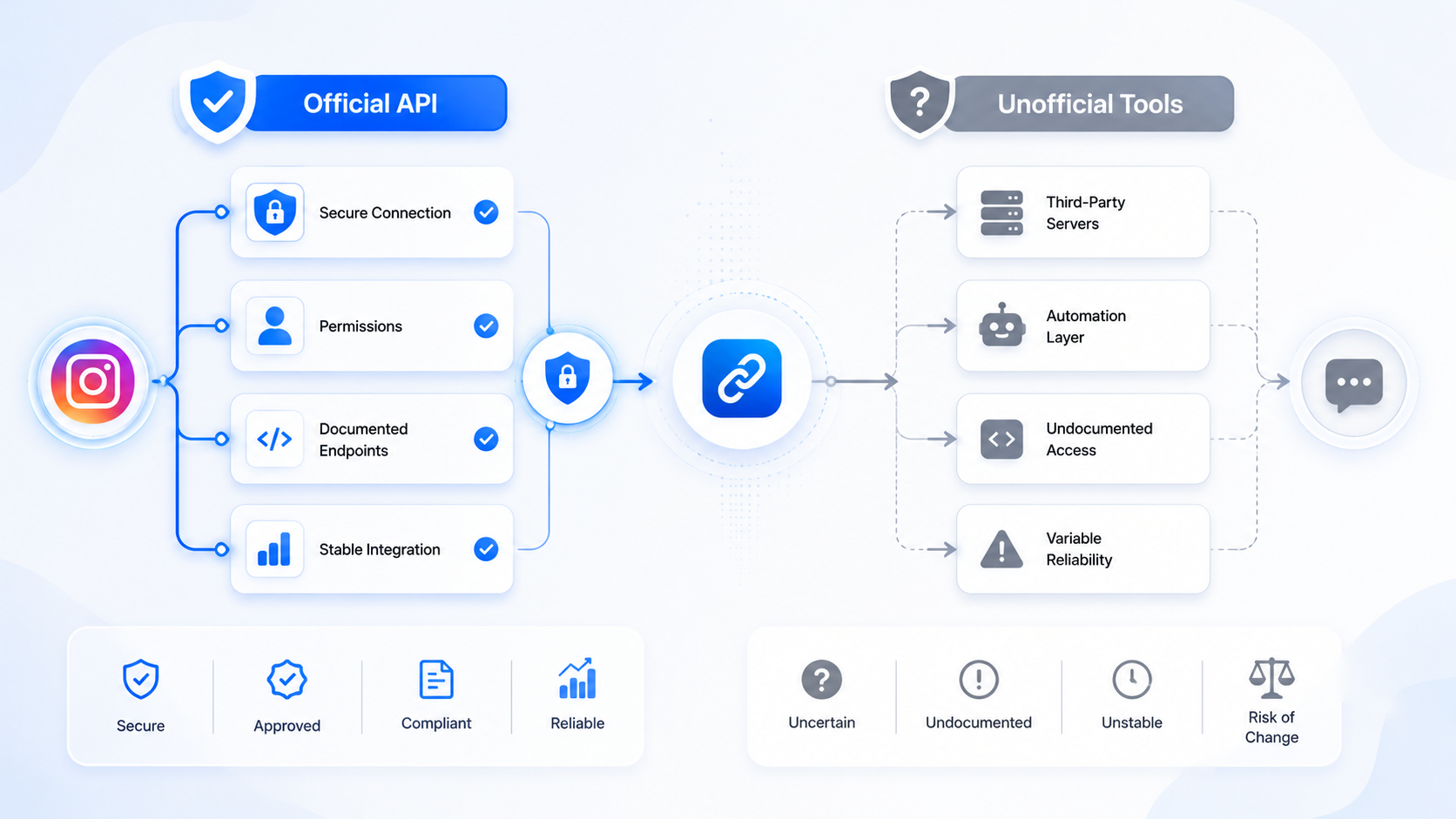
Two products can both claim “Instagram auto DM” and share no technology. One uses the Instagram Graph API with a token Meta issued after OAuth. The other types your password into a browser farm or recycles a session cookie. This article is the distinction, without invented ban percentages.
Policy context: is Instagram comment automation allowed. Native Comment to Message is Graph-adjacent inside Business Suite and is free. CommentLink is Graph via Meta login. Password bots are neither.
Official: OAuth, Professional, documented endpoints
You click Meta login. You grant Pages and Instagram permissions. Meta issues tokens. The app subscribes to webhooks for comments and messages. Sends go through messaging APIs. Rate limits apply. You can revoke the app in Business Integrations.
Native Business Suite custom keywords live in this world without a third-party app. Third-party official apps (CommentLink, ManyChat’s Meta-connected Instagram, and others) add workspace features on the same pipes. Arguments among those vendors are about matching, queues, billing, and channels — not about whether Graph exists.
Unofficial: password, OTP, session, scrape
The tool asks for your Instagram password or an exported cookie. It drives the app or web like a human. It can comment, follow, and DM in ways no Graph permission describes. It can also disappear with the session.
Unofficial tools sometimes advertise features official APIs do not offer: cold DMs to competitor followers, unlimited sends, auto-likes. Those headlines are the tell. Graph apps that stay honest talk about hourly caps, Message Requests, and Professional accounts.
Why we will not quote a ban rate
There is no public Meta dashboard that says “37% of session bots die in 30 days.” Bloggers invent numbers. We will not. What is true without a statistic: using unofficial automation violates the way the Platform is supposed to be used; using Graph the way it is documented is how Business Suite itself automates comments and DMs. Content that is spam can still get an official-API account restricted. The pipe does not launder the copy.
Checklist when a vendor pitches you
- Do they use Meta login, or ask for password / seed phrase / OTP forwarding?
- Do they require a Professional account and a Page?
- Do they admit Instagram’s send limits?
- Do they offer cold outreach to strangers?
- Can you see the app under Meta Business Integrations after connect?
If the answers are password, no Page, unlimited, cold list, no integration row — you are not looking at Graph.
CommentLink’s place on that checklist
Meta OAuth only. Professional + Page. Safety queue around ~200 Instagram DMs/hour. No cold DMs. No comment→WhatsApp. You can disconnect in-app and remove the integration at Meta. Native Comment to Message remains a valid zero-vendor option when it covers the job.
Grey: “unofficial but we only send when they comment”
The trigger does not redeem the login method. A cookie bot that waits for comments is still a cookie bot. Prefer Graph even when the marketing story sounds similar. Similar story, different risk.
What Graph actually buys you
A token you can revoke. A webhook Meta documents. Rate limits you can plan around. An app listing in Business Integrations. A Professional account requirement that matches native tools. The ability to tell a client, without crossing your fingers, that you did not type their password into a third-party form.
Graph does not buy unlimited DMs, cold outreach, comment→WhatsApp, or immunity from content policy. Anyone who sells those as Graph features is mixing categories.
How to inspect the connection yourself
- Connect. Open Meta Business Integrations. Confirm the app is listed.
- Confirm Instagram is Professional and the Page is linked.
- Send a test from a second account. If it works, you are on a real pipe.
- Disconnect in the vendor UI and remove the integration. Confirm sends stop.
If there is no Business Integrations row, you did not do OAuth. If the vendor insists that is “more reliable,” they are selling unofficial access.
Features unofficial tools advertise that Graph shops should not expect
- DM everyone who follows a competitor.
- Unlimited sends by rotating accounts.
- Auto-like and auto-follow loops.
- Login with password so you skip Business verification.
- Scrape commenters from someone else’s post and message them.
CommentLink will not implement those. Native Business Suite will not either. If you need reach, use ads and content. If you need replies, use comment-to-DM on your media.
ManyChat, CommentLink, and native are the same family
They disagree on billing, channels, queues, and matching. They agree on Meta login. An article that lumps ManyChat with password bots is wrong. An article that lumps CommentLink with session farms is wrong. The split is OAuth versus password, not “startup versus incumbent.”
You can verify family membership without trusting marketing: Business Integrations lists the app; connect used Meta’s screen; the Instagram account is Professional and Page-linked; the vendor admits send limits. Fail any one of those and you are probably looking at unofficial access, even if the website says “AI growth.”
Graph still will not do everything a cookie bot demoed. No competitor-follower blast. No unlimited hour. No comment→WhatsApp as one webhook. Those absences are not bugs in CommentLink or ManyChat. They are the shape of the official Platform. Buying a password tool to “fill the gaps” is how accounts get into trouble we will not quantify with a fake percentage.
When you brief a client, say “we connect with Meta login and send DMs to people who commented or messaged,” not “we automate Instagram.” The second sentence is how unofficial vendors hide. The first sentence is what native Comment to Message and CommentLink both do, with different extras around matching, queue, follow-gate, and inbox. Ask the vendor to screen-share the Meta login and the Business Integrations row. If they stall, you already know the category. Do not accept a password form as a temporary measure. Temporary unofficial access has a habit of becoming the production setup.
FAQ
Is ManyChat official?
ManyChat connects Instagram through Meta’s platform as a third-party app. That is the official category, with ManyChat’s own billing. Confirm on their site. It is not a password bot because it uses OAuth.
Is native Business Suite unofficial?
No. It is Meta’s own UI on Meta’s APIs.
Can unofficial tools send more than 200 DMs/hour?
They may try. That is not extra legitimate quota. We will not document how to abuse that.
Does official mean I can say anything in the DM?
No. Commerce, deception, and prohibited goods are still on you.
How do I prove to a client we used official APIs?
Show Meta login, the Business Integrations row, a Professional account, and a test DM from a second account. Password fields in a vendor UI are disproof. A screenshot of a “dashboard” is not proof.
Can Graph send DMs to people who never interacted?
CommentLink will not. Official messaging is built around interactions Meta recognises. Tools that blast stranger lists are almost never in this category. See the no-cold-DM article.
Why do unofficial tools seem to do more?
They drive the app as you. That can look like more features in a demo: auto-follow, competitor scraping, unlimited sends. Those are the features that sit outside Platform Terms. “More” is not “allowed.” We will not quote a ban percentage. We will say the login method is the tell.
Is native Business Suite “more official” than CommentLink?
It is Meta’s own UI. CommentLink is a third-party app on the same API family. Both are official relative to password bots. Choose native when the job is tiny; choose a workspace when you need queue, matching, gate, or WhatsApp inbox.
What if the unofficial tool already has our password?
Change the Instagram and Facebook passwords, remove unknown apps in Business Integrations, enable two-factor authentication on Meta, and reconnect only OAuth apps you recognise. Then test comment-to-DM from a second account. This article will not walk through stealing a session back from a vendor. Treat it as a credential incident.
Can I use Graph for auto-comments on other people’s posts?
That is not CommentLink, and it is not what this article means by comment automation. We reply on your media to people who spoke. Mass-commenting on strangers’ posts to look busy is a different, unsafe category. Official comment-to-DM is not a cover for that.
Do I need a developer account to be “official”?
You need a Professional Instagram account, a Facebook Page, and Meta login to a Platform app. You do not need to hand-build Graph calls. Native Business Suite is official without a third-party app. Password login is the disqualifier, not the absence of a GitHub repo. If Meta login worked and Business Integrations lists the app, you are in the official family. A password form means you are not, regardless of Graph buzzwords on the landing page. Ask them to screen-share Meta login before you pay a setup fee. If they cannot show Meta login, walk away from that vendor entirely and keep the budget.
Related reading
Stay on Meta login
CommentLink uses official OAuth only. No password. Comment-to-DM stays inside Graph and Instagram’s rate limits.
Turn Comments Into DMsRelated articles

Instagram DM Open Rates: What’s Measurable (and What Isn’t)
Instagram does not give automation tools a standard DM open rate. Track replies, clicks, and attributed leads instead of vanity opens.
Instagram Broadcast Channel vs DM Automation
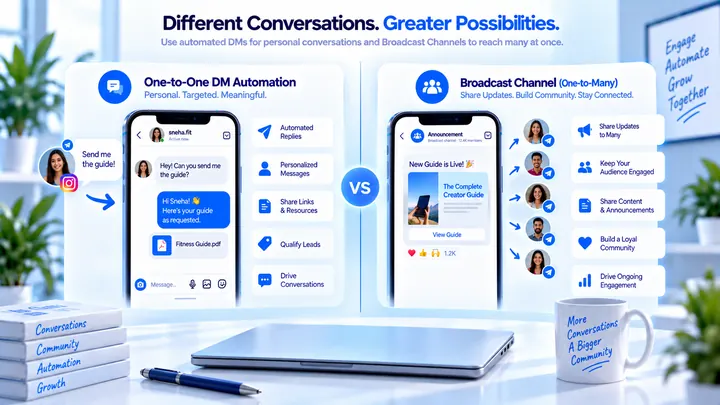
Broadcast Channels are Instagram’s one-to-many inbox product. Comment-to-DM is a one-to-one Private Reply after a comment. Different jobs.
Instagram Comment-to-DM Conversion Rate Explained
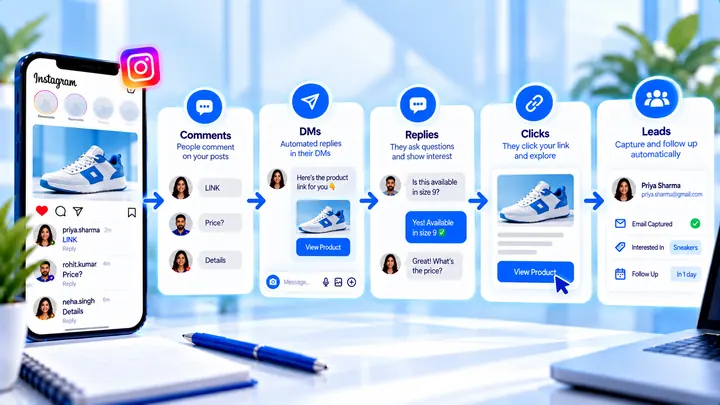
Pick a stage: comment→DM, DM→click, click→lead. Do not mix them into one “industry average.”