
How to Send a Link When Someone Comments on Instagram
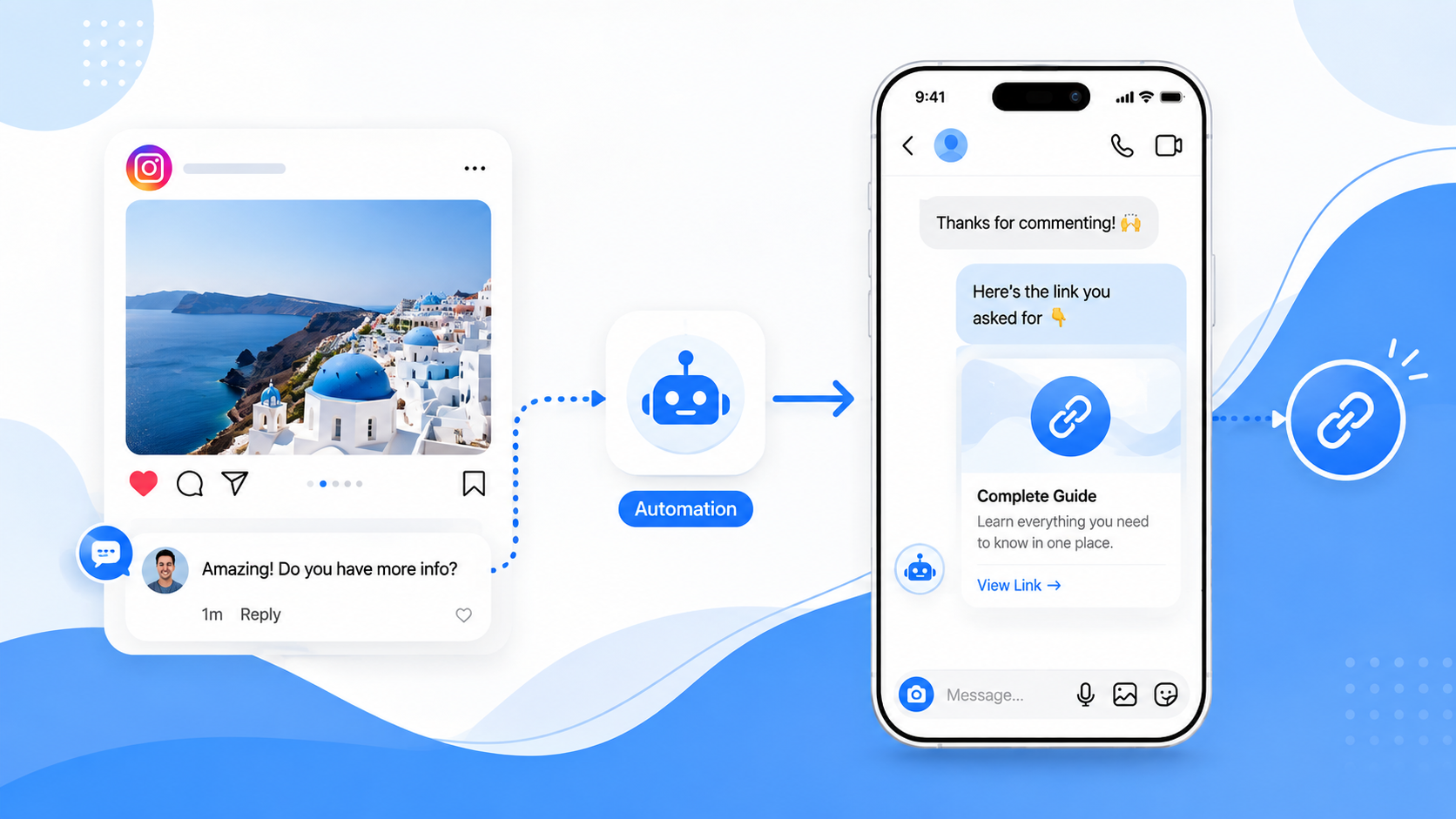
Short answer: you send the link in a private Instagram DM when someone comments — not in the caption. Match a keyword (or every comment), then an automation delivers your URL through Meta’s official messaging APIs. That workflow is called comment-to-DM link delivery.
Instagram still treats a URL in a caption as something to hide. Commenters who want the link usually hunt the bio, miss the Story, or wait for a human to paste it. Comment-to-DM is the practical workaround — with Instagram’s own Business Suite tools or a workspace such as CommentLink comment-to-DM.
How comment-to-DM link delivery works
- Someone comments on your post or Reel.
- Your rule decides whether that comment counts (keyword, phrase, or every comment).
- Instagram receives an automatic private DM that includes the link, button, or card you set.
- Optionally, you also post a short public reply on the thread (for example, “check your DMs”).
The comment stays on Instagram. The link lives in the DM. That split is why this answers “how do I send a link when someone comments?” better than stuffing a URL into the caption.
What you need before any tool will send a DM
You need an Instagram Professional account (Business or Creator) linked to a Facebook Page, and you must connect through Meta’s login. CommentLink does not ask for the Instagram password. That is the same requirement native Business Suite automations have.
Keyword trigger
Most shops teach a word in the caption — LINK, SHOP, PRICE, or the product name — and only those comments get the DM. Exact match keeps noise down. “Contains” and exclude lists help when people write “link please.” Catch-all (every comment) is useful on a launch post and noisy on a meme. Pick the match style before you publish the caption that teaches the word.
Automatic private DM
The DM is where the URL belongs. Keep it short: a thank-you plus the link or button. First-time conversations often land in Message Requests — a one-line public reply can say that. Affiliate and product links are fine when you disclose them where the law and Instagram’s rules require it. The automation delivers the same destination you would paste by hand; it does not hide where the click goes.
Step-by-step setup
- Sign in and connect Instagram with Meta login.
- Create a comment-to-DM automation on the post or Reel (or use native Comment to Message for a single simple keyword).
- Choose the keyword (or all comments), the DM text, and the URL or button.
- Optionally add a public reply and a follow-gate.
- Publish the automation. Leave a test comment from a second account and check Message Requests or the inbox.
If you also want a visible reply on the thread, the same comment can drive Instagram auto reply (public reply, private DM, or both). Broader DM surfaces — Stories, keywords, inbox — sit under Instagram DM automation.
Native Instagram: Comment to Message
Meta’s Business Suite can already watch comments on a post or Reel and send a DM when the comment matches a custom keyword. If you only need “comment PRICE, get this URL” on a handful of posts, start there. You do not need CommentLink for that job.
Where a workspace helps
- Keyword matching that can contain, exclude, or catch every comment, not only an exact phrase.
- A public comment reply and a private DM from the same rule.
- A follow-gate that checks Meta’s
is_user_follow_businessfield after the person taps I’m following — not an honour system. - A queue when Instagram’s hourly DM cap is hit, instead of silently dropping later comments.
- The same inbox for Instagram and WhatsApp so the person answering DMs sees both.
Practical examples
- Product drop: caption says “comment DROP for the link,” DM sends the checkout URL.
- Lead magnet: comment GUIDE, DM sends the PDF or landing page.
- Affiliate: comment STYLE, DM sends the disclosed affiliate URL.
Common mistakes
- Putting the only link in the caption and expecting Instagram to make it tappable for everyone.
- Teaching one keyword in the caption but matching a different word in the automation.
- Testing only from the connected account — use a second Instagram profile.
- Forgetting Message Requests on first-time DMs.
- Expecting a feed comment rule to fire on a Story reply (that is a different trigger).
FAQ
Can I send a link when someone comments without a third-party tool?
Yes, for simple keyword → DM jobs, use Meta Business Suite Comment to Message / Custom Keywords on a Professional account.
Does the link appear under the comment?
Usually you keep the URL in the private DM so the thread stays clean. A short public reply can point people to their DMs or Requests.
Will this open a WhatsApp chat from an Instagram comment?
No. The comment triggers an Instagram DM. WhatsApp is a separate connected channel in the same workspace if you use it later.
What this does not do
It does not scrape comments with a browser bot, log into Instagram with a password, or send a WhatsApp message because someone commented on Instagram. Comment stays on Instagram; WhatsApp is a separate connected channel in the same workspace.
Learn more about Comment-to-DM automation
Connect Instagram with Meta login and send the link in a private DM when someone comments.
See comment-to-DMRelated articles
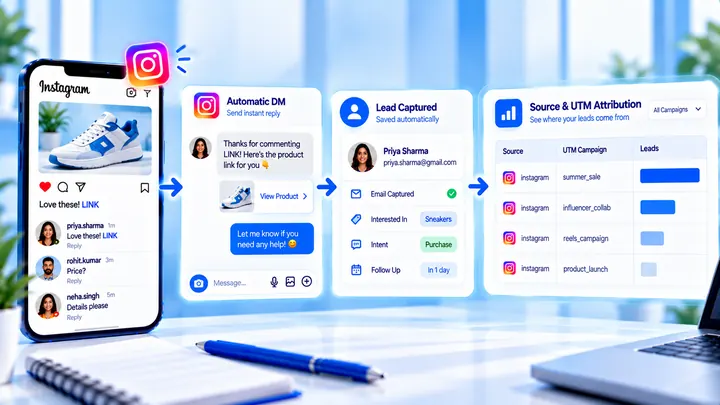
How to Measure Leads from Instagram Comments
A lead from a comment is a contact you can follow up — not a comment count. Wire keyword → DM → email or UTM before you celebrate.
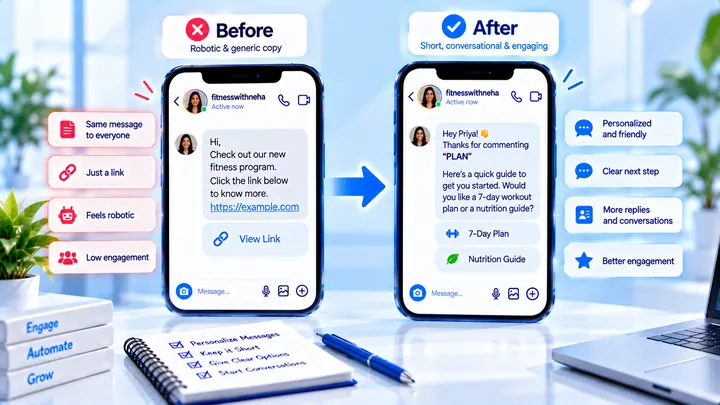
How to Write Automated Instagram DMs That Feel Human
Write human-sounding Instagram automated DMs: short openers, the promised next step, and a CTA that invites a reply — not a pitch wall.
How to Attribute Sales with Coupons in Instagram DMs
Unique codes in automated DMs can beat UTMs when checkout is messy — if you rotate codes and accept some leakage.