
Why Instagram Automated DMs Go to Message Requests

If the dashboard says the Instagram automated DM was sent, and the commenter swears nothing arrived, open Message Requests before you rebuild the rule. For people who do not follow a Professional account, Instagram often files that first private reply in Requests — a folder many never check. Meta’s Private Reply path can succeed at the API and still sit somewhere they do not look. That is placement, not a failed send.
A keyword miss, a paused automation, or a comment from the connected account never creates a message id. Requests is what happens after a successful send. This article is that folder: why Reels produce it, what you can still teach in the caption, and what no official tool can toggle. For Hidden Requests as a further filter, use Hidden Requests versus Message Requests. To confirm the send itself, test comment-to-DM with a second account.
What Message Requests actually are
Message Requests is Instagram’s holding folder for conversations that are not yet Primary. For business and creator accounts, Meta’s Private Reply documentation has long described a split: the first private reply tends to land in Inbox when the person already follows you, and in Requests when they do not. Automation tools do not get a “put this in Primary” switch. CommentLink sends through official APIs. Instagram files the thread.
Hidden Requests is a second filter. Instagram may hide requests it treats as unwanted, spam-like, or matched by the recipient’s Hidden Words list — often without a notification. If they looked in Requests and still saw nothing, have them check Hidden. Do not treat that as proof the keyword is broken until a second-account test shows no message id on your side.
A successful send is not Primary placement
Your workspace can show sent while the recipient sees nothing in Primary. Ask them to open Requests (and Hidden Requests). If the message is there, the automation worked. Instagram hid it. Do not “fix” a working keyword by rewriting it into a colder pitch.
- Confirm the comment matched (right media, right keyword, not your own account).
- Confirm CommentLink shows a sent private reply, not a skip or error.
- Have them open Requests, then Hidden Requests.
- If the bubble is there, teach the caption — do not rebuild the flow.
- If there is no message id, that is a different article: comment automation not sending.
Why comment-to-DM still lands in Requests so often
Reels send your clip to people who have never heard of you. They comment LINK, they are not followers, the private reply goes to Requests. That is the cost of reach. A follow-gate can require a follow before the link, but it does not teleport the first card into Primary. See how Instagram follow gates actually work and when not to use a follow gate.
Jaipur jewellery Reel. Caption: “Comment LINK for the lookbook.” A viewer in Bengaluru who does not follow you comments LINK. The private reply with the lookbook URL is a successful send. She looks in Primary, sees nothing, comments again. You now have two comments and still one folder she has not opened. The caption needed one line: “If you don’t follow us yet, check Message Requests.”
Pune cafe Reel of the weekend thali. Comment: MENU. First DM: PDF of today’s menu plus “check Requests if you don’t follow us.” That sentence is the product. Promising “it will pop up in chat” is how you get a support pile on a Saturday lunch rush.
What you can still improve without a Primary toggle
- Teach the caption: “If you don’t follow us yet, the DM may sit in Message Requests.” That one line saves support threads.
- Add a short public reply (“check your DMs / Requests”) so the thread itself points at the folder. Keep it one sentence. A public reply is not a second Private Reply.
- Do not stack a long URL, a pitch, and a follow lecture in the first DM. That pattern is a spam signal, not a placement hack — see link in the first Instagram DM.
- Keep volume inside Meta’s automated-DM pacing. A burst of identical first messages is how Hidden Requests gets involved. CommentLink’s send queue paces around an operator ceiling; it does not buy extra Instagram quota.
- Test with an account that does not follow you. A teammate who already follows you is a false Primary.
For deliverability beyond folder placement — pacing, first-line variation, overflow versus a failed send — read how to improve Instagram automated DM deliverability. This article stays on the folder.
Mistakes that waste a working send
- Rewriting LINK to GETIT because “nobody got the DM.” Instead: ask them to open Requests. If the bubble is there, the keyword was fine.
- Promising Primary in the Reel. Instead: promise the asset and name the folder for non-followers.
- Using a follow-gate as a Requests bypass. Instead: the gate withholds the payload until they follow; Instagram still files the first private reply.
- Firing a second automation on the same comments “to push it to Primary.” Instead: Meta allows one private reply per comment. A second send is not a folder hack.
- Ignoring Hidden Requests when they already checked the main Requests list. Instead: send them the path: Requests → Hidden.
- Staffing support with “refresh the app.” Instead: give the folder name in the public reply and in the first DM.
Copyable caption and Requests runbook
Caption line: “Comment [KEYWORD] and we’ll DM [the thing]. If you don’t follow us, look in Message Requests (and Hidden Requests).”
First DM line: “Here’s [the thing]: [URL or button]. If this sat in Requests, that’s Instagram — open that folder.”
Public reply (optional, one sentence): “Sent — check DMs / Requests.”
Support macro when they comment again: “The send went through. Open your Message Requests (profile → messenger → Requests). If it’s not there, check Hidden Requests. If both are empty, reply here with a screenshot of Requests and we’ll look at the send log.”
Do not put a second link in the public reply. The public line only points at the folder. The payload stays in the private reply — one per comment.
What CommentLink can and cannot do about folders
CommentLink comment-to-DM sends the private reply through official Meta APIs after a matching comment. We can queue overflow when a Reel spikes. We cannot force Instagram to treat a non-follower thread as Primary. Anyone who promises a “Requests bypass” is selling a different, unsafe category of tool.We also cannot read the recipient’s Hidden Words list, mark a thread as Primary, or turn off Requests for automation. There is no official API flag for Primary-only delivery. Educate in the caption and use a short public pointer to DMs. If a vendor shows a toggle labelled “always inbox,” they are not using the same API we are.
CommentLink Instagram triggers remain comment keyword, Reel comment, Story reply or mention, DM keyword, and new follower. None of those include a folder override. WhatsApp is a separate hop if they write on WhatsApp — a comment does not move the thread there, and WhatsApp will not fix Instagram Requests.
When the problem is not Requests at all
If later commenters on a viral Reel get nothing, you may be in overflow, not Requests. Instagram will not send unlimited automated DMs in one hour. CommentLink queues; native tools often drop. That is a pacing problem — viral Reels and the DM queue — not a folder problem. Do not “fix” overflow by firing a second identical automation on the same comments.
If they follow you, the first private reply is more likely to land in Primary. Meta still filters some threads into Requests or Hidden Requests. Placement is Instagram’s, not a vendor setting. Treat “they follow us” as better odds, not a guarantee you can print on a launch graphic.
FAQ
Why do my Instagram auto DMs go to Message Requests?
Most often the commenter does not follow your Professional account. Instagram places that first private reply in Requests. Ask them to check that folder before you assume the automation failed.
Do commenters see automated DMs in Primary if they follow me?
They are more likely to. Meta still filters some threads into Requests or Hidden Requests. Placement is Instagram’s, not a vendor toggle.
Is Message Requests a failed CommentLink send?
No. A failed send has no message. Requests means Meta accepted the private reply and filed it. Open the recipient’s Requests folder to confirm.
Can I turn off Message Requests for automation?
No. There is no official API flag for Primary-only delivery. Educate in the caption and use a short public pointer to DMs.
Does a follow-gate put the DM in Primary?
No. A follow-gate can withhold the link until they follow. It does not force Instagram to file the first private reply in Primary.
What if they checked Requests and still saw nothing?
Have them open Hidden Requests. If both are empty and your log shows sent, treat it as a support thread with a screenshot — not a keyword rewrite. If your log shows no send, debug the match, not the folder.
Related reading
Send the link in a private DM
Connect Instagram with Meta login and send a private DM when someone comments a keyword.
See comment-to-DMRelated articles
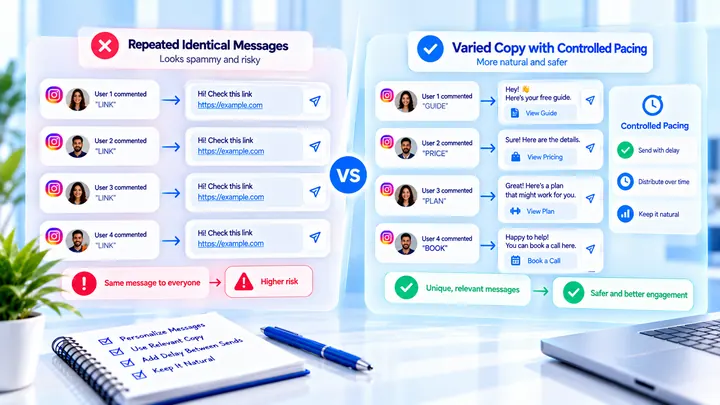
Why the Same Instagram Auto DM Can Hurt Delivery
Sending the same Instagram DM repeatedly at volume can look templated. Variation and pacing matter more than a new vendor.
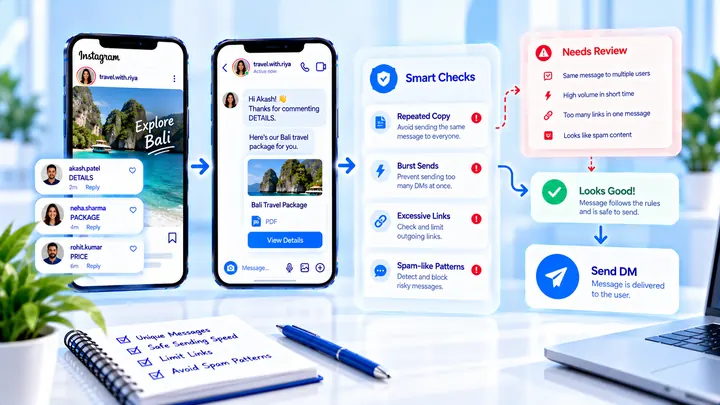
Instagram DM Automation Spam Triggers to Avoid
Avoid Instagram DM automation spam triggers: identical link-heavy first messages, burst sends, and copy that looks like cold outreach.
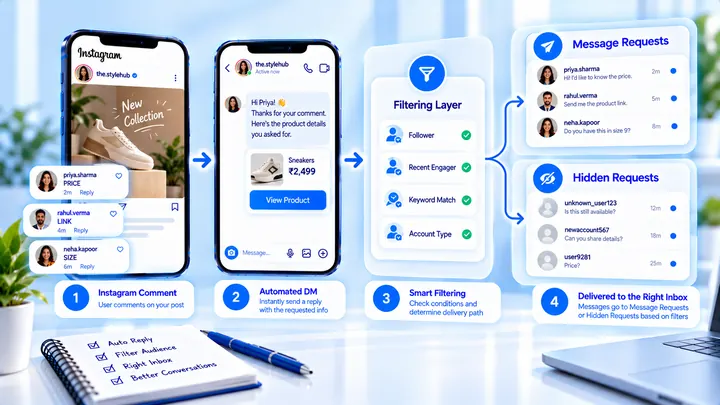
Instagram Hidden Requests: Why Auto DMs Disappear
Hidden Requests is not the same folder as Message Requests. Automated DMs can land there with no notification — here is how to tell the difference.