
Fix: Instagram Comment Automation Not Sending
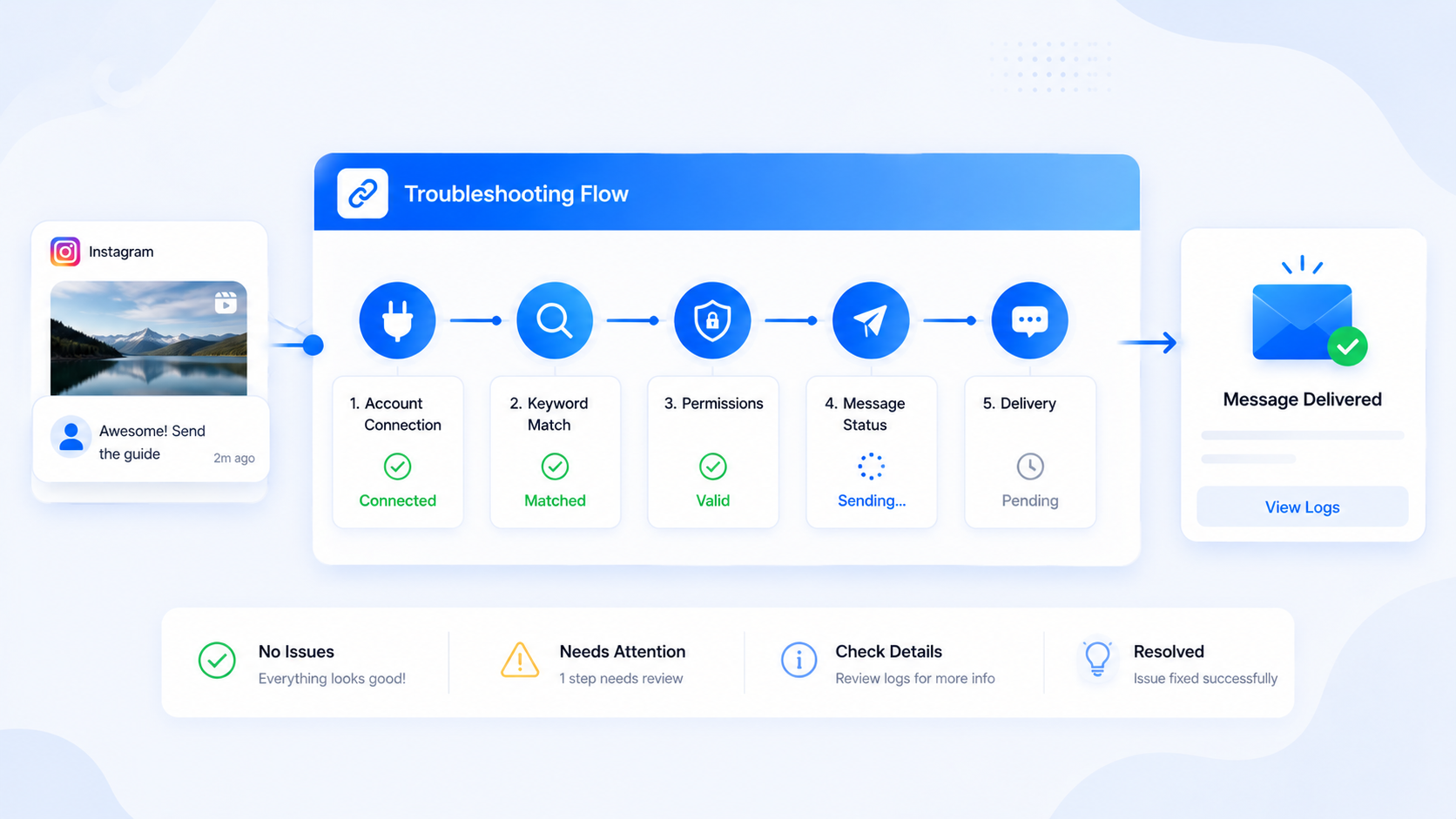
When Instagram comment automation is not sending, the bug is usually in setup, not in “the API randomly died.” Work this list in order. Skip to the end only if you already used a second account, checked Message Requests, and confirmed the automation is published on the live media.
CommentLink and native Comment to Message share several failure modes (Personal profiles, Message Requests, hourly caps). They diverge on queue versus drop and on follow-gate taps. Product setup: comment-to-DM. Testing procedure: test with a second account.
1. Professional account and Page
Personal Instagram accounts cannot run messaging automation. Convert to Creator or Business and link a Facebook Page. If Meta login refuses the Instagram account, the Page link is the usual cause. This is a Meta requirement, not a CommentLink upsell.
2. Meta connection still valid
Reconnect with Meta login if someone changed the password, removed the app in Business Integrations, or swapped the Instagram account on the Page. CommentLink does not store the Instagram password, so we cannot “just log in again” for you. If the connection is disconnected, automations will not send.
3. Automation published, not paused
Draft automations do not send. Paused automations do not send. Workspace Auto DM pause does not send. Upcoming-post automations do not send until the media is actually live. Confirm the toggle you think is on is the one attached to this Reel, not a duplicate on an old carousel.
4. Keyword match
Exact LINK does not match LINKPLEASE. Contains “link” does. Excludes always substring — an exclude of “link” will kill a contains match too. Catch-all only applies when you did not require keywords. Mention-only counts @ characters. Details: keyword match types.
5. Message Requests
The DM often arrived. The tester looked in the primary inbox. Open Message Requests. Add a public comment reply that says so if customers keep missing it. Public proof belongs on the thread; the URL belongs in the DM.
6. Rate-limit queue
Instagram limits automated DMs (CommentLink paces around 200 per hour per account in a rolling window). Native tools typically drop extra matches. If the Reel is viral, later commenters wait or never get a native DM. A test comment during a quiet minute should still send. A test during a spike may wait. That is not the same as a dead connection.
7. Follow-gate tap
If a gate is on, the first DM is the card, not the prize. They must follow, then tap I’m following. CommentLink then reads is_user_follow_business. No tap, no unlock. Honour-system tools behave differently; we do not. Guide: how follow-gates actually work.
8. Wrong post selected
Boosted duplicate Reels, collaborators’ shares, and “latest post” assumptions are classic. Open the media URL you think is live and confirm that exact object is what the automation lists. Comments on a share that is not your media object will not fire your rule.
9. Tester commenting from the business account
Invalid test. Use a second account. Instagram often will not notify you about your own comments, and the messaging path may not mirror a stranger. This item alone closes a large fraction of tickets.
10. You built the wrong trigger
Welcome openers do not fire on comments. Story mention automations do not fire on Reel comments. DM keywords do not fire on public comments. Match the trigger to the surface.
11. Permissions were skipped or narrowed
Meta login screens let people uncheck permissions. If messaging or comments were not granted, webhooks and sends fail in confusing ways. Reconnect and accept the scopes the app requests. A teammate who connected “just to look” with a locked-down grant will produce a workspace that looks linked and still does not send.
12. The comment never reached Meta as you think
Hidden comments, filtered comment attacks, and comments Instagram held in a filter will not fire automations. If you cannot see the comment on the post while logged out / as the tester, the engine never got a fair event. Restricted accounts commenting may also not be messageable. That is Instagram, not a missing keyword.
A 15-minute war-room order
- Second account comments the live keyword on the live media.
- Tester opens Message Requests and the post thread (public reply).
- You confirm Professional + Page + Meta connection active.
- You confirm the automation is published on that media, pause off.
- You confirm match mode against the exact characters typed.
- If gated, tester follows and taps I’m following.
- If the Reel is spiking, treat delay as queue/drop, not as death.
- If still dead, reconnect OAuth once after checking Business Integrations.
If that order fails, you have a real ticket. If you skipped the second account, you do not yet.
Native-only troubleshooting
Business Suite Custom Keywords: confirm the automation is on that post, the keyword spelling, and that you did not hit the drop-at-cap behaviour. Native will not use CommentLink’s safety queue. Testing as yourself is still invalid. Message Requests still apply. There is no follow-gate of the CommentLink type in native; do not look for an I’m following card that you never built.
If you run native and CommentLink together on the same keyword, disable one before you debug the other. Duplicate DMs look like “the product double-fired.” They are two products doing their job. Pick a source of truth for that Reel.
Token problems look like sudden silence after a Page admin change, a password reset on Facebook, or someone removing apps in Business Integrations. Reconnect with Meta login and accept permissions. CommentLink cannot type the Instagram password because it never had it. If a vendor offers to “just log in as you” to fix sending, you have left the official category.
Still stuck after the war-room order? Write down: media URL, exact comment text, tester handle, whether a public reply appeared, whether Message Requests were checked, automation status, pause status, match mode, gate on or off, and approximate comment volume that hour. Those facts distinguish matching bugs from queue from disconnect. Without them, you will rewrite copy that was never the problem. If the tester used the business login, start over with a second account before you reconnect OAuth in a panic. Own-account tests waste more time than any other item on this list.
FAQ
Native works, CommentLink does not (or the reverse).
Then the Meta account can send. Compare which media, which keyword mode, and whether a gate or pause exists only on one side.
Public reply sends, DM does not.
Check no_dms-style settings, gate waiting for a tap, and Message Requests. Public and private are separate API actions.
It sent yesterday, not today.
Token revoked, pause enabled, keyword edited, media swapped, or you are in a rate-limit window. Walk the list from the top.
Is this allowed at all?
If you are using a password tool, start with whether Instagram comment automation is allowed. Official Graph automations are a different category from session bots.
The comment is hidden. Will the DM still send?
If Instagram never delivered a comment webhook because the comment is filtered or hidden, there is nothing to automate. Unhide or ask them to comment again. Do not assume CommentLink saw a comment you cannot see as a stranger.
We paused Auto DM for the weekend and forgot.
Turn it off, then test with a second account. This is a common Monday ticket. Pausing is not disconnecting; reconnecting OAuth will not fix a pause switch.
Two DMs went out for one comment.
Two automations matched. Check overlapping keywords, catch-all plus a keyword, native Business Suite plus CommentLink on the same media, or a flow that sends twice. Excludes exist so this stops. Do not add a third automation “to be sure.”
Follow-gate says they are not following after they followed.
They must tap I’m following. Graph’s is_user_follow_business can lag. Wait and tap again from a real second person. Private accounts and unfollow-follow races still happen. The gate is not an honour system; a tap without a follow will fail on purpose.
We connected the wrong Instagram account.
Disconnect it, remove the app in Business Integrations if needed, connect the Professional account that actually owns the media, and re-bind automations to the live Reels. Keywords on the wrong account fail silently from the customer’s point of view.
The DM sent to us but not to customers.
Your tester already has an open thread or follows you; customers land in Message Requests. Keep a never-messaged tester. Add a public reply that says so. This is not a send failure.
Does a delay mean the keyword is wrong?
Not during a viral hour. Remaining slots at zero is pacing. A second-account test on a quiet post tells you whether matching works. Mixing those two diagnoses is how teams rewrite LINK into LINKS and break exact match. Volume and matching are different failures. Do not retune keywords to fix a full hourly window. Test matching on a quiet post instead. A boosted Reel is a very bad place to debug keyword matching.
Fix the checklist, then send a real test
Most “not sending” reports are connection, matching, Message Requests, or testing as yourself. Work the list before rewriting copy.
Automate Your Instagram DMsRelated articles
Instagram Automation Dashboard: What to Track Weekly
A weekly checklist: connection health, queue depth, failed sends, and one campaign metric — not 40 vanity charts.
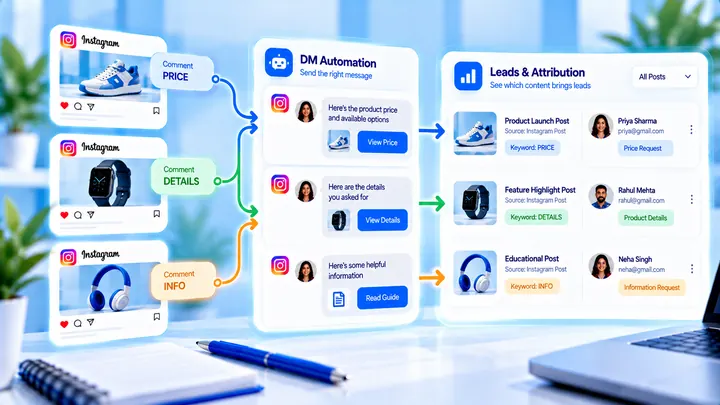
How to Track Instagram DM Leads by Post
Know which Reel created conversations — name campaigns, use UTMs, and do not mix every keyword into one bucket.
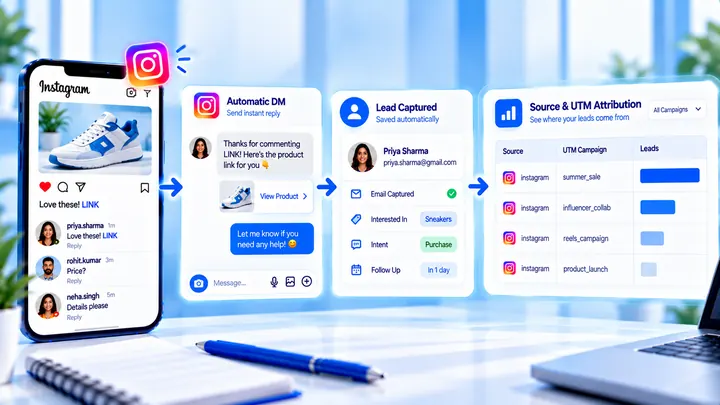
How to Measure Leads from Instagram Comments
A lead from a comment is a contact you can follow up — not a comment count. Wire keyword → DM → email or UTM before you celebrate.