
How to Test Instagram Comment-to-DM with a Second Account
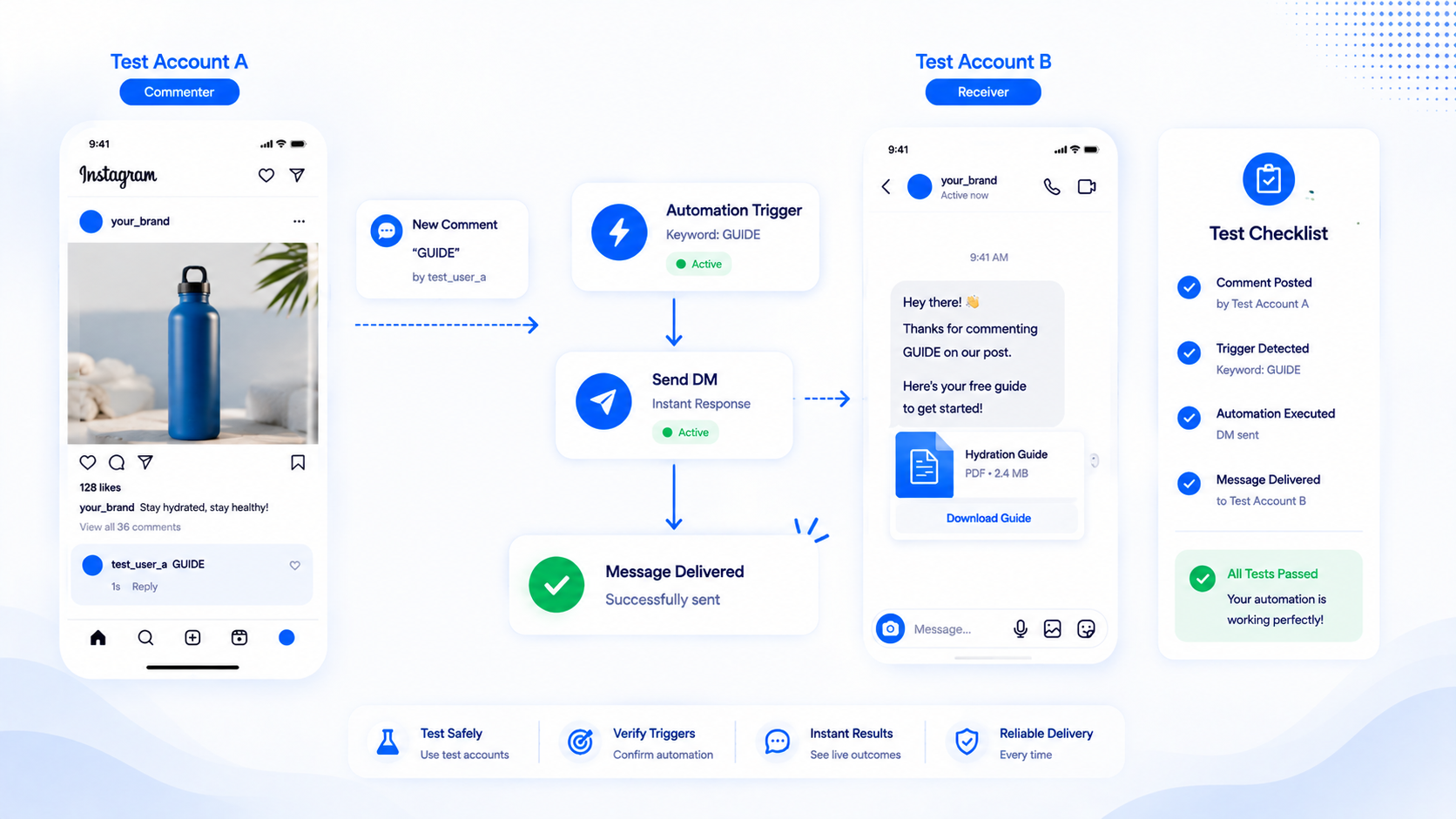
Comment-to-DM that you never tested from a second account is a launch-day surprise. The usual report is “it’s not sending.” Half the time the automation is fine and the test was not. Instagram does not reliably notify you when you comment on your own media. Tools sitting on the official APIs also cannot invent a DM to an identity Meta will not message that way.
This is a QA procedure, not a feature tour. Use it before a product drop, a giveaway, or a Reel you paid to boost. The product path is Instagram comment-to-DM. If nothing arrives after a fair test, jump to comment automation not sending.
Why the same account is a bad test
On many Professional accounts, commenting as yourself does not create the same webhook and messaging path as a stranger’s comment. You may see the comment on the post and still receive no DM, no Message Request, and no automation log worth trusting. Support threads and our own QA treat “I commented from the business account” as an invalid test, not as proof the product is down.
Meta’s messaging APIs are built around an Instagram-scoped identifier for the commenter. Talking to yourself is a special case. Do not debug matching, follow-gates, or queues from that special case.
What the tester account should be
Use a second Instagram login you control. A Personal profile is enough to leave a comment. A second Professional (Creator or Business) account is nicer if you also want to see how Message Requests look on a business-shaped inbox, but it is not required for the comment itself.
The tester should not be the same Facebook user Meta will collapse into the business identity if you have a messy Page setup. When in doubt, use a phone with a different Instagram login that never switched into the business account.
If the automation includes a follow-gate, the tester must actually follow the business, then tap I’m following on the gate card. Following from the business’s own alt that Meta still treats as you can produce a confusing is_user_follow_business result. Use a real second person when the gate is the thing you are certifying.
Pre-flight on the business side
- Instagram is a Professional account linked to a Facebook Page. Personal profiles cannot run this.
- CommentLink (or native Business Suite) is connected through Meta login, not a password. Permissions were accepted, not skipped.
- The automation is published / active, not draft, not paused, and Auto DM pause is off for the workspace.
- The automation is attached to the post or Reel you will comment on — not yesterday’s carousel, not an upcoming post that is not live yet.
- The keyword rule matches what you will type. If the rule is exact LINK, do not test with LINKPLEASE unless you meant contains. See match types if that sentence is unclear.
The live test
- On the tester, open the live post or Reel as a regular viewer, not through Meta Business Suite’s “view as.”
- Type the keyword exactly as a customer would. Submit the comment. Wait. Webhooks are fast but not always instant; give it a minute before declaring failure.
- On the tester, open Instagram Direct. Look in Message Requests, not only the primary inbox. First-time DMs from businesses land there constantly.
- If you configured a public reply, confirm it appeared under the comment on the post.
- If you configured a follow-gate, confirm the first DM is the gate card, tap I’m following after you follow, and confirm the unlock message with the link.
- If nothing arrived, comment once more with a different keyword you know is live, or with a catch-all automation on a throwaway post, to see whether the connection works at all.
What “success” looks like
Success is a DM the tester can open, with the copy and link you saved, without using a session-cookie bot. The business inbox in CommentLink should also show the conversation so a human can take over. Native Comment to Message success looks the same in Instagram’s inbox, without a CommentLink thread.
Success is not “I got a push notification on the business phone.” Notifications are flaky. Read the tester’s Message Requests.
If the Reel is already taking volume, remember Instagram’s hourly automated DM cap (commonly discussed as around 200). Your two test comments should still send. A later comment during a spike might wait in CommentLink’s safety queue or drop in native tools. Do not treat a viral-hour delay as a failed QA of the keyword.
Tests that waste time
- Commenting from the business account and concluding the API is down.
- Testing a Story mention automation by commenting on a Reel.
- Testing welcome openers (inbox icebreakers) by commenting. Those fire when someone starts a DM, not on comments.
- Using a VPN-only second account that Instagram immediately flags, then blaming the automation for a missing DM.
- Editing the keyword after commenting and expecting the old comment to replay. Comments are events. Change the rule, then comment again.
After QA, leave the tester in the thread
Do not delete the test comment if you will need to show a teammate what good looks like. Do hide it if the caption is a polished ad and a leftover “LINK” from @qa_account bothers you. Deleting the comment does not unsend a DM that already went out.
If you use a public “check your DMs” reply, read it as a stranger would. If it sounds like a bot, rewrite it before paid spend.
QA for a team, not just a founder
Write the test in a shared note: media URL, keyword typed, expected public reply (or none), expected first DM, whether a gate should appear, and which tester handle was used. When something fails two days later, you will not remember whether you tested exact LINK or “link please.”
If more than one person can publish automations, require a screenshot of the tester’s Message Requests, not a verbal “it worked.” CommentLink’s inbox should show the same thread so whoever is on support is not flying blind. Native-only setups should screenshot Instagram’s inbox instead.
Re-test after anyone reconnects Meta, swaps the Facebook Page, or duplicates the Reel for ads. Boosted “new” objects are not always the object your automation is watching. The pre-flight list exists because those swaps are silent.
Dual-path tests: native and CommentLink
If you are migrating off Business Suite, do not run native Custom Keywords and CommentLink on the same keyword on the same media at the same time unless you want two DMs. Disable native, then test CommentLink. Or use a throwaway Reel for CommentLink while native still covers the old post.
If native sends and CommentLink does not, the Instagram account can message. The gap is then matching, media binding, pause, gate, or queue — not “Graph is down.” If CommentLink sends and native does not, compare keyword spelling and whether native still has the automation attached to that media.
Story, openers, and other false tests
A Story mention test requires a Story from the tester that mentions the business, then a check of Message Requests. Commenting “MENTION” on a Reel will not fire STORY_MENTION. Welcome openers require the tester to start a DM, preferably without an already-open thread. Mixing these tests is how people conclude the product is broken when they exercised the wrong trigger.
Follow-gate tests need a tester who can unfollow and follow again without Meta treating them as the business. If is_user_follow_business stays false after a real follow, wait and tap again; graph data can lag. Do not keep tapping from the business’s own alt and calling it a product defect until a third person has tried.
When the test passes but customers still complain
Your tester already follows you and has an open thread, so they never saw Message Requests. Customers do. Keep a never-messaged tester for launch day. Customers also miss DMs because they commented from a bad network and the comment took a minute to appear — they walked away. The public reply is for them, not for you.
If the Reel is already viral during QA, your two test comments may send while a customer’s comment sits behind the hourly cap. That is a queue (CommentLink) or a drop (native), not a failed keyword. Explain the wait in the caption if you are about to boost.
FAQ
Can the tester be a Personal Instagram account?
Yes for leaving the comment. The business sending the DM must still be Professional and connected via Meta. The tester does not need CommentLink access.
Where does the DM appear for someone who never messaged us?
Usually Message Requests. Tell customers that in the public reply if they miss it.
We use native Comment to Message. Same test?
Yes. Second account, live post, keyword, Message Requests. Native still will not reliably prove itself from the business’s own comments.
How many test comments are enough?
At least one matching comment and one non-matching comment (to prove you are not on catch-all by accident). Add a follow-gate tap if the gate is on.
Related reading
Test on a real comment, then go live
Connect with Meta login, publish one automation, and verify the DM from a second Instagram account.
Start Free — No Credit CardRelated articles
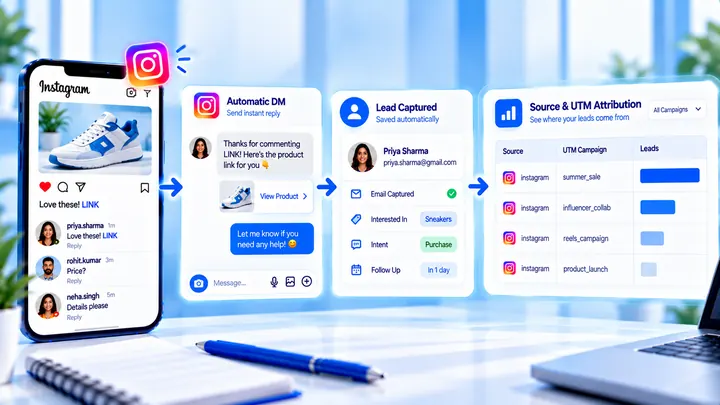
How to Measure Leads from Instagram Comments
A lead from a comment is a contact you can follow up — not a comment count. Wire keyword → DM → email or UTM before you celebrate.
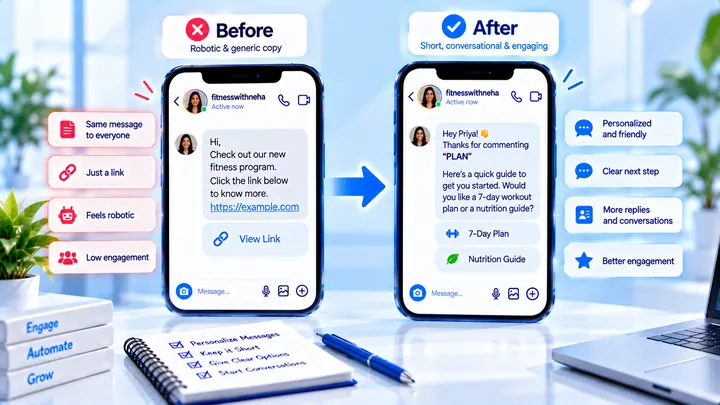
How to Write Automated Instagram DMs That Feel Human
Write human-sounding Instagram automated DMs: short openers, the promised next step, and a CTA that invites a reply — not a pitch wall.
How to Attribute Sales with Coupons in Instagram DMs
Unique codes in automated DMs can beat UTMs when checkout is messy — if you rotate codes and accept some leakage.