
How to Track Instagram DM Leads by Post
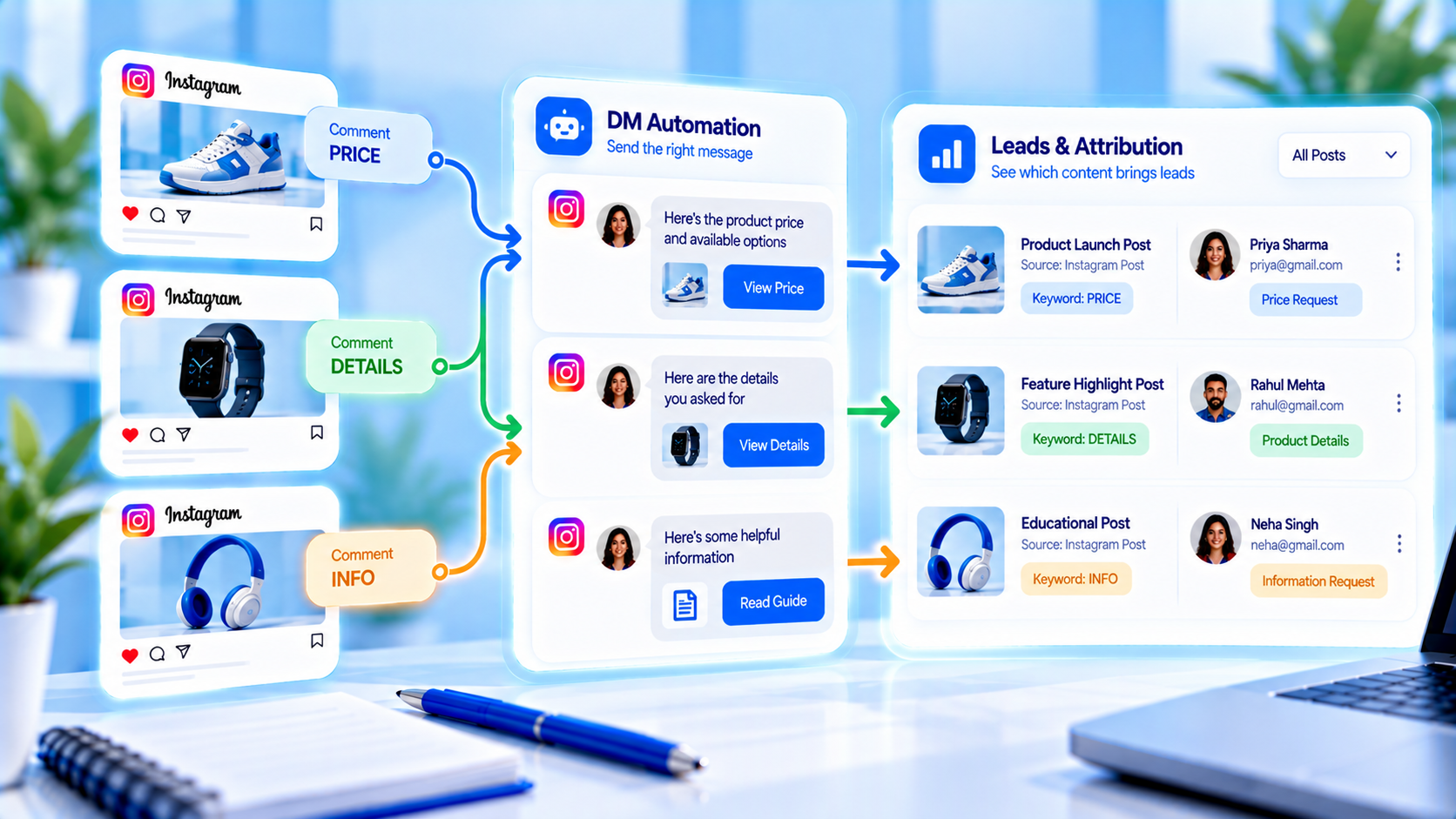
If every automation dumps into one inbox pile, you will never know which caption paid rent. Track Instagram DM leads by post with a naming convention, a contact tag that matches that name, and a UTM you actually control on the URL in the DM. CommentLink is not a full BI tool — pair sends you can see with destinations you tagged.
This is not the same job as defining what a lead is. That article owns the definition. This one owns the join: this media, this rule, this tagged click or collected email. Without the join you will kill the quiet carousel that made wholesale enquiries and keep the viral Reel that filled Message Requests with tourists.
Name the automation after the media
“Reel 12 Aug lookbook LINK” beats “Automation 4.” Put the date, the asset nickname, and the keyword in the rule name. When two Reels both teach LINK, the name is how a tired operator pauses the dead one on a Friday. Mix every keyword into one bucket and you will debug the wrong caption.
- Include the media nickname your editor already uses (lookbook-12-aug, restock-navy-tee).
- Include the keyword (LINK, SIZE, PRICE) so two rules on the same Reel stay distinguishable.
- When the post is archived or the drop ends, pause the rule so leftover comments do not keep firing last month’s URL.
Tag contacts with the same string when they come through that rule. A tag you will search later is part of tracking, not decoration. If you only look at a global “all DMs” count, you are not tracking by post — you are counting volume.
UTM per post, not per brand
Campaign should be the post or drop, not a vague “instagram” bucket. Content can be the keyword. Source and medium stay stable so analytics can group comment-to-DM without mixing bio taps. The hygiene piece is UTM hygiene for Instagram DM links — this article only insists that two Reels never share one campaign name if you need to know which Reel created the session.
A jewellery lookbook might use utm_campaign=reel-lookbook-12-aug and utm_content=link. A restock Reel the same week uses utm_campaign=reel-navy-restock-18-aug. If both say campaign=instagram, your analytics will lie that “Instagram worked” and you still will not know which edit to remake.
Buttons can hide an ugly query string. The destination that actually opens still needs the tags. A shortener that strips the query is not tagged. CommentLink does not invent Google Analytics events for you. If the page keeps the parameters, your analytics tool can see them. If it does not, look at coupons or collected emails instead of blaming the DM.
What you can see without a warehouse
- In the workspace: DMs this automation sent (and queued) for that rule.
- On the contact: the tag that matches the rule name.
- In your site or shop: sessions or checkouts with that campaign.
- In email: collected addresses if you asked for email in that flow — still tagged with the post name.
That is enough to rank posts. You do not need a native HubSpot or Salesforce sync to do it. Export or copy counts into a sheet dated by week. Which posts generate the most DMs is the pattern article. This one is the plumbing so those patterns are not vibes.
A three-Reel week you can actually rank
Monday: spoken CTA “comment LINK for the lookbook,” rule named lookbook-mon-link, UTM campaign lookbook-mon. Wednesday: carousel “comment SIZE for the chart,” rule size-carousel-wed. Friday: Reel “comment PRICE,” rule price-fri. Pause Monday’s rule when you swap the lookbook URL. Do not leave Wednesday’s size chart pointed at a SKU you pulled.
At the weekly review, write three rows: rule name, matching comments, DMs sent, tagged clicks or emails. The winner is the row that produced owned contacts or tagged revenue — not the row with the loudest comment count. A quiet SIZE carousel that produced six fitted orders can beat a LINK Reel that produced eighty Requests and two taps.
Stories need the same discipline
A Story reply automation is still a “post” for tracking: name it with the date and the sticker job (story-14-aug-booking). When the Story expires, pause if the offer expired. Mixing Story booking clicks into a feed LINK campaign is how you “fix” a healthy Reel because a Story died on schedule.
What not to mix into the by-post number
Do not add bio link clicks to a Reel’s DM lead count. Do not add WhatsApp broadcasts. Do not add every inbox reply from people who never commented. Those are other channels. The by-post question is: of the people who commented (or replied to that Story) and got this automation, how many became a lead you can point at.
If two keywords fire on the same media, split the tags. LINK and SIZE on one lookbook are two jobs. One tag called “august content” will hide that SIZE was the profitable word. The weekly dashboard is where you glance at connection health; the by-post sheet is where you decide which caption to remake.
A jewellery week on a sheet, not in your head
Monday lookbook Reel: rule lookbook-mon-link, tag lookbook-mon, UTM campaign lookbook-mon, content link. You send 40 DMs, 9 tagged lookbook sessions, 2 emails from the form. Wednesday restock Reel: rule navy-restock-wed, different campaign. 18 DMs, 7 PDP sessions, 3 orders with the restock coupon. Friday carousel with SIZE: 12 DMs, 8 chart taps, 1 tailor question you took human. The sheet has three rows. You remake Wednesday’s hook, not Monday’s view count.
If Monday and Wednesday both used campaign=instagram, those 16 sessions would look like one blob. You would not know the restock deserved another edit. If you also dumped Story booking clicks into lookbook-mon because “it was all August,” you would fire the lookbook for a dip that was a Story expiring on schedule.
- One row per live rule: media nickname, keyword, sent, queued leftover, tagged clicks or emails, notes (Requests complaints, dead URL).
- Pause notes: when the lookbook URL changed Thursday, you paused Monday’s rule the same hour — leftover comments should not keep the old campaign.
- Do not add bio-link sessions to any row. Bio is a different door.
Wholesale enquiries from a quiet fabric carousel belong on the same sheet with a smaller sent count and a higher “real email” count. That row can beat both Reels. Tracking by post exists so you are allowed to keep the quiet one. CommentLink will not rank posts for you; the sheet is the ranker. Name, tag, UTM, pause — that is the whole system.
One Reel, one UTM, one Friday row
If two Reels share utm_content=reel, you cannot tell which clip earned the DM click. Name the content parameter after the file or the date (reel_042_lookbook). In the weekly sheet, one row per media id: comments, matches, sends, tracked taps, leads. When a row is empty on taps, check the DM URL before you change the keyword.
Do not average three Reels into one “campaign conversion.” That average hides the clip that taught the wrong word.
FAQ
How do I see which Instagram post drives DMs?
Name automations per media, tag contacts with that name, and use unique UTMs on the links in those DMs.
Can CommentLink rank posts like a BI tool?
No. You get sends and optional click tracking per automation. You join that to UTMs, tags, and your shop or calendar.
What if two Reels teach the same keyword?
Same keyword, different campaign names and different rule names. Otherwise you cannot tell them apart.
Should I pause the rule when I archive the post?
Yes, if the URL or offer is dead. Leftover comments should not keep sending last month’s drop.
Do Story automations count as a post?
Treat each Story campaign as its own named rule with its own UTM. Do not dump Story clicks into a feed campaign.
What if I do not use UTMs?
Then rely on per-rule send counts plus tags or coupons. You will know volume by automation, not sessions by post, unless the destination is tagged some other way.
Can I use the same coupon code on two posts?
You can, and then you cannot split sales by post. Prefer one code or one UTM per media.
Related reading
See Instagram DM automation
Comments, Stories, keywords, follow-gates, lead capture and a shared inbox — official Meta APIs.
See DM automationRelated articles
Instagram Automation Dashboard: What to Track Weekly
A weekly checklist: connection health, queue depth, failed sends, and one campaign metric — not 40 vanity charts.
How to Measure Leads from Instagram Comments
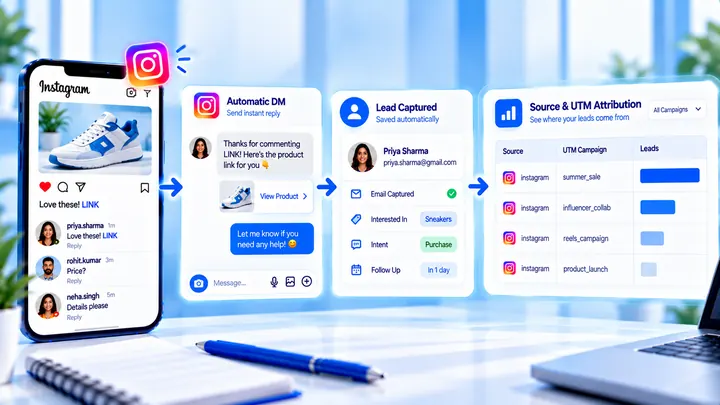
A lead from a comment is a contact you can follow up — not a comment count. Wire keyword → DM → email or UTM before you celebrate.

High-Ticket Instagram DM Qualification Scripts
Short qualification scripts for coaches and consultants — protect the calendar without sounding like a loan officer.