
Auto-Reply on Instagram Reels Comments
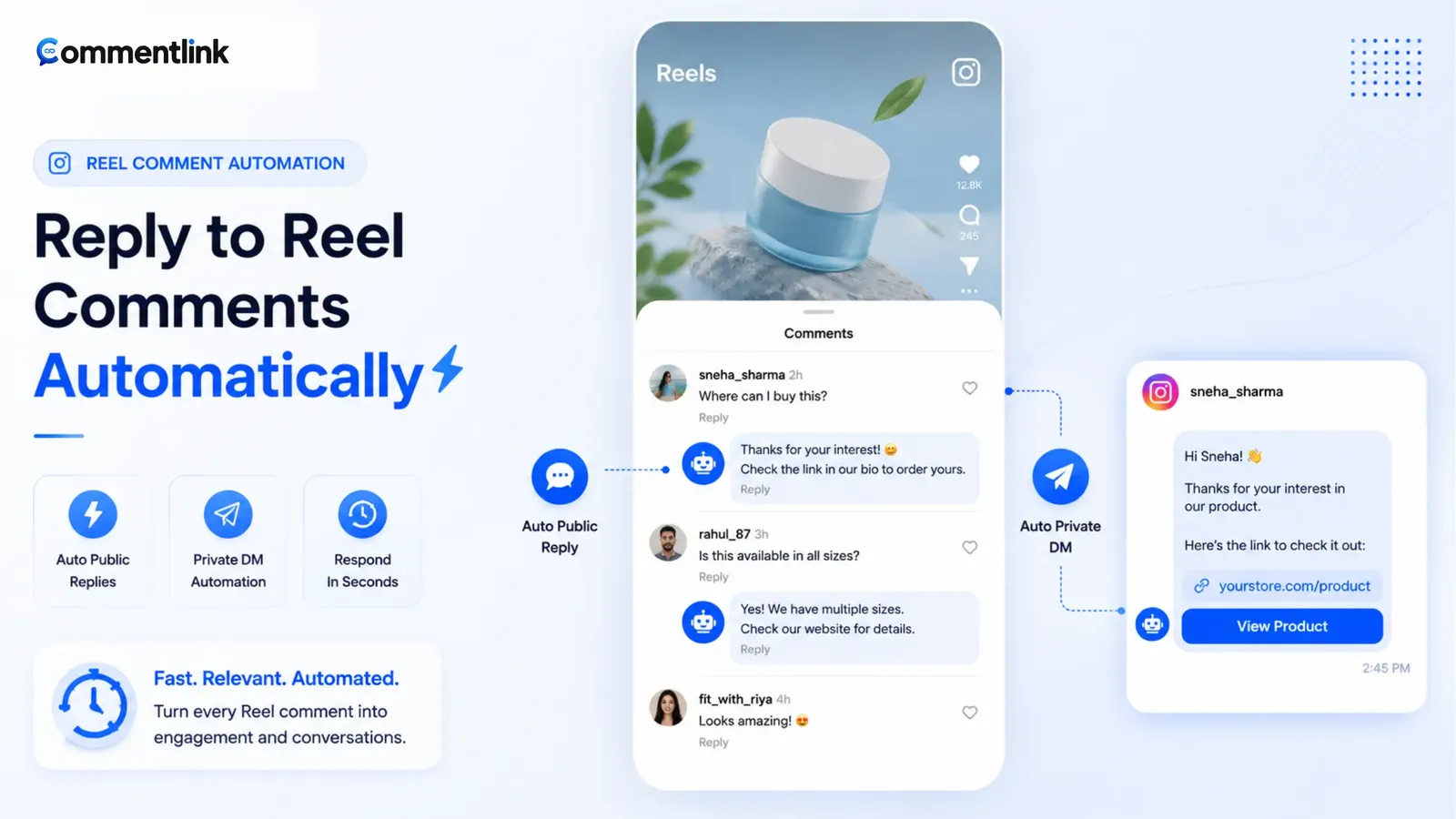
Reels are not a second product. A comment on a Reel is still a comment on your media. CommentLink’s comment engine treats Reels with the same keywords, public replies, DMs, follow-gates, and collect nodes as feed posts. Native Custom Keywords can also watch a Reel. The mistake is attaching the rule to an old photo and wondering why the Reel thread is silent.
If you wanted Story replies, that is a different trigger — Stories expire. If you wanted the category page, start at Instagram auto reply. This article is Reels-specific: discovery traffic, Message Requests, and volume.
Reels also concentrate hourly send pressure. Teach one word on screen, attach the rule to that Reel, and tell new viewers to open Requests. Catch-all on a joke clip will burn the cap. Official Meta OAuth only — no password, no commenting on other people’s Reels, no comment-to-WhatsApp. Test from a second account before you boost. Then go live on that Reel today.
Attach the automation to the Reel
In CommentLink, select the Reel as the media (or an upcoming rule that applies to Reels). Feed IMAGE rules should not steal Reel comments. If you use upcoming post automation, set applies-to to Reel when the publish is a Reel.
Native Business Suite: open automations on that Reel, not on a random post in the grid. Same Professional account and Facebook Page as everything else.
Public reply, private DM, or both
Reels bring people who have never messaged you. Their DM lands in Message Requests. A one-line public reply (“sent this to DMs — check Requests”) is often the difference between a working automation and a “tool is broken” ticket. The longer split is public reply vs private DM.
Do not dump the checkout URL in a public Reel comment if you care about a clean thread or an affiliate link. Put the URL in the DM. How-to: automatically reply to Instagram comments.
Keywords that survive silent autoplay
Burn the trigger on screen. Audio-only “comment link” loses the mute majority. Use a short token (PRICE, GUIDE, DROP) and match contains unless you have a strict code.
Reels attract joke comments. Exact-match a code, or add excludes for words you will not reward. Catch-all on a viral joke Reel will DM hundreds of “lol” and burn the hourly cap on nothing.
Volume: Explore is a rate-limit machine
A Reel can take the hourly automated-DM cap in minutes. Native Custom Keywords typically drop later matches. CommentLink’s Smart Send Queue holds them and sends when Instagram allows (~200 IG DMs/hour as commonly discussed — Meta can change this). Tell the caption if you expect a queue: “If this blows up, DMs go out in order.”
Queue is not extra quota. It is not a licence to catch-all a meme. It is how you avoid ghosting the 201st person who did the thing you asked.
Follow-gates on Reels
Stranger traffic is the case for a follow-gate. Warm followers watching your third Reel this week are the case against. Conversion argument: follow gate landing page, plus the when/when-not logic — do not gate a support keyword on a Reel.
Caption templates that survive Explore
Shop: on-screen PRICE, caption “Comment PRICE for sizes and checkout in DMs (check Requests). Full shop in bio.”
Creator: on-screen GUIDE, caption “Comment GUIDE and I’ll DM the one-pager. New here? Open Message Requests.”
Local: on-screen MENU, caption “Tonight’s menu — comment MENU.” Do not catch-all; you will DM “looks delicious.”
Keep the first three seconds of the Reel about the content, not the keyword. Teach the word once the viewer already cares. A keyword bumper at 0:00 with no payoff gets skipped.
Collab Reels and ads
A collab Reel has two faces. Automations belong to the Professional account you connected. If the comment lands on the collaborator’s copy of the media, your rule may not see it. Test comments from a third account on the URL you used in the automation picker. Do not assume both partners’ tools should fire — double DMs are worse than one miss.
Boosting a Reel does not disable comment automations. It increases stranger comments and Message Requests. Budget the hourly cap and the public-reply tone for people who do not know you. A follow-gate may be correct on a cold boost and wrong on an organic follower Reel — split the creatives if you can.
Troubleshooting Reels that “don’t auto-reply”
- Confirm the connected account owns that Reel.
- Confirm the automation is on and attached to Reel media, not a feed photo.
- Comment the exact taught word from a second account. Wait, then open Requests.
- If public reply posted but no DM, check rate limit / queue and whether a follow-gate is waiting on a tap.
- If nothing posted, check keyword exact vs contains and excludes.
- If it works in tests and fails in production, you are probably over the hourly cap on native (drop) — look at queue if you use CommentLink.
Feed how-to: automatically reply to Instagram comments. Same engine, different media picker.
What Reels automation is not
- It is not auto-commenting on other people’s Reels.
- It is not a password bot scraping the Reels tab.
- It is not Story reply automation. Configure STORY_REPLY separately.
- It is not comment→WhatsApp.
Policy framing: is Instagram comment automation allowed.
A Reel launch you can copy this week
Day minus one: Professional account connected, Facebook Page linked, Meta OAuth healthy. Write the DM offline. If you need a size chart, host it. If you need a checkout, the SKU must 200 OK. Arm upcoming applies-to Reel with keyword PRICE or GUIDE — the same letters that will sit on the last frame.
Publish time: the graphic shows the word. The caption repeats it once near the top, then points at Message Requests. Bio still has the shop. You are not lying. Public reply is one sentence. Follow-gate off unless this Reel is a stranger-growth play you disclosed.
Plus ten minutes: second account comments the word. You confirm public line, Requests, and link. If that fails, you do not boost the Reel. You fix media attachment, keyword match, or connection.
Plus two hours: if Explore picked you up, watch the hourly cap. Native users will see later comments go unanswered — that is drop behaviour, not a mysterious bug. CommentLink users should see the queue drain. Do not add ManyChat on the same keyword to “help.” You will double-DM.
Next day: read twenty comments that did not match. If they said “send it,” the on-screen word failed. If they said the keyword plus a size, contains should have fired — check excludes. Update the DM if a size is sold out. Leave the Reel up with honest copy rather than a dead checkout.
What you will not do: scrape viewers who never commented, ask for the Instagram password, or promise WhatsApp from the comment. Reels comment automation is comments on your Reel, official APIs, same engine as feed — just colder traffic and more Requests.
FAQ
Do I need a different keyword for Reels than posts?
No. Use the word you put on that Reel. You may want a different word than your feed carousel because the audience is colder.
Why did my feed automation not fire on the Reel?
Wrong media. Reels comments belong to the Reel. Upcoming rules must include Reel if that is what you published.
Can native Meta auto-reply on Reels?
Custom Keywords / Comment to Message can target a Reel. Use it for simple volume. Use a workspace for queue, public+private, or follow-gate.
Should I catch-all every Reel comment?
Only if the caption said any comment counts (launch, certain giveaways). Otherwise teach a keyword. Joke Reels plus catch-all will spend the hourly send budget on “lol” and then the real PRICE comments wait in a queue — or drop on native.
Why do new viewers never see the DM?
First conversations land in Message Requests. Reels are mostly new viewers. A public one-liner that says to check Requests is part of the automation, not optional polish. If you skip it, your logs will show sends and your DMs will look empty. That is Instagram’s inbox, not a broken keyword.
Can I run the same automation on a Reel ad?
Boosting increases stranger comments and still uses the same comment engine and the same hourly cap. Budget Requests copy and, if you gate, disclose it. Test organic first. Collab ads: know which account’s media the comments sit on. One official sender per keyword. Do not stack native and a workspace on the boosted Reel.
Feed video versus Reel — which rule?
If Instagram stored it as a Reel (media_product_type REELS), use a Reel-scoped automation or upcoming applies-to Reel. A feed IMAGE rule will not catch it. Upcoming VIDEO is not Reel. If you are unsure, attach after publish by picking the live Reel in the picker, then test a comment.
Related reading
Use the same auto-reply on the Reel
Pick the Reel, set keywords or every comment, write the public line and the DM. Official Meta APIs — no password.
Automate Your Instagram DMsRelated articles
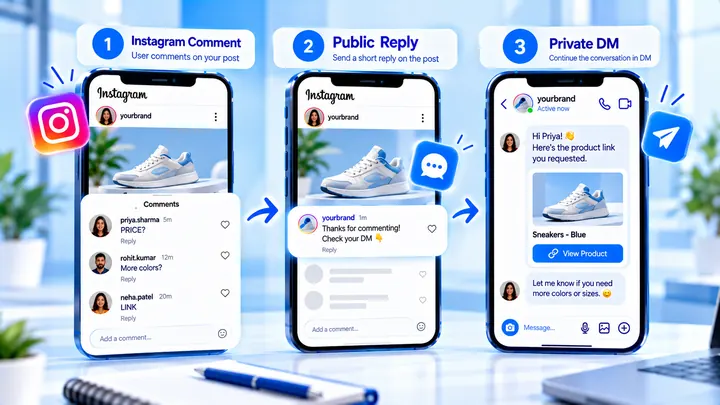
Use a Public “Check Your DMs” Reply Without Spamming
A one-line public “check your DMs” reply helps people find Message Requests. Repeating it on every comment can make the thread look automated and loud.
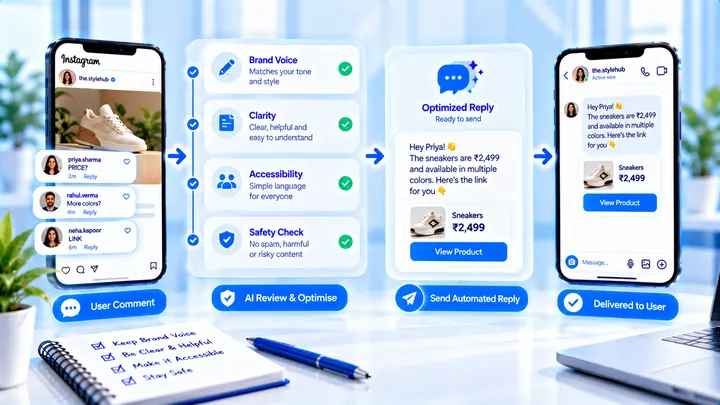
Brand-Safe Instagram Auto Replies (Without Sounding Robotic)
Keep Instagram auto replies on-brand: honest promises, readable language, and a public line that does not clone itself down the thread.
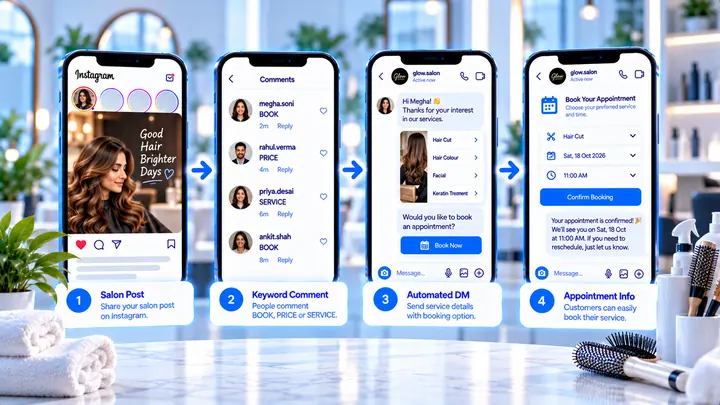
Instagram Automation for Salons
BOOK and PRICE comments can send the booking link while chairs are full.