
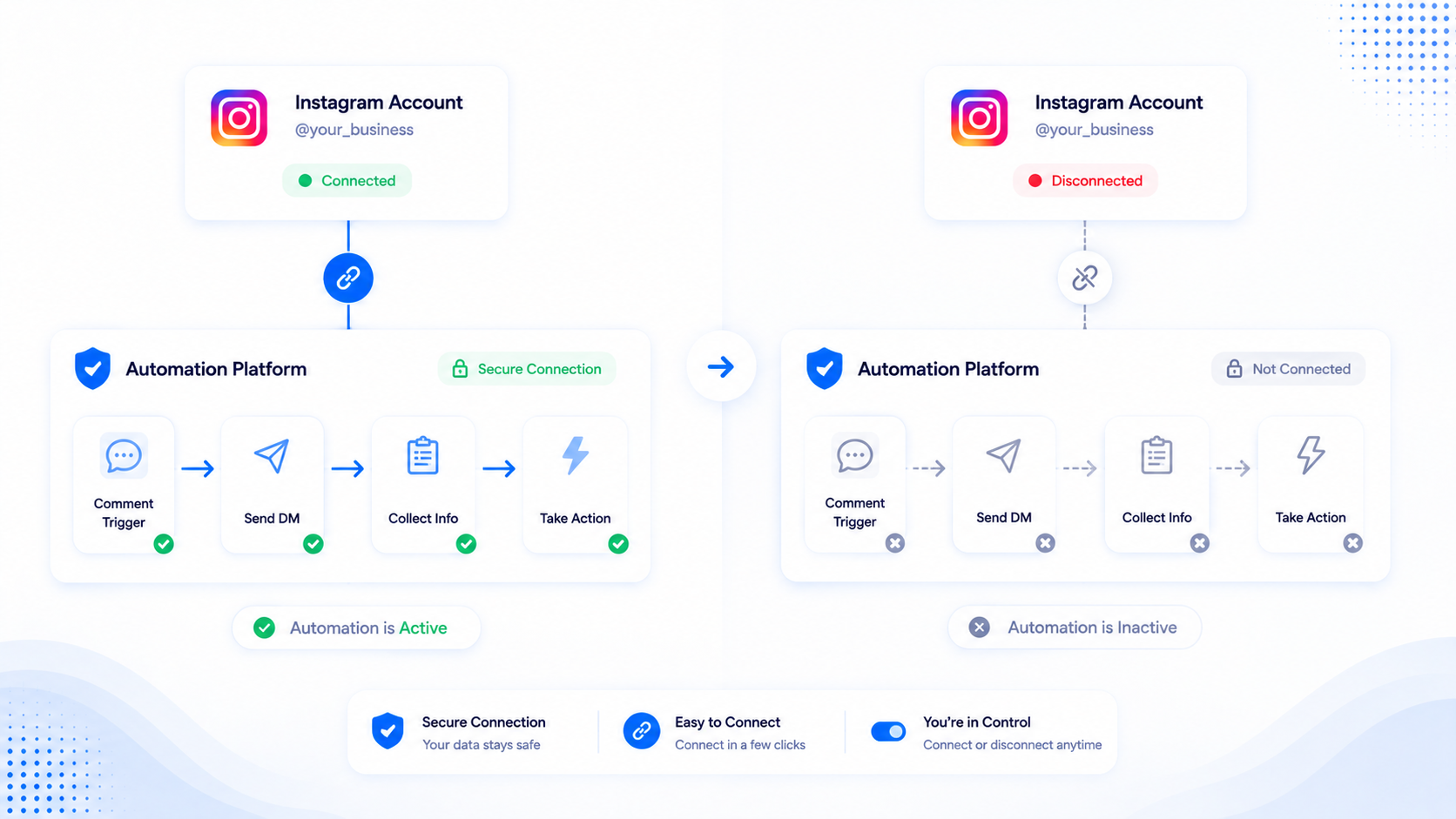
Unlinking Instagram is a real off switch. It is not a pause that keeps quietly retrying. Teams ask what still runs, what happens to the token, and whether WhatsApp dies too. This is the honest version for CommentLink plus the Meta screen you should also click.
You can disconnect in the CommentLink app and in Meta Business Integrations. This article does not invent a legal data-deletion schedule, a GDPR article number, or a promise about how long logs sit on disk. If you need account deletion or export, use the product’s account and privacy flows and Meta’s own tools — not a blog post.
What “connected” meant in the first place
CommentLink never asks for the Instagram password. Connection is Meta OAuth on a Professional account linked to a Facebook Page. Meta issues tokens CommentLink uses to subscribe to webhooks and to send allowed messages. Native Business Suite automations use the same family of APIs without our workspace.
Until you disconnect, CommentLink can receive comment and message events for that account and can send Instagram DMs and public comment replies you configured. That is the surface that turns off.
What stops immediately in CommentLink
- Instagram automations stop sending. Comment-to-DM, public replies, Story reply and Story mention DMs, follow-gate unlocks, welcome-opener sends tied to that channel — they do not keep firing for a disconnected Instagram connection.
- The inbox path for that Instagram channel stops. You should not expect new Instagram threads to arrive as if the socket were still live. Existing transcript history in the workspace is a product-data question, not a promise that live delivery continues.
- Tokens on our side are treated as revoked for that connection: the row is deactivated so the workspace cannot keep calling Graph as that account. Treat the integration as dead until you connect again with Meta login.
WhatsApp is a separate connection. Disconnecting Instagram does not disconnect a phone number you connected through WhatsApp Embedded Signup. Instagram comments still never auto-open a WhatsApp chat; they were never one pipe.
Pause versus disconnect
If you only want a quiet weekend, pause the automation or use Auto DM pause. The Meta grant stays. Webhooks may still arrive; sends are withheld. That is the right tool for “campaign ended but we will reuse the connection.”
Disconnect when the agency lost the client, the Page is being handed to someone else, or you do not want this vendor to hold a grant. Pause is not disconnect. Draft automations are not disconnect.
Disconnect in the app
- Open channel / connection settings in CommentLink.
- Disconnect the Instagram account. Confirm. The connection is marked inactive.
- Do not assume a second Instagram in the same workspace is affected. Only the connection you disconnected should go dark.
If you reconnect later, you go through Meta login again and recreate or re-enable automations as needed. There is no secret background send while disconnected.
Also remove the app in Meta Business Integrations
Revoking only inside a SaaS UI is incomplete if Meta still lists the app as a business integration. In Facebook / Meta settings, open Business Integrations (the screen that lists which apps can access your Page and Instagram). Remove CommentLink there so Meta revokes the grant on their side too.
That step matters when you are leaving a vendor, rotating agencies, or closing a test workspace. It is the same hygiene you would use for any official Marketing API app, not a CommentLink-only ritual.
Native Comment to Message lives in Meta Business Suite. Disconnecting CommentLink does not delete those native automations. Turn those off inside Business Suite if you want Instagram to stop sending DMs entirely.
What we are not claiming
- We are not stating a numbered retention period for comments, contacts, or media in this article.
- We are not stating that Meta deletes your Instagram account, your posts, or your native inbox.
- We are not stating that uninstalling on Meta wipes every historical DM from phones that already received them. Recipients keep what they already opened.
- We are not stating a ban risk from disconnecting. Disconnecting is a normal OAuth action.
If you meant to stop only one campaign
Unpublish or pause that automation. Leave the channel connected. Teams that disconnect the whole Instagram account because one giveaway ended then spend a day reconnecting OAuth for the next Reel. Use the small switch.
Agency and client handoff
When an agency loses the retainer, disconnect is part of the offboarding checklist, not an optional courtesy. The client’s Professional account and Facebook Page stay theirs. The vendor grant should not. Do the in-app disconnect, then the Business Integrations removal, then confirm in Meta that CommentLink no longer appears.
If you are the incoming agency, do not reuse a previous vendor’s “it is already connected” story. Connect with Meta login under the client’s Business Manager, not a freelancer’s personal Facebook that will vanish. Two live apps on one Instagram can both receive webhooks; that is how duplicate DMs appear after a messy handoff.
Seats inside CommentLink are not Meta tokens. Removing a teammate from the workspace is not the same as unlinking Instagram. Conversely, unlinking Instagram does not delete your CommentLink user or other teammates. Pick the lever that matches the problem.
What still exists on Instagram after you unlink
Posts, Reels, comments, and DMs already sitting in Instagram’s own inbox remain. Recipients keep messages they already received. Native Comment to Message rules you created in Business Suite remain until you turn them off there. CommentLink cannot reach into Meta and delete a native keyword for you.
Webhook delivery to CommentLink stops because the connection is inactive. If a comment arrives after disconnect, CommentLink will not send a DM for it. That is the behaviour you wanted. If you expected a drain of already-queued work, finish or pause campaigns before you unlink so you are not surprised by a hard stop mid-spike.
Reconnect without folklore
Reconnect is Meta login again: Professional account, Page, permissions accepted. Then turn the automations you still want back to published. Do not assume every old keyword rule is live. Walk the list. Run the second-account test on one Reel before you boost.
If Meta shows the Instagram account but CommentLink cannot subscribe webhooks, the Page link or permission set is incomplete. That is the same class of problem as first-time connect, documented on the FAQs. Disconnecting and reconnecting in a loop without fixing the Page will not invent permissions Meta refused.
Tokens, without a legal novel
Official OAuth tokens are how Graph calls are authenticated. After disconnect, CommentLink must not keep using that grant. You should also revoke the app at Meta so the token is dead on both sides. That is operational hygiene.
This article will not invent how many days logs persist, whether backups exist, or which privacy statute applies in your country. Those questions belong to the product’s privacy/account deletion paths and to Meta’s tools. Unlinking a channel is not a substitute for deleting a user account, and deleting a user account is not documented here as a one-click Graph wipe of Instagram itself.
If two Instagram accounts were connected over time, disconnect the one you mean. WhatsApp stays up. Inbox history for old Instagram threads may still be readable as records depending on what the workspace stored; live delivery will not continue. Teammates who only had inbox permission cannot reconnect the channel without the connect permission. Treat disconnect as a channel event, not a full company offboarding, unless you also remove people and revoke Meta on purpose.
FAQ
Does disconnecting Instagram stop WhatsApp broadcasts?
No. WhatsApp is a separate Meta connection with its own tokens. Conversation fees on WhatsApp, if you use it, are still Meta’s.
Will native Business Suite automations keep running?
They can. They do not live inside CommentLink. Check Business Suite if you need those off too.
Can I reconnect the same Instagram later?
Yes, with Meta login again on a Professional account linked to a Page. Automations you paused or left behind may need to be turned on explicitly — do not assume they silently resume without a check.
If I reconnect, do old comment-to-DM rules resume by themselves?
Do not assume they are live. After Meta login, open each automation, confirm it is published on the media you still use, and test from a second account. Tokens and permissions can return without your campaign toggles matching last month’s memory. A reconnect is a good time to delete rules for Reels you no longer sell.
Does disconnecting Instagram delete comments on the post?
No. Instagram keeps the public thread. Recipients keep DMs they already have. You are cutting the app’s grant, not erasing the internet. Native Business Suite rules are separate and may still send until you turn them off inside Meta.
Can a teammate disconnect without the rest of us noticing?
If they have channel-connect permission, yes. Use roles so only the people who should touch OAuth can. An unexpected silent inbox is often a disconnect or a revoked Business Integration, not a keyword bug.
Related reading
Reconnect only if you still want DMs
Official Meta login, no password. Disconnect in the app and in Meta Business Integrations when you are done.
Automate Your Instagram DMsRelated articles
Instagram Automation Dashboard: What to Track Weekly
A weekly checklist: connection health, queue depth, failed sends, and one campaign metric — not 40 vanity charts.
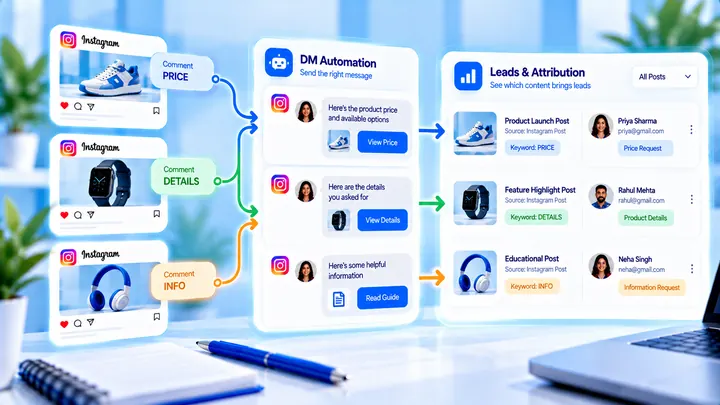
How to Track Instagram DM Leads by Post
Know which Reel created conversations — name campaigns, use UTMs, and do not mix every keyword into one bucket.
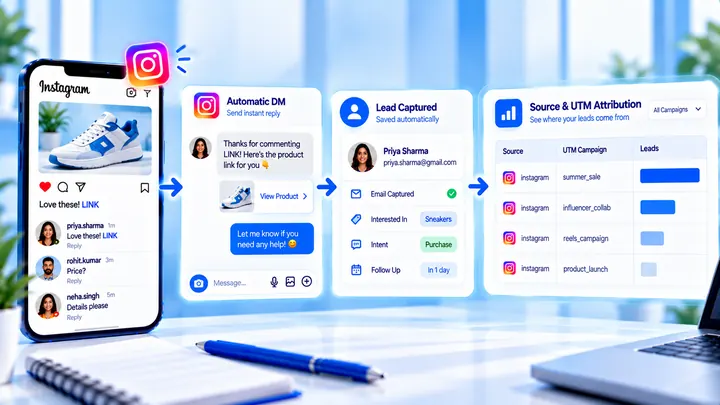
How to Measure Leads from Instagram Comments
A lead from a comment is a contact you can follow up — not a comment count. Wire keyword → DM → email or UTM before you celebrate.