
Instagram Broadcast Channel vs DM Automation
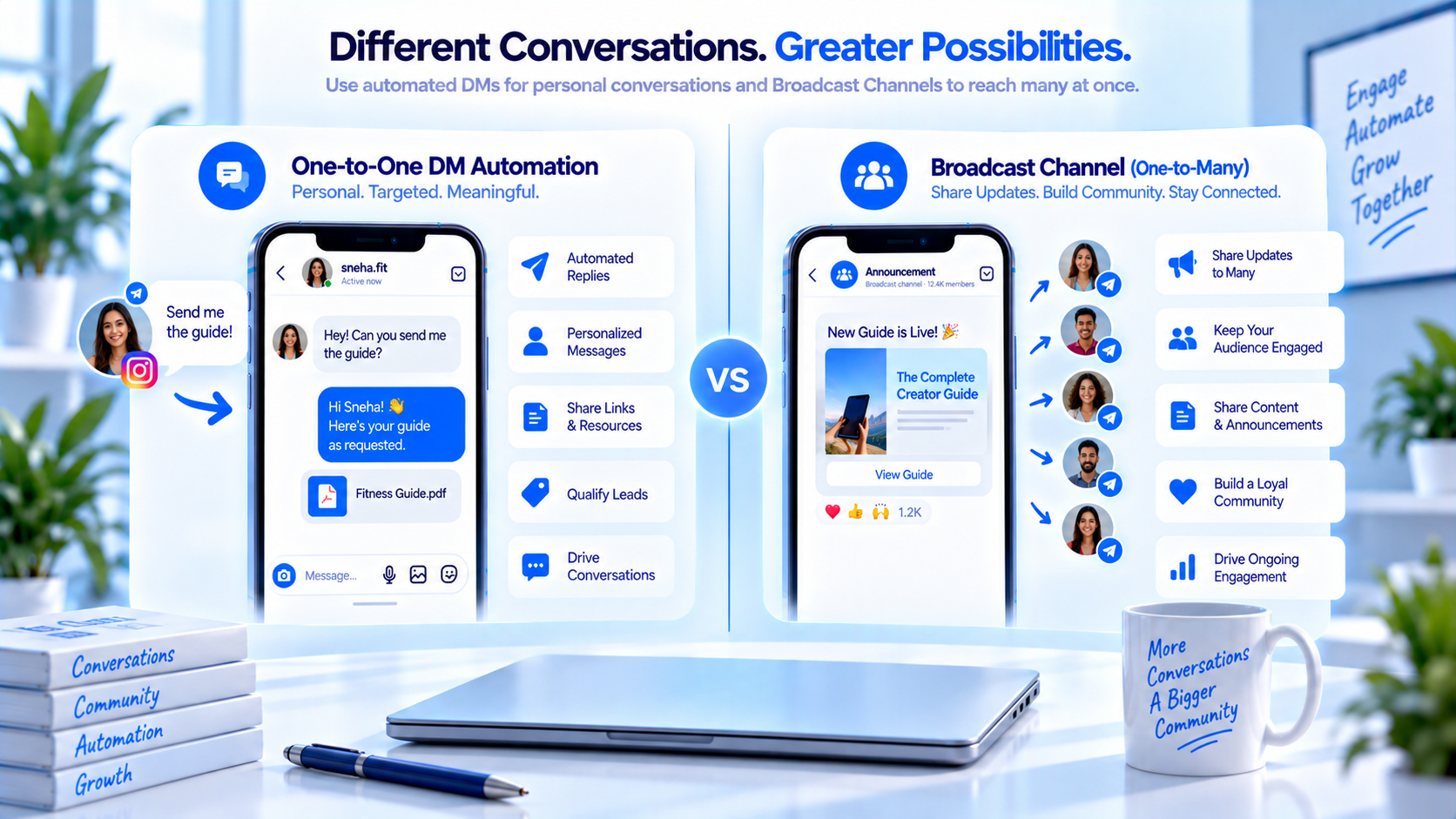
Last reviewed: August 2026. A Broadcast Channel is Instagram’s native one-to-many inbox for professional accounts: subscribers join, then they receive updates in that channel. Eligibility and Create buttons have changed over time — check Instagram Help if you do not see it. DM automation, in this article, means a one-to-one Private Reply after a comment, Story reply, or inbound DM. They share a search box. They do not share a job.
CommentLink does not post into Instagram Broadcast Channels. Our own “broadcasts” feature is a list send on connected Instagram or WhatsApp threads — a different product. This piece is the comparison: when to use Meta’s channel, when to use comment-to-DM, and how not to treat one as the other. Compliance versus mass DM is a cousin article; channel versus Story is another. Stay here for channel versus AutoDM.
Channel and AutoDM are different products
A channel is a room people opted into. You send updates; they are not in a sales thread with you unless they leave the channel and DM. Comment-to-DM is the opposite shape: they asked in public, you answer in private, once per comment unless they reply.
Mixing them produces two failures. You blast a unique coupon only in the channel, then teach LINK on a Reel that never mentions the channel — buyers who commented never joined. Or you put a join pitch in the DM instead of the size chart they commented for. That is bait, not a channel strategy.
| Job | Broadcast Channel | Comment-to-DM |
|---|---|---|
| Who starts it | They join | They comment or reply |
| Shape | One-to-many | One-to-one private reply |
| Best for | Drops, show times, weekly notes | A requested URL, menu, or booking link |
| CommentLink | Does not operate Meta channels | Comment, Story, DM keyword triggers |
How each surface actually delivers a message
- Channel: they tap Join on your professional account’s channel (when Instagram shows it).
- You compose updates in Instagram’s channel composer — not in CommentLink.
- Subscribers see those updates in the channel inbox, not as a 1:1 sales DM.
- Comment-to-DM: they comment a keyword on media you connected.
- CommentLink sends a private reply on that comment (Meta: one message per comment).
- If they answer, you can continue in the thread; if they do not, you do not get a second unsolicited private reply on that comment.
Jobs that belong to a channel versus a private reply
Independent bookstore: channel for “Thursday 6pm reading, doors at 5:45.” Comment PRICE on a Reel of a new hardcover: DM with the store link and pickup hours. Do not put the ISBN only in the channel if the comment asked for PRICE.
Theatre company: channel for cast change and rain check. Comment TIX: DM with the ticketing URL. The channel is not a queue for seat selection.
If you want people in the channel, invite after you send the asset — that workflow is grow a channel with comment-to-DM. This article only decides which surface owns the job.
Picking a surface and wiring the one you chose
- Write the job in one sentence: “send this week’s PDF” versus “tell joiners the Saturday hours.”
- If the sentence is a requested file, build comment-to-DM. If it is an ongoing update for people who opted in, use Instagram’s channel.
- Do not attach a CommentLink automation to a channel post. We do not operate that composer.
- If you also send WhatsApp list messages, that is yet another product — WhatsApp broadcast practices — not a Meta Broadcast Channel.
- Teach one keyword per requested asset. Do not teach JOIN as the only comment if they asked for a file.
Category errors that waste a launch
- Calling CommentLink broadcasts “Instagram Broadcast Channels.” Instead: use Instagram’s name for Meta’s product.
- Using a channel as a loophole to DM everyone. Instead: join is opt-in to the channel, not consent for unrelated private pitches.
- Replacing comment-to-DM with a channel because “reach.” Instead: people who commented already asked; the channel is for joiners.
- Putting the only checkout link in a channel update. Instead: send checkout in the private reply they earned with the comment.
- Assuming every professional account has Create. Instead: check Instagram Help for current eligibility.
- Treating this comparison as a mass-DM compliance essay. That distinction lives in channel vs mass DM.
Running both without mixing the jobs
- Channel: schedule, drops, “we’re closed Monday.”
- Comment-to-DM: menus, size charts, booking links, PDFs they named.
- Caption: “Comment LINK for the lookbook. Join the channel for drop times.” Two sentences, two surfaces.
- Never auto-enrol. They tap Join.
Copyable channel-versus-DM decision sheet
If they must receive it after one comment this hour → Private Reply.
If they opted in to keep hearing from you without commenting every time → Channel.
If you need a two-way sales conversation → Inbox after they write, not the channel composer.
CommentLink owns the middle path only: triggers on the account you connected. It does not replace Instagram’s channel UI.
CommentLink list sends are not Meta channels
CommentLink can send to lists of people who already have a thread on a connected Instagram or WhatsApp account. That is a workspace broadcast. Instagram Broadcast Channels are a Meta product with their own join button, composer, and subscriber list inside Instagram. Using the word “broadcast” for both is how teams buy the wrong tool.
If your job is “tell people who already messaged us that Saturday is sold out,” a list send on existing threads may fit. If your job is “let fans subscribe to a one-to-many channel they can leave,” that is Instagram’s channel. If your job is “they commented TIX, send the URL,” that is comment-to-DM. Three jobs, three surfaces. CommentLink owns the second only as IG/WA list sends, and the third as triggers. It does not own Meta’s channel composer.
Do not import a CSV of usernames into anything and call it a channel. That is the mass-DM shape, which is a different article. Here the only comparison that matters is: opted-in one-to-many in Instagram versus requested one-to-one private reply.
When a subscriber or commenter needs a human anyway
Channel replies, when Instagram allows them, are not your CommentLink flow. Someone arguing about a cancelled show in the channel needs a person. Someone who commented LINK and then said “this charged twice” needs handoff in the DM, not another channel blast.
Neither surface is a CRM. If the next step is a refund or a custom hold, stop broadcasting and take the thread.
D2C drop times in the channel, SIZE in the private reply
Apparel label. Broadcast Channel: “Drop is Friday 6pm IST.” That is an update for people who joined a room. Comment SIZE on the lookbook Reel: DM with the size chart. That is a 1:1 private reply they earned. Do not put the only size chart in a channel update. Commenters who never joined still asked.
Do not treat the channel as a two-way sales thread. Refunds belong in the DM inbox after they write. Channel replies, when Instagram shows them, are not a CommentLink flow. This comparison is updates versus requested 1:1 — not mass-DM compliance, not channel versus Story.
If they write back in the channel, that is not AutoDM
Instagram’s channel composer is not CommentLink. A subscriber arguing about a cancelled drop in the channel does not fire your SIZE keyword. Someone who commented SIZE and then said “charged twice” needs handoff in the DM, not another channel blast. Neither surface is a CRM.
CommentLink list sends on existing IG/WA threads are still not Meta’s Broadcast Channel. Using the word “broadcast” for both is how teams buy the wrong tool. We do not post into Instagram Broadcast Channels.
Copyable one-sentence job test
“They must get this after one comment this hour” → comment-to-DM. “They opted in to keep hearing hours and drop times without commenting” → Instagram’s channel. “I want to message everyone who never joined and never commented” → that is not this product, and it is not a loophole via Join.
Caption can name both: “Comment SIZE for the chart. Join the channel for drop times.” Two sentences, two surfaces. They tap Join. You do not API-subscribe them.
FAQ
Can CommentLink automate Instagram Broadcast Channels?
No. We do not operate Meta Broadcast Channels. We automate comment, Story, and DM triggers on accounts you connect.
Is a CommentLink broadcast the same thing?
No. CommentLink broadcasts are list sends on connected Instagram or WhatsApp threads, not Meta’s Broadcast Channel composer.
When should I use a channel instead of AutoDM?
For opt-in updates (hours, drops, show times). Use comment-to-DM when they asked for a specific asset in a comment.
Can I grow the channel with a keyword?
You can invite in the private reply after you send the asset. You cannot silently subscribe them.
Does joining a channel let me DM everyone privately?
Treat join as consent for that channel, not for unrelated 1:1 pitches. Do not use it as a mass-DM workaround.
What if I do not see Create on my account?
Eligibility has changed over time. Check Instagram Help. Absence of the button is not a CommentLink setting.
Should the size chart live only in the Broadcast Channel?
No. If they commented SIZE, send the chart in the private reply. The channel is for repeating drop times, not the asset they asked for.
If someone replies inside the channel, will comment-to-DM fire?
No. Channel replies are Instagram’s surface. CommentLink triggers are comment, Story, and DM keywords on the account you connected.
Is this about mass DMing channel subscribers?
No. Join is opt-in to that channel, not consent for unrelated 1:1 pitches. The mass-DM comparison is a separate article. This one is updates versus a requested private reply.
Related reading
See Instagram DM automation
Comments, Stories, keywords, follow-gates, lead capture and a shared inbox — official Meta APIs.
See DM automationRelated articles
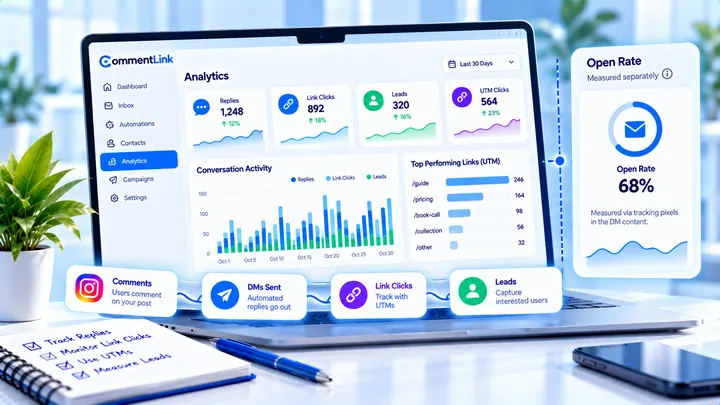
Instagram DM Open Rates: What’s Measurable (and What Isn’t)
Instagram does not give automation tools a standard DM open rate. Track replies, clicks, and attributed leads instead of vanity opens.
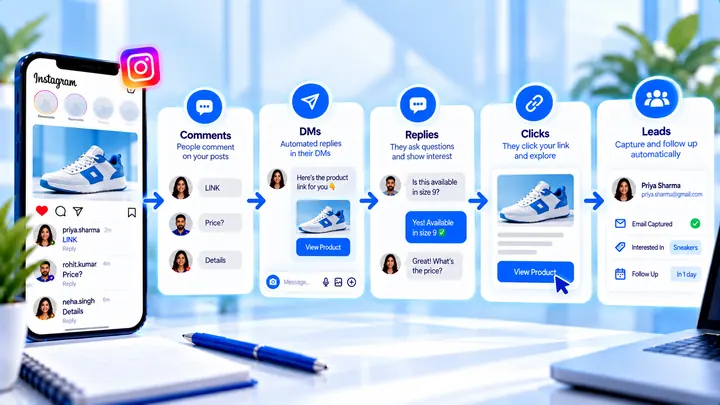
Instagram Comment-to-DM Conversion Rate Explained
Pick a stage: comment→DM, DM→click, click→lead. Do not mix them into one “industry average.”
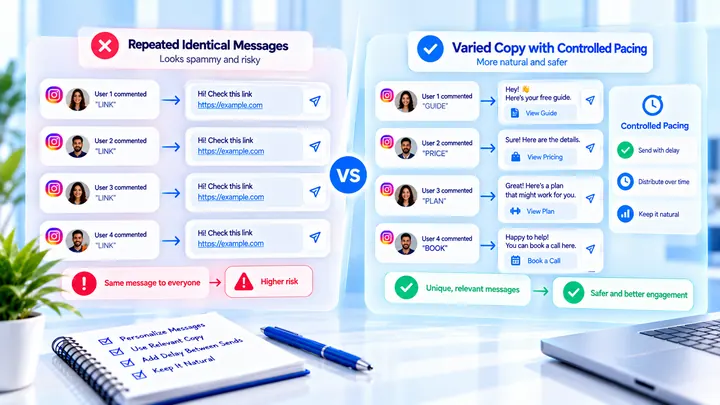
Why the Same Instagram Auto DM Can Hurt Delivery
Sending the same Instagram DM repeatedly at volume can look templated. Variation and pacing matter more than a new vendor.