
Instagram DM Templates for Price, Link, Guide, and Book
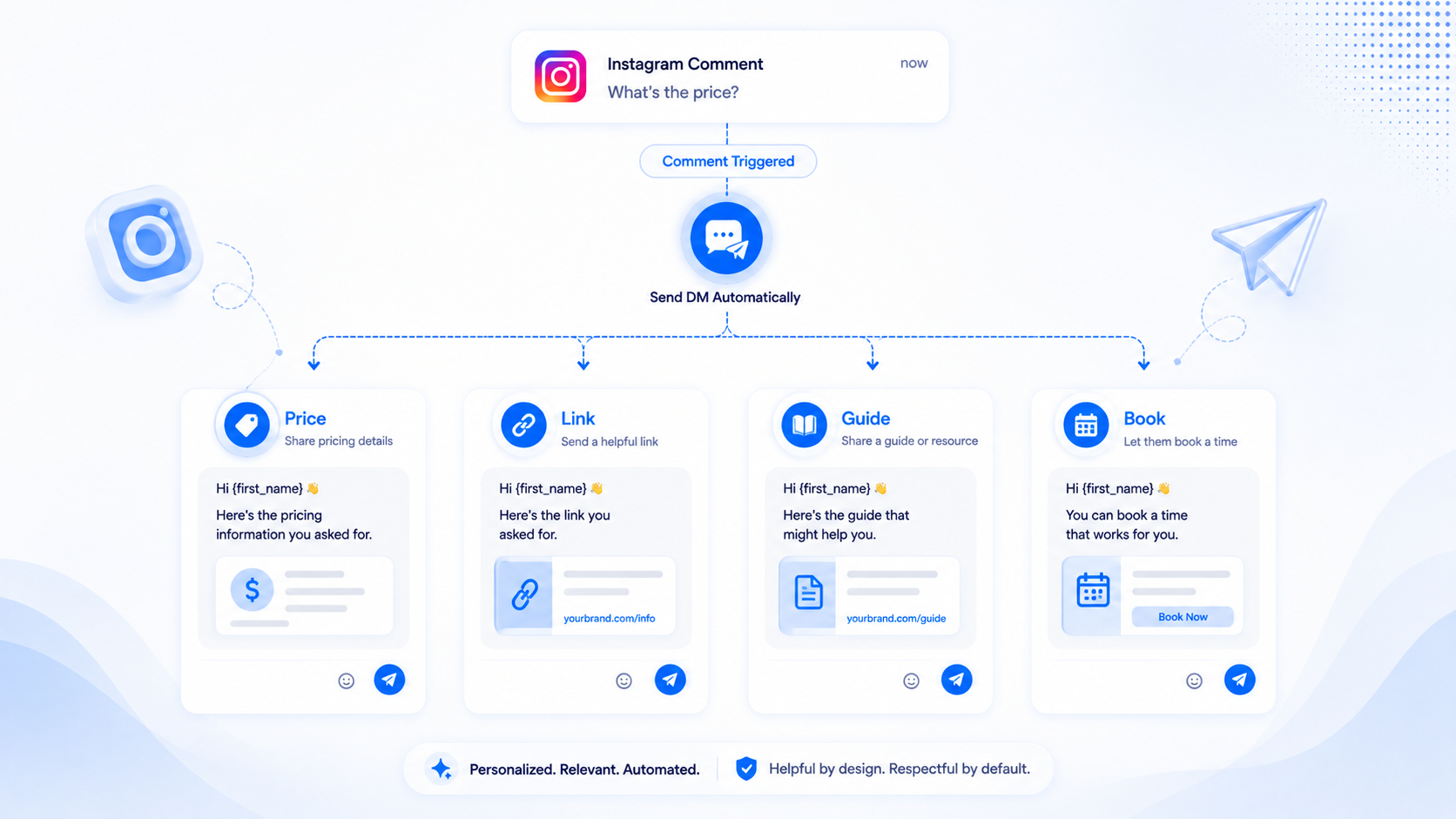
Most comment-to-DM setups fail on the message, not the keyword. Someone comments PRICE and receives a paragraph that sounds like an ad network. Someone comments LINK and gets a URL with no context, so they ignore Message Requests. The four keywords shops actually use — PRICE, LINK, GUIDE, and BOOK — need four different DMs, not one clever template reused everywhere.
This is example copy, not a marketplace of branded packs. CommentLink includes starter templates you can edit; Instagram’s native Comment to Message lets you paste the same sentences. Rewrite every line so it sounds like the account people already follow. Disclose affiliate or paid partnerships where the law and Instagram’s rules require it.
The sequence underneath is always the same: a matching comment on your post or Reel, then a private DM through official Meta APIs. If you still need the mechanics, start with how to send a link when someone comments and the comment-to-DM product page.
What a comment-to-DM template has to do
A useful DM does three jobs in a few lines. It confirms you saw the comment. It names the thing they asked for. It gives a next step that works on a phone: a URL, a button, or a question they can answer in one tap. Anything else belongs in a later message or in the inbox once a human takes over.
Keep the first DM short. First-time conversations often land in Instagram Message Requests. A wall of text there looks like spam even when the person asked for it. One or two sentences plus the payload outperforms a brochure.
Do not put the entire catalogue in one bubble. PRICE should not also pitch the booking calendar. GUIDE should not also dump every affiliate URL you have ever used. Split keywords so the DM matches the intent of the comment.
Write like a person who would have typed the same reply by hand at 11pm. If you would not send the paragraph to a friend who commented on your photo, do not automate it. Templates exist to remove blank-page fear, not to make every account sound like the same SaaS.
Language, currency, and “template” honesty
If the Reel is in Hindi, the DM should not reply in stiff corporate English unless that is actually your brand. PRICE copy should use the currency you will charge: ₹ with GST clarity, or USD if that is the checkout. Do not send “$29” to an audience that only ever saw ₹2,400 on the carousel.
CommentLink is not selling a marketplace of 4,000 industry packs. There is a starter library for sales, magnets, giveaways, bookings, and support. You still change the words. Instagram native Comment to Message has no library at all — you paste. Both are fine. What is not fine is implying a purchased pack is required before a link can send.
PRICE — send the number, not a scavenger hunt
People comment PRICE because the caption hid it, the carousel was too fast, or they do not want to DM you first. Reward that. If the product has one price, say the price. If it has sizes or variants, say the starting price and where the rest lives.
Example DM (single product): “Thanks for asking — the oak side table is ₹4,900 including GST, ships in 5–7 days. Full details and checkout: https://example.com/table. Reply SIZE if you want dimensions.”
Example DM (service): “Discovery calls are free. The 6-week coaching block is $890. I sent the breakdown and what’s included: https://example.com/coaching. Comment BOOK on this Reel if you want a slot instead.”
Example DM (range): “This drop starts at $28 for the pin, $64 for the tee, $120 for the jacket. I put the three links in order here: https://example.com/drop. Tell me which piece if you want stock on a size.”
What to avoid: “Check the link in bio.” They already tried. “DM me for price” is the loop they are trying to escape. “Our prices are competitive” without a number wastes the comment.
When PRICE should not send a public reply with the number
If you change prices often, or you run regional pricing, keep the number in the DM. A public comment reply that says “$12!” on a viral Reel becomes a screenshot that outlives the sale. A short public line such as “Sent you the current price in DMs — check Message Requests if you do not see it” is enough social proof without freezing a figure on the thread.
LINK — one destination, named
LINK is the default keyword because Instagram still treats URLs in captions as something to hide. The DM should name the destination so people know they did not get a random bit.ly.
Example DM (product page): “Here’s the link you asked for — the sand linen set, with size chart: https://example.com/linen-set. If it is sold out, comment RESTOCK and I’ll tell you when it’s back.”
Example DM (affiliate): “I use this stand for every Reel in this series (affiliate — I may earn a commission): https://example.com/aff. Same one as in the video, not a substitute.”
Example DM (lead magnet teaser, not the gate yet): “The checklist is at https://example.com/checklist. If you would rather have the PDF emailed, comment GUIDE on this post and I’ll ask for an address in the DM.”
One primary URL. Extra links belong in a second message after they tap or reply. CommentLink can attach a button so the tap target is obvious; native Comment to Message can still carry the same sentence and URL. Neither tool should send five competing destinations in the first bubble.
GUIDE — promise a file, then actually deliver it
GUIDE usually means a PDF, Notion page, or email sequence. If you are going to collect an email before the file, say that in the first DM so the commenter is not surprised. The email-gate sequence is a separate setup from a simple URL; this template is the honest opener.
Example DM (direct file or page): “The 12-page Instagram caption guide is here: https://example.com/caption-guide. It’s a PDF, no signup on that page. If the download fails, reply FILE and a human will resend it.”
Example DM (email first): “I can send the packing-list PDF. Reply with the email you actually check — I will only use it to send this file. After I have it, the download goes out in the next message.”
Do not write “GUIDE” copy that is actually a sales webinar funnel unless the Reel said so. People who comment GUIDE after you promised a checklist will report the DM as spam if you pivot to a $499 course in sentence two.
BOOK — a calendar, not a “we’ll be in touch”
BOOK is for coaches, clinics, restaurants, and anyone whose next step is a time slot. Send the booking URL. If you only take bookings on WhatsApp, say that — but remember CommentLink does not turn an Instagram comment into a WhatsApp message. The Instagram DM can contain a wa.me link they tap; that is a person leaving Instagram on purpose, not an automated comment→WhatsApp send.
Example DM (calendar): “Thanks — here’s my calendar for 20-minute fit calls this week: https://example.com/book. Pick anything with a green slot. If nothing works, reply TIMES and I’ll offer two more.”
Example DM (qualified book): “I only book after a short form so I know your city and budget. Start here: https://example.com/apply. When that’s in, you get the calendar link automatically.”
Example DM (local service): “Home visits in Pune, Tue–Sat. Book a window here: https://example.com/pune-book. Include your PIN code on the form or the slot won’t stick.”
How to attach the copy in CommentLink
- Connect Instagram with Meta login on a Professional account (Business or Creator) linked to a Facebook Page.
- Create a comment-to-DM automation on the post or Reel. Use a separate keyword for PRICE, LINK, GUIDE, and BOOK if you truly need four different DMs. One automation can hold multiple keywords that share the same message; split automations when the copy must differ.
- Paste the DM. Add a button or URL field if you use one. Keep a public reply optional and short.
- Publish the automation. Test from a second account. Confirm the tester looks in Message Requests.
Matching is not magically fuzzy. If you want “price?” and “PRICE PLEASE” to fire, read how exact versus contains matching works before you go live on a launch Reel.
What these examples are not
- Not a claim that CommentLink is a template marketplace with thousands of industry packs. There is a starter library. You still write like yourself.
- Not permission to hide shipping, taxes, or that a link is affiliated.
- Not a substitute for native Instagram Comment to Message if one keyword and one URL is the whole job.
- Not cold outreach. These DMs only go to people who commented in a way that matches your rule.
FAQ
Can I use the same DM for every keyword?
You can, and it usually underperforms. PRICE commenters want a number. LINK commenters want a URL. GUIDE commenters expect a file. BOOK commenters expect a calendar. Shared copy makes three of those four feel like a bait-and-switch.
Does Instagram allow links in the automated DM?
Official messaging APIs are how businesses send URLs in DMs. Caption links are the part Instagram hides. Still follow commerce and disclosure rules. CommentLink does not disguise the destination.
Should the public comment also contain the template?
Usually no. Put the payload in the DM. Use a one-line public reply only if you need to say “check Message Requests” or answer something everyone else will ask.
What if someone comments PRICE on the wrong product Reel?
Bind the automation to that Reel and write the DM for that SKU. Do not run one global PRICE automation across every old post unless the price is truly the same.
Related reading
Send these DMs from comments
Connect Instagram with Meta login and deliver PRICE, LINK, GUIDE, or BOOK replies in a private DM.
Turn Comments Into DMsRelated articles
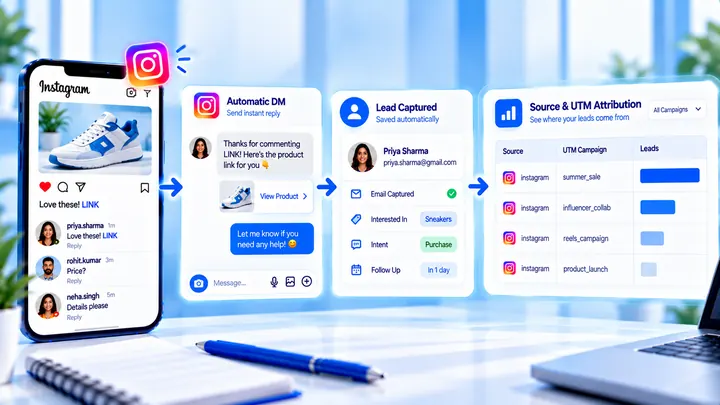
How to Measure Leads from Instagram Comments
A lead from a comment is a contact you can follow up — not a comment count. Wire keyword → DM → email or UTM before you celebrate.
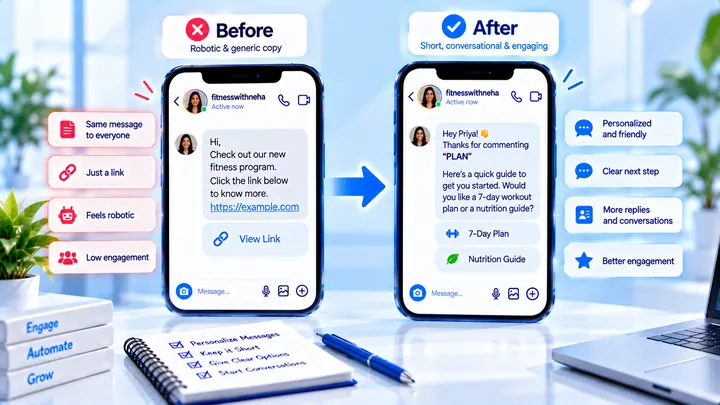
How to Write Automated Instagram DMs That Feel Human
Write human-sounding Instagram automated DMs: short openers, the promised next step, and a CTA that invites a reply — not a pitch wall.
How to Attribute Sales with Coupons in Instagram DMs
Unique codes in automated DMs can beat UTMs when checkout is messy — if you rotate codes and accept some leakage.