
How to Configure a Public Comment Reply and a Private DM Together
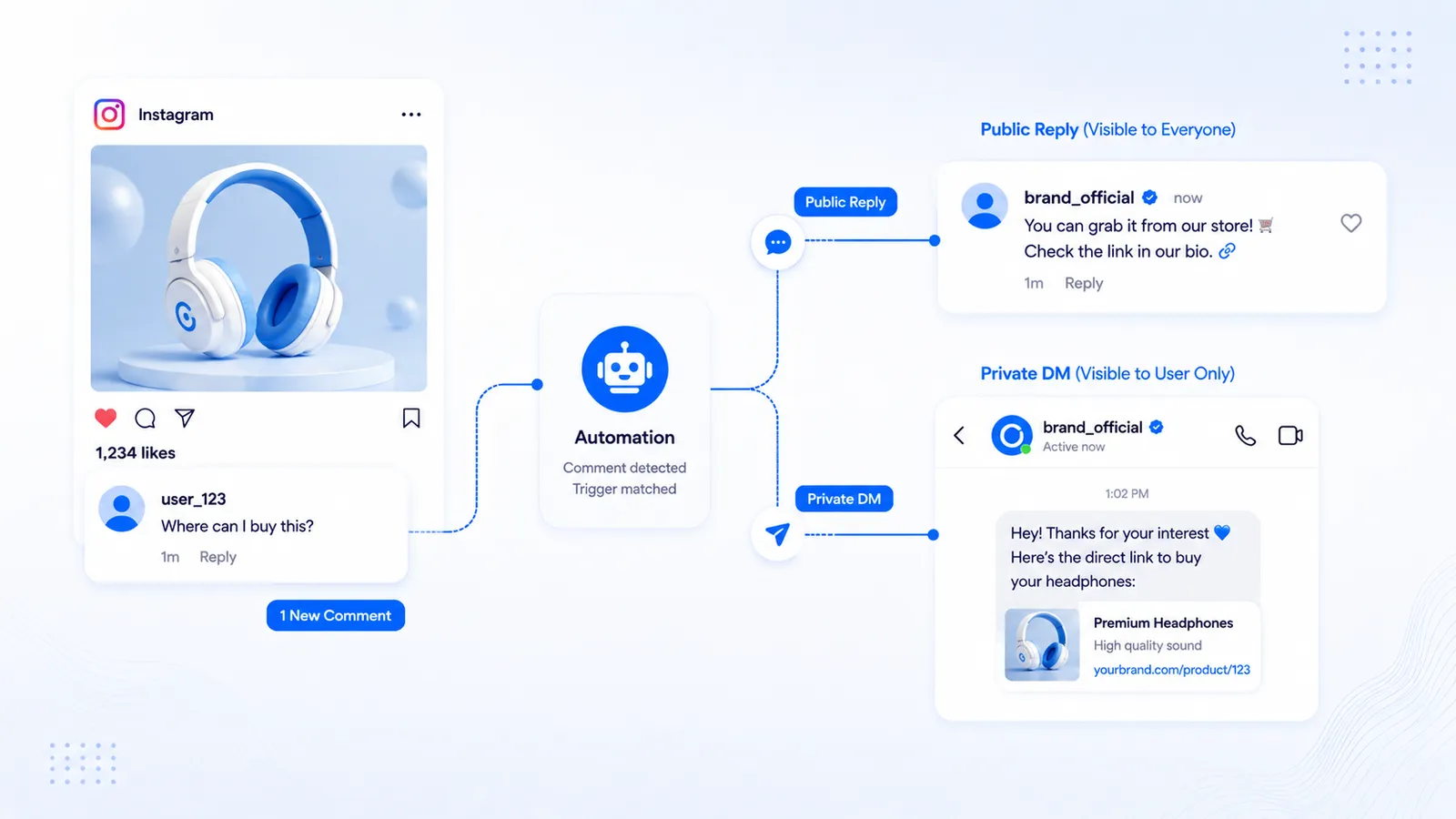
This is the how-to for sending both a public comment reply and a private DM from the same matching comment. It is not the strategy piece on when the thread should stay public. That decision lives in Public Instagram comment reply vs private DM. Read that if you are still choosing. Stay here if you already want both and need the working order.
Native Custom Keywords are built around the DM. CommentLink comment automations can attach a public reply and a DM to one rule. You still need a Professional account, Meta login, and a comment that actually matches.
What you are configuring
Two API actions, one trigger. The trigger is a comment on your post or Reel (exact keyword, contains, exclude, mention-only, or catch-all). Action A posts a reply under that comment. Action B sends a private message to the commenter. They can run together. Either can be left empty; at least one should exist or the automation has nothing to do.
The public line is usually one sentence: you saw them, the details are in DMs, check Message Requests. The DM holds the URL, button, or follow-gate card. Putting a long affiliate link in the public reply makes the thread look like an ad and still fights Instagram’s awkward link behaviour in comments.
Setup in CommentLink
- Connect Instagram with Meta login. Password fields mean you are in the wrong product.
- Open an auto-reply / comment automation on the post or Reel (or arm an upcoming post if the launch is not live yet).
- Set matching: a keyword you printed in the caption, a contains rule, exclusions for spam words, mention-only if you only want @you, or every comment if the post is a giveaway.
- Write the public reply. Keep it a sentence. Do not paste the checkout URL here unless you have a reason to show it to every lurker.
- Write the DM. Thank-you, one next step, URL or button. If a follow-gate is on, the first DM is the I’m following card; the link waits for Meta’s
is_user_follow_businesscheck after the tap — details in how Instagram follow gates actually work. - Save and turn the automation on.
- From a second Professional or personal tester account, comment the keyword. Confirm the public reply appears on the thread and the DM arrives (often under Message Requests if they have not written you before).
Copy that works as a pair
Public: “Sent this to your DMs — if it is not in Primary, check Message Requests.” That sentence does a job: it tells lurkers you answer, and it tells the commenter where to look. It does not leak the discount code.
DM: “Here’s the link you asked for on the Reel: [URL]. Questions, just reply here.” If you collect email or phone before the file, say that in the DM, not on the public thread. Lead capture is a DM node (COLLECT_EMAIL / COLLECT_PHONE), not a comment form.
Ecommerce example: caption says comment SHOP. Public reply: “Shop link is in your DMs.” DM: product URL plus a button. Coach example: comment BOOK. Public: “Dates are in DMs.” DM: calendar URL. Affiliate example: disclose in the DM if the URL is an affiliate destination; do not hide the domain. Policy-safe affiliate copy is its own article: affiliate links in comment-to-DM.
Matching mistakes that look like “DM worked, public did not”
- You tested from the same account that owns the post. Use a second account.
- The public reply field was empty. The DM still sent. Fill both if you want both.
- The comment did not match (typo, extra emoji, excluded word). Tighten the rule or print the keyword in the caption and say it in the video.
- Instagram delayed the public reply while the DM was already in Requests. Refresh the thread before rewriting the automation.
- You expected a feed-post rule to answer a Story. Story replies are a different trigger. See booking links from Instagram Story replies if the surface is Stories.
When only one side should fire
You can save a public-only automation for FAQs you are willing to show everyone (shipping times). You can save a DM-only automation when the thread is already noisy and you do not want fifty identical “check DMs” replies. The vs article explains the taste; the configuration is the same form with one field left blank.
Catch-all plus a public reply on a meme post will spam your own thread. Catch-all plus DM-only is still a lot of DMs; watch the hourly cap and the viral Reel DM queue.
Reels, upcoming posts, and native
Reels comments use the same public-reply-plus-DM machinery as feed posts. Upcoming post automation arms the rule before publish so the first comments are not missed. Native Business Suite will not give you this exact pair; it is the DM side of custom keywords. If you only need the DM and volume stays under the hourly cap, native is enough. If you need the public sentence plus the DM, use a workspace that actually sends both.
Field-by-field: what to put in each box
Matching: start with the word you printed in the caption. Contains is kinder than exact when people add emoji; exclude is how you drop “link to my OnlyFans” if that is your spam pattern. Mention-only is for “comment and tag a friend” posts where you only want comments that mention someone. Catch-all is for launches where any comment is a hand-raise — and it will also DM the jokes. Pick on purpose.
Public reply field: one line, no URL unless you have a reason. Variables, if you use them, should still read as a sentence a human would post. Avoid fifty identical “Nice!” replies on a thoughtful comment thread; that is how auto-reply earns a reputation.
DM field: the payload. URL or button, optional image, optional follow-gate card first. If you also collect email or phone, that happens in the DM thread after they have a conversation, not as a public comment form. Keep the first DM short enough to survive Message Requests preview.
Worked examples (copy you can steal)
Product Reel. Caption: comment SHOP. Public: “Shop link is in your DMs — check Message Requests if it is not in Primary.” DM: “Here’s the product from this Reel: [URL]. Reply here if you need the size chart.”
Coach Reel. Caption: comment BOOK. Public: “Dates are in DMs.” DM: “Book a slot: [calendar URL]. If nothing fits, reply with two days that work.”
Giveaway. Caption: comment YES. Public: “Rules and entry link are in DMs so the thread stays readable.” DM: “Entry form: [URL]. Following is required only if you turned the follow-gate on — we check after you tap I’m following.” Do not hide the destination. Do not run catch-all on a giveaway if you cannot staff the queue.
Troubleshooting when only one half fires
- Public yes, DM no: permissions, Message Requests, they restricted DMs, or the hourly cap queued the DM while the comment reply went out first. Wait, then check the queue.
- DM yes, public no: empty public field, or Instagram delayed the comment reply. Refresh before rewriting the whole automation.
- Neither: automation off, wrong post, keyword miss, personal account, dead token. Work the FAQ checklist on this site.
- Double public replies: two automations on the same media. Turn one off.
- Follow-gate DM but no public line: you left public empty, which is valid. Fill it if you want the “check DMs” sentence.
When the Reel is viral, public replies can look like spam even when they are accurate. Switch to DM-only for that post, or use a thinner public line. The vs article still owns the taste question: public reply vs private DM.
Follow-gate plus both messages
Order of operations: matching comment → optional public reply → gate card in DM → they tap I’m following → CommentLink reads is_user_follow_business → link or next message. The public reply should not claim they already have the link. “Sent you a DM — follow and tap I’m following if the link is gated” is accurate. Lying on the public thread to force follows is how you earn reports.
FAQ
Can native Instagram send a public reply and a DM together?
Custom Keywords are built around the private message. For a public “check your DMs” plus the URL in private, you need a tool that exposes both actions or a human on the thread.
Does the public reply include the link?
It can, but it usually should not. Instagram still treats comment URLs awkwardly, and you lose the point of a private next step.
What if they never see the DM?
That is why the public line exists. Tell them to open Message Requests. Do not send a second speculative DM that violates messaging windows; wait for a reply.
Can I use different keywords for public versus DM?
One CommentLink comment rule applies one match to both actions. If you need totally different behaviour, use two automations with different match rules — and keep them from double-sending.
Will a follow-gate still allow a public reply?
Yes. The public reply can confirm you saw them while the DM holds the gate card. The link still waits on the tap plus the follow field.
Related reading
Set public reply and DM on one comment
Use one automation for a short public reply and a private DM — official Meta login, keywords, optional follow-gate.
Try CommentLink FreeRelated articles
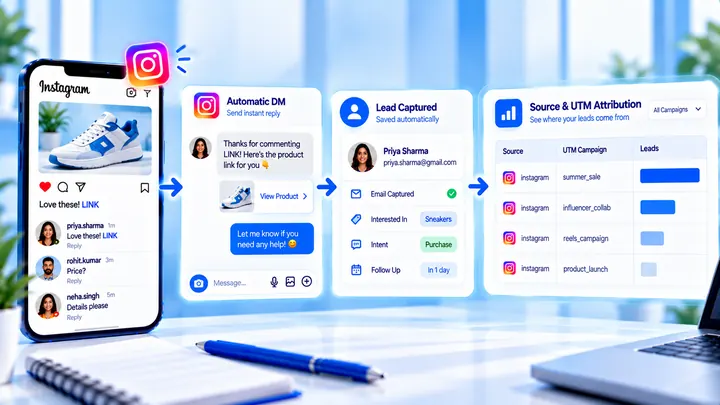
How to Measure Leads from Instagram Comments
A lead from a comment is a contact you can follow up — not a comment count. Wire keyword → DM → email or UTM before you celebrate.
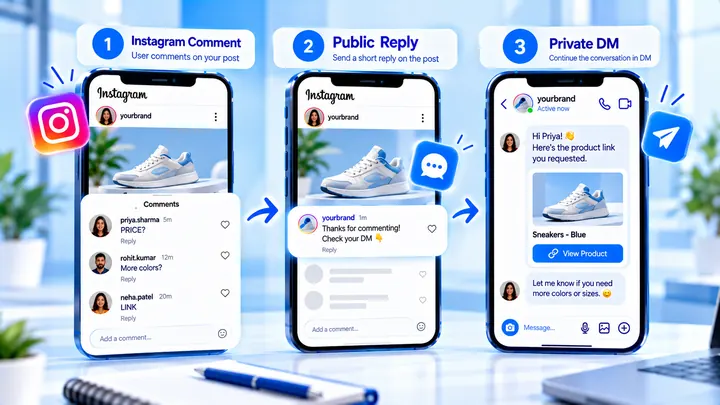
Use a Public “Check Your DMs” Reply Without Spamming
A one-line public “check your DMs” reply helps people find Message Requests. Repeating it on every comment can make the thread look automated and loud.
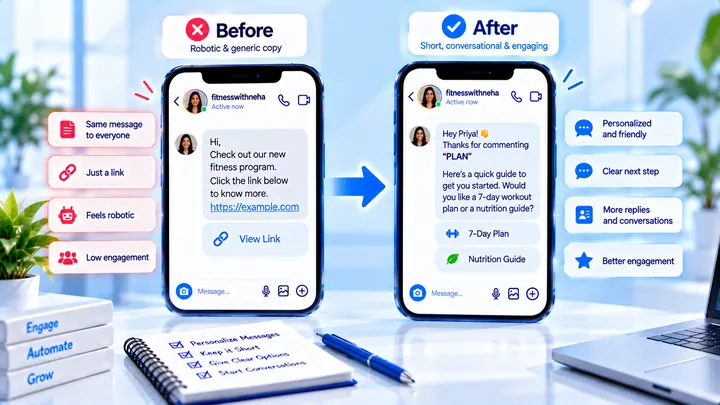
How to Write Automated Instagram DMs That Feel Human
Write human-sounding Instagram automated DMs: short openers, the promised next step, and a CTA that invites a reply — not a pitch wall.