
How to Sync Instagram DM Leads into a CRM
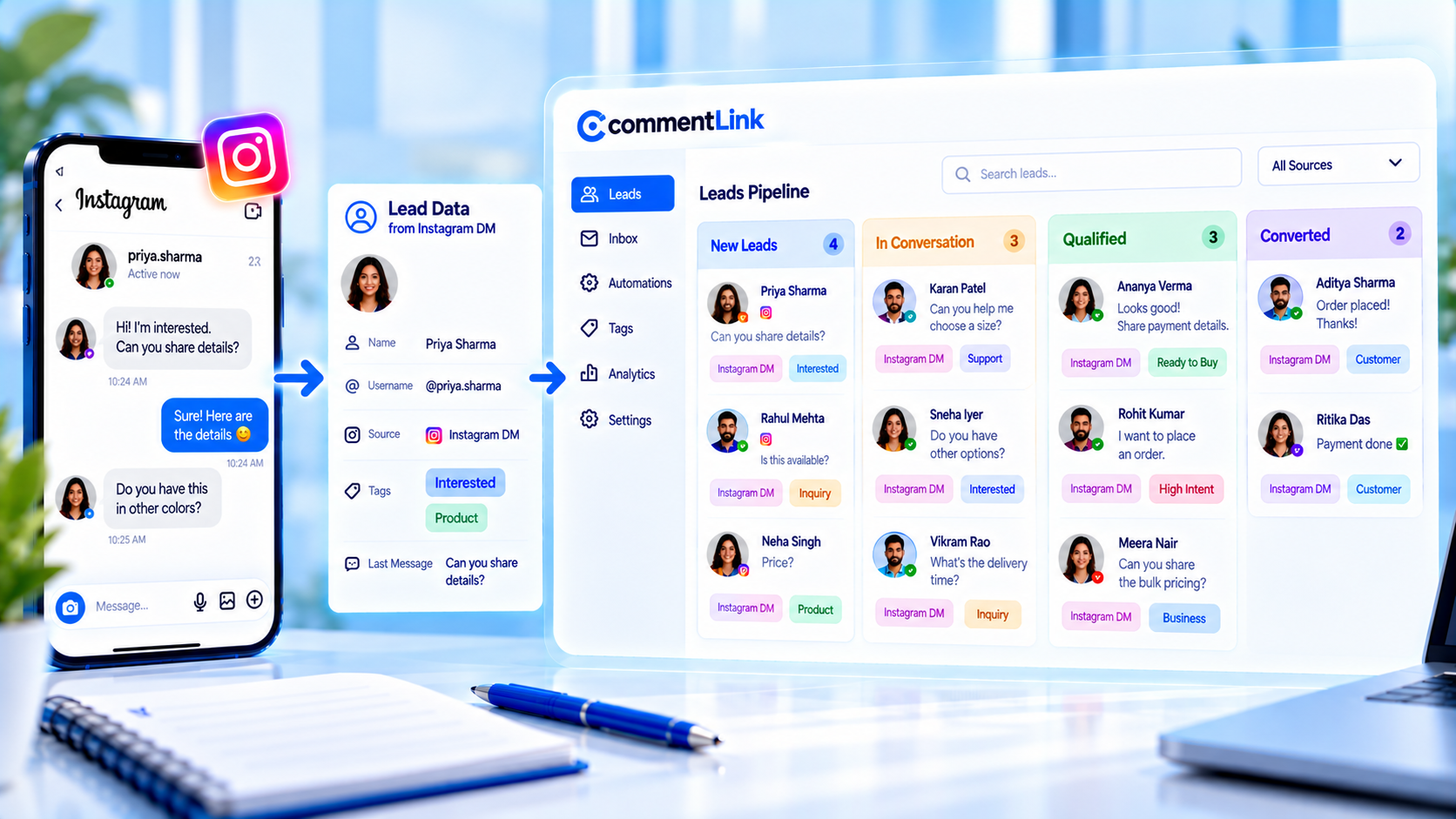
In the current product, you can COLLECT_EMAIL or COLLECT_PHONE in a flow, tag the contact, and use an HTTP request node if you maintain your own webhook. There is no first-party HubSpot or Salesforce connector in the codebase. There is no native CRM. This article stays honest about that.
Collect an email you will actually send. Store source (post or Reel) and an intent tag. Then import or webhook it yourself. Two-way sync, automatic deal creation, and “CommentLink is your CRM” are not claims we will make. The inbox is for conversations. The list you export is yours to import.
Collect path: collect emails from Instagram comments. Put the post name or a UTM in the note you keep: UTM hygiene for Instagram DM links.
Why Instagram DMs do not magically become CRM records
A comment is not a contact. A DM thread is not a deal. Until you have an email or phone you were given in the chat, or a click on a form you own, you have a conversation on Instagram. Tools that imply a HubSpot app are describing a product CommentLink does not ship.
That is not a dead end. Collect in the flow. Tag intent. HTTP_REQUEST if you operate an endpoint. CSV export and import if you do not. Attribution is a field you type, not a native Salesforce mapping.
Teams stall waiting for a settings toggle named HubSpot. That toggle is not in this product. Meanwhile comments still convert into emails if you ask. The CRM you already pay for can ingest a CSV. That path is slower than a native app and it is the path that actually exists.
How collect, tags, and HTTP_REQUEST actually move data
COLLECT_EMAIL asks for an address in the DM and stores it when they reply with something that looks like an email. COLLECT_PHONE does the same for a number. Tags mark intent on the contact. HTTP_REQUEST can POST what you configure to a URL you control — a Zap, a Make scenario, your own server. You own that URL’s contract.
A phone collected in an Instagram DM is not a WhatsApp session. CommentLink will not open WhatsApp because they commented. If you later text or WhatsApp, that needs a separate, lawful path. Do not collect phone “just in case.”
HTTP_REQUEST will send whatever JSON you mapped. If the endpoint 401s, leads do not arrive. Watch the endpoint. CommentLink is not your CRM’s retry queue. Tags stay on the contact even when the webhook fails — the inbox still has the thread. The CRM will not unless you notice.
Comment and DM capture examples before any import
- Comment GUIDE. DM: confirm the PDF. COLLECT_EMAIL: “Which email should keep the file if Instagram eats the thread?” Then send the file. Tag research. Source: Reel name.
- Comment BOOK. DM: fit question. COLLECT_EMAIL only if you will send the one-pager. Tag book. HTTP_REQUEST to your booking tool if you maintain that hook — not a HubSpot app we provide.
- Comment PRICE. DM: the list. Collect nothing if you will not email. A URL with a UTM is enough to attribute a later checkout you already operate.
- Comment HELP. Do not collect marketing email. Handoff. CRM if you already have them as a customer is your process, not an auto-deal.
- Comment BOOK. Skip collect if the calendar form already captures email. Duplicate asks feel like a second gate. Source the post in the calendar’s hidden field or UTM instead.
- Comment LINK. If the lookbook is the job, a tagged URL may be enough. Do not invent a CRM record for a click you never stored.
Implementing a webhook or CSV path you own
- Decide the fields: email or phone, intent tag, post or UTM, timestamp.
- Collect in the flow. Do not scrape public comments for emails.
- Either HTTP_REQUEST to your endpoint, or export and import on a schedule.
- In the CRM, create or match on email. Put source in a note. Do not expect two-way sync back into CommentLink.
- Test with one comment from a second account before a spike.
If you do not have an endpoint, skip HTTP_REQUEST. A weekly CSV is honest. A fake “native HubSpot integration” in a slide deck is not.
Match on email, not Instagram username. Usernames change. If two people share a thread pattern, email is still the join key. Put the Reel name in a note so next month’s report is not “Instagram, miscellaneous.”
Mistakes that assume a HubSpot or Salesforce app
- Buying CommentLink because a competitor screenshot showed Salesforce. We do not ship that connector.
- Collecting ten fields in the DM to mimic a CRM form. People will not fill it. Email plus tag is enough to start.
- POST-ing to an endpoint you do not monitor. Failed webhooks are silent lead loss.
- Matching contacts on Instagram username only. Usernames change. Email matches.
- Treating phone collect as WhatsApp opt-in.
- Expecting two-way sync so edits in Salesforce rewrite the Instagram thread.
- Mapping tags to a numeric HubSpot score CommentLink did not calculate.
Practices for attribution you can defend
Same UTM on the DM destination and the CRM note. Same post name every time that Reel is the source. If you cannot tie it, leave the revenue field blank.
Intent tag in the CRM as a label, not as a numeric lead score CommentLink did not compute.
Disclose collect in the caption when the file is gated. Surprise email asks feel like bait even when the webhook is perfect.
If you already email from a tool, send the first useful message you promised — the PDF or the one-pager — not a generic nurture blast that ignores the Reel they came from. Attribution dies when the first email looks unrelated.
A weekly export workflow without a native CRM
- Filter contacts collected this week with an email or phone.
- Include tag and source post if you stored them.
- Import to the CRM you actually use. Deduplicate on email.
- Spot-check five threads: did the note match the Reel?
- Delete or skip rows with no destination you will message. Do not hoard numbers.
- If HTTP_REQUEST is in play, spot-check the endpoint log against the CSV so you know which path is source of truth.
When to stop collecting fields you will not use
Stop collecting phone if nobody texts. Stop collecting email if you never send the list. Stop adding CRM fields for job title you will not ask in the DM. Stop waiting for a HubSpot connector to appear in CommentLink before you import.
If the job is only to send a lookbook, a tagged URL may be enough and collect is overhead. Comments still stay on Instagram. There is no silent comment-to-WhatsApp, no Shopify native sync, and no Salesforce app to enable in settings.
FAQ
Does CommentLink sync to HubSpot?
Not as a native integration in the current codebase. Collect the email, then import or webhook it yourself.
Does CommentLink sync to Salesforce?
No native connector. Same path: COLLECT_EMAIL or COLLECT_PHONE, tags, optional HTTP_REQUEST to a URL you maintain.
What is HTTP_REQUEST for?
A flow node that calls an endpoint you own. It is not a HubSpot app, not a Salesforce app, and not two-way CRM sync.
Is a phone in the DM enough to WhatsApp them?
No. That number is not a WhatsApp session. Instagram comments stay on Instagram. Use a separate, lawful opt-in if you message on WhatsApp.
Can I scrape emails from the comment text?
Do not. Collect in the DM with COLLECT_EMAIL after they opt into giving an address. Scraping public comments is a different, worse idea.
Will deals create themselves in my CRM?
Not from CommentLink. You import or webhook contacts. Deal creation is your CRM’s automation, not ours.
Related reading
See Instagram DM automation
Comments, Stories, keywords, follow-gates, lead capture and a shared inbox — official Meta APIs.
See DM automationRelated articles
Instagram Automation Dashboard: What to Track Weekly
A weekly checklist: connection health, queue depth, failed sends, and one campaign metric — not 40 vanity charts.
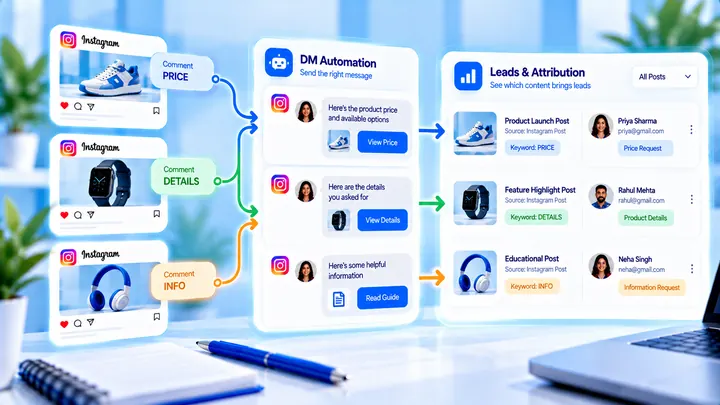
How to Track Instagram DM Leads by Post
Know which Reel created conversations — name campaigns, use UTMs, and do not mix every keyword into one bucket.
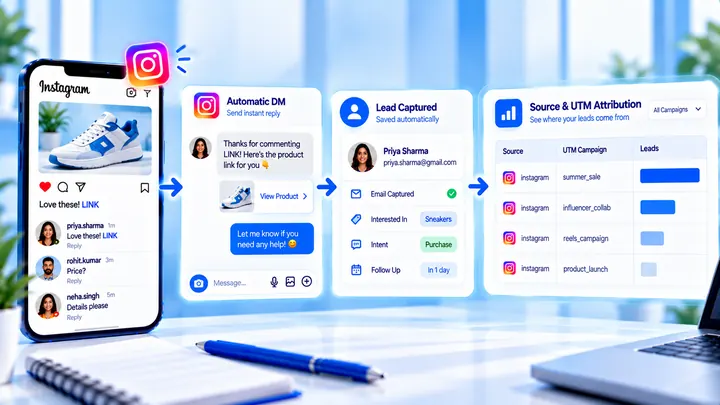
How to Measure Leads from Instagram Comments
A lead from a comment is a contact you can follow up — not a comment count. Wire keyword → DM → email or UTM before you celebrate.