
Upcoming Post Automation: Arm Keywords Before You Publish
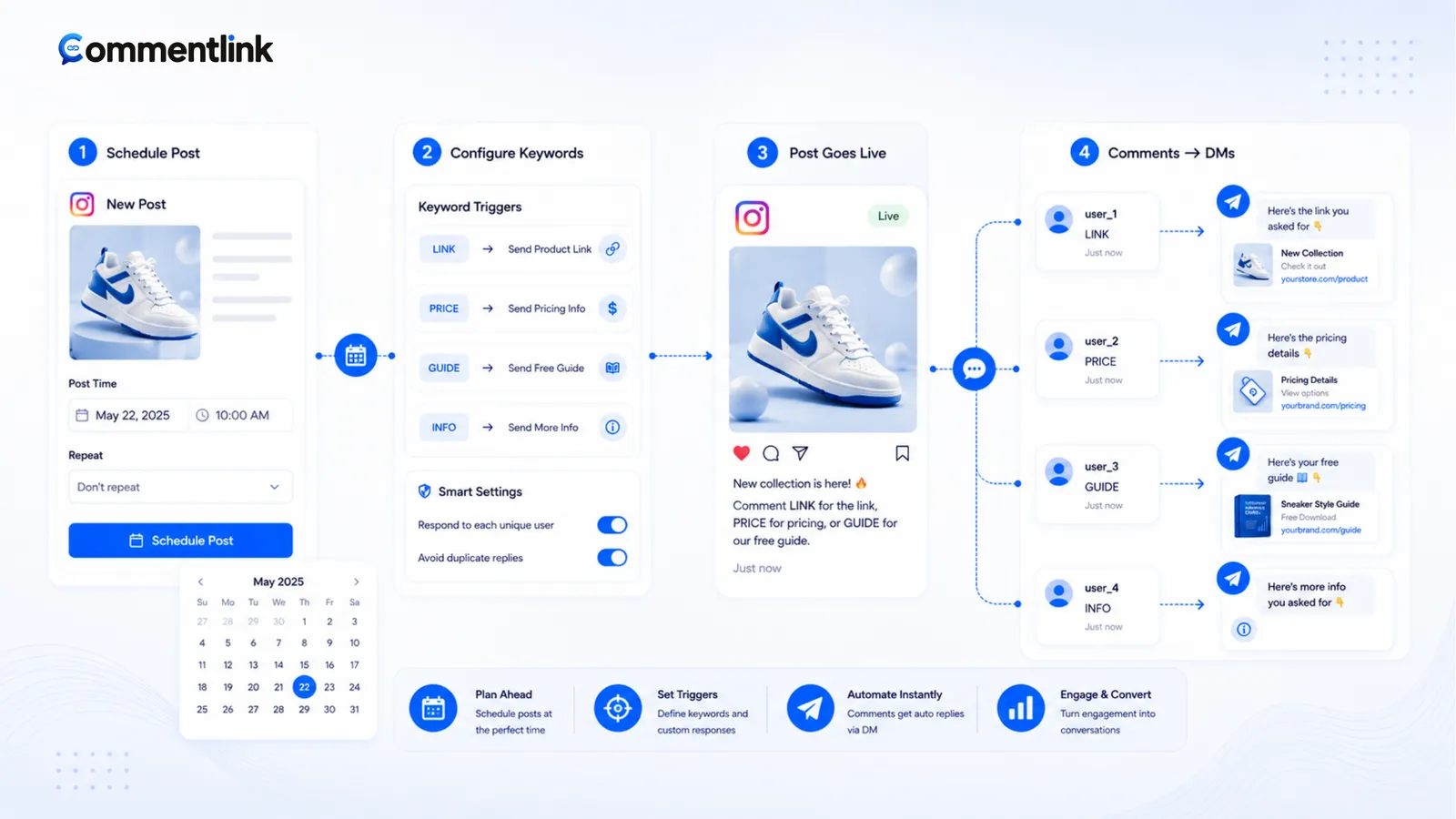
Launches fail in the first hour because the caption taught a keyword and the automation did not exist yet. You published, comments arrived, you opened the laptop, you built the rule, and the people who commented in minute one got silence. Upcoming post automation is the boring fix: write the keyword and the DM first, scoped to the next IMAGE, VIDEO, or REEL, then publish.
This is not native Custom Keywords’ comfort zone. Business Suite wants media that already exists. CommentLink upcoming rules are for the gap before the media id exists. After publish, the engine is the same comment-to-DM path — official APIs, no password.
Freeze the keyword in the creative brief. Match applies-to to the format you will actually publish. Test from a second account in the first two minutes. If you delete and repost, you likely have a new media id — check the workspace instead of assuming the rule followed you. Stories still need STORY_REPLY, not this switch. Do not stack native Custom Keywords on the same word the upcoming rule will fire. Agencies should freeze the token in the legal caption too, not only in the designer file. Confirm the rule is on before you hit publish on Instagram today, then comment from a second account right away and check Requests.
What you configure before publish
- Applies-to: photo/carousel, feed video, or Reel. A Reel launch with an IMAGE rule will not catch comments. Match the format you will actually post.
- Trigger: keywords, excludes, mention-only, or catch-all. Teach the same word you will put in the caption.
- DM payload: text, buttons, cards. Optional public reply. Optional follow-gate. Optional COLLECT_EMAIL.
- Limits: if billing is on, free workspaces may allow one upcoming post rule. Check your workspace. Do not plan ten silent launches on one free slot without looking.
Save the rule while the post is still a draft in Instagram. Then publish. The first comment should not wait on you.
Caption and automation must agree
If the upcoming rule matches DROP and the designer changed the graphic to “comment NOW,” you will miss. Freeze the word 24 hours out. Put it on screen for Reels.
Do not catch-all a teaser that still says coming soon. You will DM a waitlist lie. Arm the real checkout keyword only when the URL works. Keyword craft: keep it short — same discipline as automatically DMing commenters.
First-hour volume
A scheduled drop plus a Story plus a Reel can stack comments into the hourly DM cap immediately. Native would drop the tail if you had only wired Custom Keywords after the fact. CommentLink queues. Tell people DMs go in order if you expect a stampede.
Test the rule on a throwaway Reel days before the real drop if the brand can tolerate it. Otherwise test with a second account in the first two minutes and watch Requests.
Upcoming versus attaching to live media
Once the post is live, you can still attach a normal post-linked automation. Upcoming is for not missing the open. After the launch, you may convert to a normal attached rule or leave the generated automation in place — do not run two senders on the same keyword.
Stories still need STORY_REPLY. Upcoming post rules do not replace Story triggers. Feed upcoming does not listen to Story replies.
Applies-to mistakes that look like a dead product
You scheduled a Reel, the upcoming rule said IMAGE. First hundred comments: nothing. Fix the media type before you rewrite DM copy. Carousels are IMAGE/CAROUSEL, not Reels. Feed VIDEO is not a Reel. CommentLink’s upcoming matcher treats those as different.
Collab publishes: know which account’s upcoming rule will see the webhook. Test. If only the partner’s account is connected to CommentLink, your rule will not run.
Failed Instagram publishes (you deleted and reposted) can leave you with a new media id. Upcoming may already have attached to the first attempt or to nothing. Check the workspace after publish; attach manually if the rule did not bind.
Agencies: one rule is not ten clients
If billing limits free workspaces to one upcoming rule, do not promise ten simultaneous launches on that seat. Either upgrade when billing is on, or attach automations after each publish (and accept first-minute miss), or use native Custom Keywords per live media.
Client captions change in legal review after you armed DROP. Put the keyword in the brief as a frozen string. The designer does not get to invent NOW on the graphic at 9am.
Launch-day checklist
- URL live. Discount valid. Inventory true.
- Upcoming rule on, correct media type, keyword matches the graphic.
- Public reply mentions Requests if you expect new people.
- Follow-gate on only if the launch caption said so.
- Publish. Second-account comment. Confirm DM.
- Watch the queue if the post spikes. Do not add a second tool on the same word.
What upcoming automation is not
- It is not scheduling the Instagram post itself (that is Instagram or Meta’s scheduler).
- It is not a cold DM to people who liked last month’s photo.
- It is not comment→WhatsApp.
- It is not a substitute for a Facebook Page or Professional account.
If you only have one evergreen carousel, skip upcoming and attach to that media. Upcoming earns its keep on drops, collabs, and Reels you have not posted yet. Features overview: features.
Week-of-launch timeline
Monday: freeze the keyword in the creative brief. Checkout URL live in staging. Upcoming rule created, applies-to matches the format, automation on. If free-plan billing limits you to one upcoming rule, this launch owns that slot — do not leave last month’s teaser armed.
Tuesday: designer exports with the frozen word on screen. You compare the export to the rule. Mismatch is a launch bug, not a “we’ll fix in captions.”
Wednesday: optional quiet test Reel on a dummy account or a low-stakes story. Second-account comment. Requests. Queue behaviour if you hammer comments (do not hammer on the client’s live grid).
Thursday publish: post, immediately comment from the test account, confirm. Watch the first hour. If comments arrive and DMs do not, you posted a format the rule does not apply to, or two tools are fighting, or OAuth died. Do not tweet that Instagram is down until you have checked those three.
Friday: if the URL changed (sold out, new size), edit the DM. Upcoming does not scrape Shopify. If you deleted and reposted, attach a live automation to the new media id. Retire the keyword when the drop is over so Monday’s comments do not get Sunday’s password.
Native-only teams: accept that Custom Keywords start after the media exists. Either publish as a draft-to-friends test, attach native, then go wide — or miss the first minutes. That trade is honest. CommentLink upcoming exists because shops were tired of that miss. It still needs Professional, a Page, and Meta login.
FAQ
Can I arm native Custom Keywords before the post exists?
Native wants the post or Reel. Upcoming rules exist because third-party workspaces can stand by for the next matching publish. Confirm current Business Suite behaviour if you stay native-only.
What if I post a photo but the rule was set to Reel?
Comments will not match. Set applies-to to the format you will publish, or wait and attach after.
Will the first comments before the webhook arrives be lost?
Aim to have the rule live before publish. Webhooks are fast but not a time machine. Do not publish then enable five minutes later and expect a backfill of every comment.
Can I reuse one upcoming rule for every post forever?
Only if every post should get the same keyword and DM. Most shops want a drop-specific URL. Create or edit the rule per campaign.
What if I delete the post and publish again?
You likely have a new media id. Upcoming may have bound to the first attempt or to nothing. After a repost, open the workspace, confirm the live automation is on the new Reel or photo, and test. Do not assume the rule time-travels. Two publishes in a panic is a common way to miss the first comments twice.
How is this different from Instagram’s own scheduler?
Instagram can schedule the media. Upcoming post automation schedules the comment rule for whenever that media appears, including a manual publish. It does not upload the video for you. You still write the caption with the same keyword the rule expects. Native Custom Keywords still want existing media — that is the gap upcoming fills.
Can I arm a Story this way?
No. Stories use STORY_REPLY (and mention). Upcoming applies-to IMAGE / VIDEO / REEL for feed-style publishes. Arm Story triggers before you post the Story, on the same clock — but it is a different switch. Mixing them is why people say “automation did nothing” on launch day. If the launch is a Reel plus a Story, you need both rules live before either asset goes out.
Related reading
Arm the keyword before you hit publish
Upcoming post automation applies your comment-to-DM rule to the next matching publish so the first comments still get a DM.
Start Free — No Credit CardRelated articles
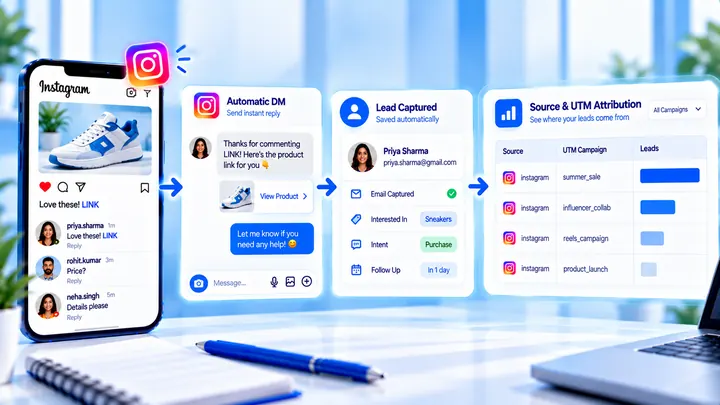
How to Measure Leads from Instagram Comments
A lead from a comment is a contact you can follow up — not a comment count. Wire keyword → DM → email or UTM before you celebrate.
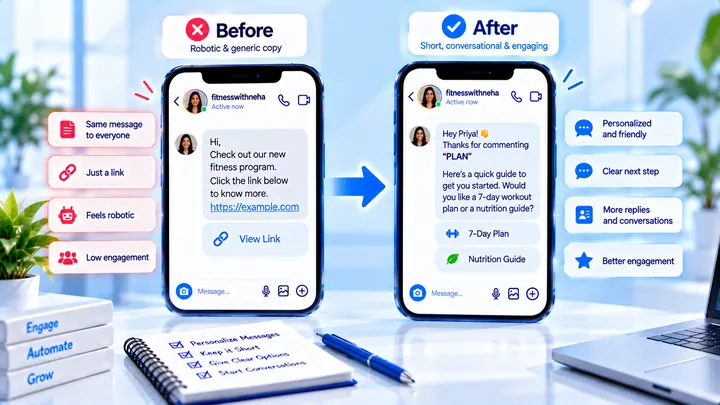
How to Write Automated Instagram DMs That Feel Human
Write human-sounding Instagram automated DMs: short openers, the promised next step, and a CTA that invites a reply — not a pitch wall.
How to Attribute Sales with Coupons in Instagram DMs
Unique codes in automated DMs can beat UTMs when checkout is messy — if you rotate codes and accept some leakage.