
Business vs Creator Account for Instagram DM Automation
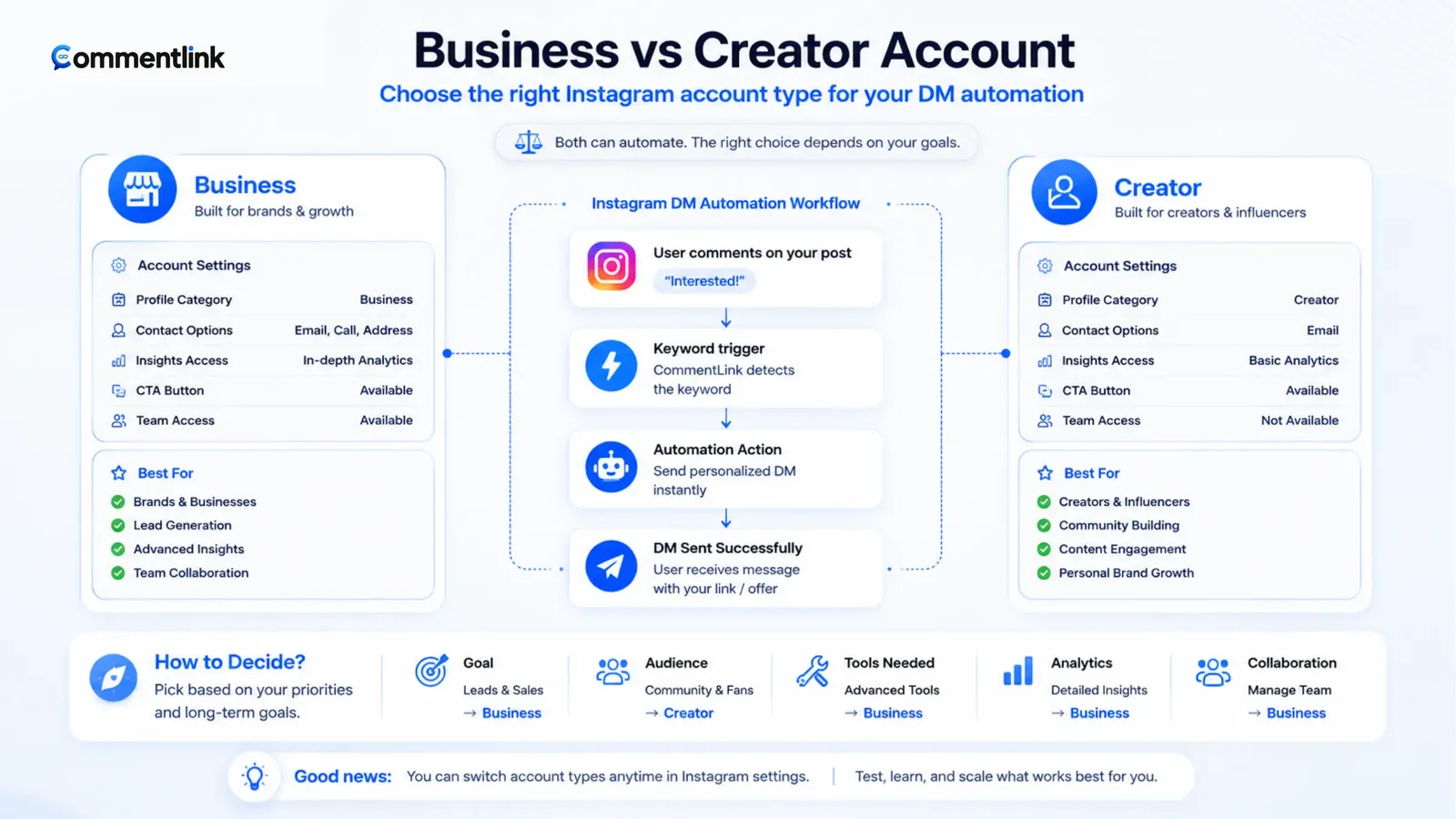
Search results treat “Instagram Business account DM automation” as if Creator accounts were locked out. They are not. Meta’s messaging APIs and Business Suite automations require a Professional account — Business or Creator — linked to a Facebook Page. The badge is a product and branding choice. The Page link is the actual gate.
If you came here because Meta login failed, skip the branding debate and fix the Page. The FAQs walk through that refusal. If login already works and you are choosing a badge before you turn on Instagram DM automation, use the sections below.
CommentLink does not invent a third account type. It does not ask for the Instagram password. It does not run on a personal profile. Native Comment to Message has the same Professional-plus-Page rule.
What Meta actually requires for automated DMs
A personal profile can post, comment, and DM by hand. It cannot connect the Instagram Graph messaging APIs that official automations use. Convert in the Instagram app (Professional dashboard). Then attach a Facebook Page you admin so the Instagram professional account is a Page-linked asset.
Until that Page link exists, Facebook login may show the Instagram account and still refuse permissions, or the account simply never appears in the picker. Vendors cannot bypass this. Anyone promising DM automation on a personal login is not using the official path. Fix the Page first, then retry OAuth, then test a comment — in that order, every time.
This is also why “is this allowed” and “will I get banned for connecting a tool” are the wrong first questions. Official API automations on Professional accounts are a documented Meta product. Password bots are not. See is Instagram comment automation allowed.
Creator account — when it is the right badge
Pick Creator when the public identity is a person: coach, educator, photographer, musician, journalist, or influencer whose name is the brand. Creator tools lean into professional dashboards, branded content, and creator-style insights. You still get a Professional inbox and you can still connect messaging APIs once a Facebook Page is linked.
Creator is a poor reason to delay automation. If the Page is linked, comment-to-DM, Story reply automations, and a shared inbox work the same way they do on Business. CommentLink does not offer a “Creator-only” feature flag.
Where Creator can feel different is shopping and contact presentation. Instagram’s commerce features, some ad setups, and certain contact buttons have historically been smoother on Business. If you sell physical products with tags and a catalogue, Business is usually less friction — not because DMs are blocked on Creator, but because the rest of the shop stack expects Business.
Creator plus a dummy Facebook Page
A Page does not need to be a public-facing website clone. Many creators use a simple Page whose only job is to satisfy Meta’s link. That is valid. Keep admin access on an account you control. If the Page is deleted or you lose admin, the Instagram connection breaks even if the Creator badge is fine.
Business account — when it is the right badge
Pick Business when the identity is a shop, clinic, studio, restaurant, or any org that should look like a company. Business is the usual home for shopping, appointment-style contact, and ads that expect a business Page pairing.
For DM automation specifically, Business does not unlock a secret Graph endpoint that Creator lacks. It does make the rest of the Meta surface (Ads Manager, catalogues, some WhatsApp Business pairings on the same Page family) less awkward. If you already run ads as a Business, do not convert to Creator just because a blog post said creators “grow faster.”
If you are a one-person shop using your face in every Reel, Business is still fine. The badge is on the profile, not a verdict on whether you are “allowed” to be a person.
Switching later does not rebuild your automations from zero
Instagram lets Professional accounts switch between Business and Creator. Switching can shuffle some profile buttons and shopping availability. It should not be your weekly hobby. Do it once with a reason.
After a switch, reconnect Meta login if permissions look stale. Re-check that the same Facebook Page is still linked. Then send one test comment. Do not assume a badge change silently invalidates keyword rules — but do not assume Graph tokens survive every Meta UI change without a reconnect either.
If you switch because shopping refused to enable, fix shopping on Business, then leave the badge alone. Do not yo-yo between types while a launch automation is live.
What does not change with the badge
- Hourly automated DM caps still apply. Native Custom Keywords typically drop when the cap is hit. CommentLink queues.
- First-time DMs can still land in Message Requests on both badges.
- Follow-gate still needs the I’m following tap and is_user_follow_business — the badge does not create a silent follow webhook.
- WhatsApp is still a separate channel. An Instagram comment does not become a WhatsApp chat.
- Welcome openers (up to four on CommentLink’s free plan) still greet new Instagram inbox opens the same way.
The workflow after the account is connected is the same as any official comment-to-DM path: pick media, keyword, DM, optional public reply, test from a second account. Start with how to automatically DM someone who comments.
Agencies and multiple brands
Each Professional Instagram you want to automate must be Page-linked and connected through Meta OAuth. CommentLink can hold several Instagram accounts in one workspace. That does not let you automate a client’s personal profile, and it does not let you share one password. Clients convert to Professional, grant Page admin as their contract requires, then connect.
If a client refuses a Facebook Page, you cannot honestly promise official DM automation. Native Business Suite will refuse them too.
How to convert a personal profile without drama
In the Instagram app, open the professional dashboard and convert. Instagram will ask Business or Creator. Pick using the rule above. Then, on Facebook, create or select a Page and link Instagram under the Page’s linked accounts (the exact labels move; look for Instagram). You must be an admin of that Page. If you convert and skip the Page, messaging OAuth will still fail and you will think “Business is broken.”
After conversion, profile buttons may change (email, direction, contact). That is Instagram chrome, not CommentLink. Reconnect Meta login if you had a half-finished attempt while the account was still personal. Then send one test comment-to-DM from a second account.
If you already run ads, convert with the same Facebook Page the ad account expects. Splitting Page and Instagram across two random Pages is how agencies lose permissions at 11pm.
Myths that waste a day
- “Creator cannot use the inbox API.” False if Professional and Page-linked.
- “Business is required for CommentLink.” False. Professional is required.
- “Switching badges resets followers.” Instagram does not treat it as a new account. Features can shuffle; followers do not zero out as a designed step.
- “A dummy Page is against the rules.” A simple Page whose job is the link is how a large share of creators satisfy Meta. Do not use a Page you do not admin.
- “WhatsApp needs Business Instagram.” WhatsApp Business is its own asset. Pairing often uses the same Page family, but an Instagram comment still does not become a WhatsApp thread.
If a vendor says they can automate DMs on a personal profile, they are not on the official messaging API. That is the line that matters for account risk, not the Creator badge.
A simple decision rule
- If the account is still personal, convert to Professional today. Pick Creator if it is a named person; pick Business if it is a company or shop.
- Link a Facebook Page you admin. Do not skip this because “we only use Instagram.”
- Connect with Meta login. Confirm the right Instagram is selected.
- Run one test comment-to-DM. Only then worry about shopping, ads, or a badge switch.
When you are ready to send the URL from a comment, use the comment-to-DM product page or native Custom Keywords. The account type was the prerequisite, not the product.
FAQ
Can a Creator account use comment-to-DM?
Yes, if it is Professional and linked to a Facebook Page. Creator is not a personal profile. Personal profiles cannot use the official messaging APIs.
Do I need Business for ManyChat or CommentLink?
You need Professional plus a Page for official tools, including ManyChat and CommentLink. ManyChat is not restricted to Business-only in the way people mean; the Meta requirement is Professional.
Will switching from Creator to Business delete my followers?
Instagram does not treat a Professional-type switch as a new account. Some profile features change. Reconnect and test automations after you switch.
Why does Meta login show my account but still fail?
Almost always the Page link or admin role. Fix that in Facebook, then retry. A vendor cannot grant Instagram messaging on an unlinked personal profile.
Related reading
Connect a Professional account
CommentLink uses Meta login on Business or Creator accounts. Personal profiles cannot run messaging automations.
Automate Your Instagram DMsRelated articles
Instagram Automation Dashboard: What to Track Weekly
A weekly checklist: connection health, queue depth, failed sends, and one campaign metric — not 40 vanity charts.
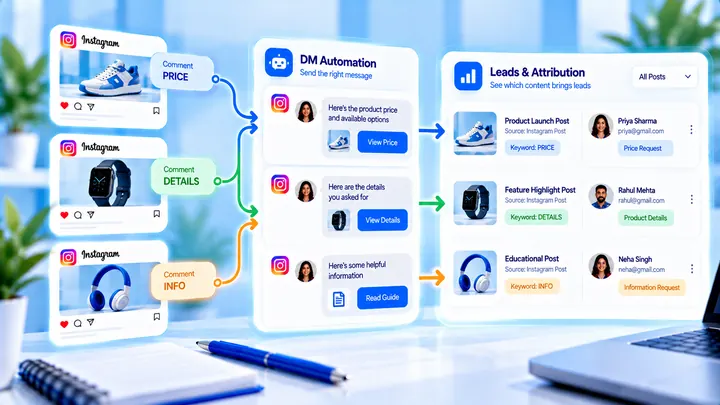
How to Track Instagram DM Leads by Post
Know which Reel created conversations — name campaigns, use UTMs, and do not mix every keyword into one bucket.
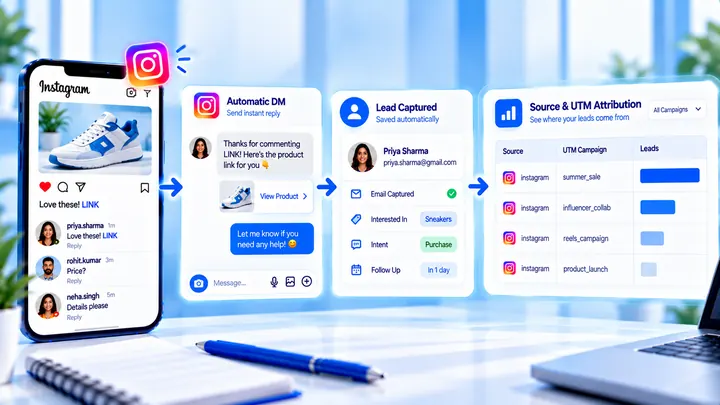
How to Measure Leads from Instagram Comments
A lead from a comment is a contact you can follow up — not a comment count. Wire keyword → DM → email or UTM before you celebrate.