
Instagram Keyword Triggers That Actually Get Commented
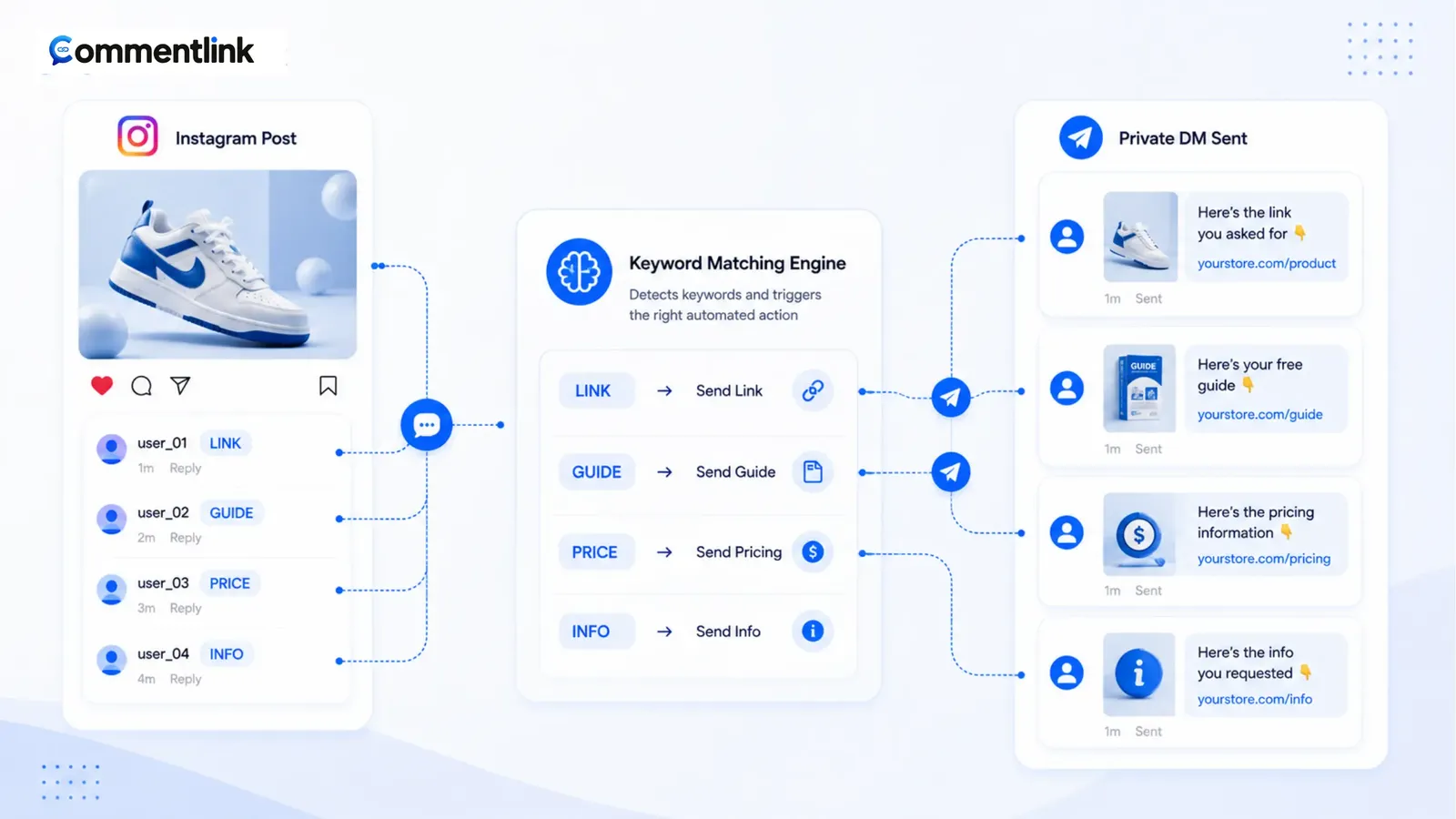
A keyword trigger fails in public, not in the settings screen. People do not comment the phrase you invented in a strategy doc. They comment the word they heard in the last two seconds of the Reel, or they comment nothing and lurk. Your job is to pick a short token, say it out loud, write it on screen, and make the automation match how humans type — including “link please” and the wrong emoji.
This is not another “what is comment-to-DM” explainer. Assume the DM path is decided. If you still need the clicks, use how to automatically DM someone who comments. Here the work is the word itself.
Native Custom Keywords can watch an exact-style phrase on a post. CommentLink adds contains, exclude, mention-only, and catch-all on the same comment-to-DM engine. Use the extra match types only when the caption creates the mess they solve.
Put the word where thumbs already are
The caption should contain the trigger in plain letters, once, near the ask: “Comment LINK and I’ll DM the checkout.” Buried in a hashtag stack, it might as well not exist. On Reels, also burn the word on screen for the silent autoplay crowd. If you only say it in audio, a large share of viewers never hear it.
Say the word the same way you will match it. If the automation is exact LINK, do not tell people to comment “send me the link” and then wonder why nothing fired. Either change the script or switch the match to contains “link”.
One primary trigger per post beats a menu of seven words. Extra keywords are for genuine synonyms you already hear in comments (PRICE and COST), not for covering every language you might someday use.
Words people already type
Steal from the comments you already get when you ask by hand. If the last carousel produced “price?”, that is the trigger. Invented codes (X7B) look clever and die in the thread.
- Shops: LINK, PRICE, SIZE, SHOP, DROP — not “interested.”
- Coaches and creators: GUIDE, LIST, YES, BOOK — not “more info please.”
- Local services: MENU, HOURS, BOOK — not the full URL.
- Giveaways: the exact entry word you printed on the graphic, plus an exclude list for “when do you pick a winner.”
Avoid words that appear in unrelated comments. If you post memes, LINK will collide with people tagging friends. Use a campaign token (RECIPE, LOOKBOOK) or mention-only on a collab.
Examples by post type
Product photo: “Comment SIZE for the chart.” Match contains size. Exclude “when restock” if you are not answering restocks automatically.
Lead magnet Reel: “Comment GUIDE.” Exact or contains guide. Then collect email in the DM before the PDF.
Launch teaser: do not catch-all yet. Use DROP or the product name only after checkout exists. A teaser that DMs “coming soon” trains people to ignore the next DM.
Exact, contains, exclude, mention-only, catch-all
Exact (word-boundary) is for codes. It stops “linkedin” from matching LINK if your matcher is token-based. It also misses “link please” unless you add contains.
Contains is the default for human captions. People add please, emoji, and a heart. If you only exact-match, you will swear the tool is broken.
Exclude is how you keep a generous contains rule from rewarding junk. Block obvious scam phrases, “fake,” or a competitor name you do not want to auto-answer. Excludes run first in CommentLink: a comment that hits an exclude is skipped even if it also contains the keyword.
Mention-only is for “tag a friend” or UGC, not for a shop asking for LINK. If you require an @, people who comment the keyword without a tag get silence. That is correct for a contest rule and wrong for a price list.
Catch-all sends on every comment with text. Use it on a launch post where the caption said “comment anything.” Do not use it on a lifestyle photo. You will DM people who said “pretty” and look like a bot.
Caption scripts that match the rule
Weak: “Link in bio, also DM me, also comment if you want this.” Three paths, no trigger. Strong: “Comment PRICE — I’ll send sizes and checkout in DMs (check Requests). Bio has the shop if you would rather tap.”
Weak: a 200-word caption ending in “drop a 🔥.” You cannot match an emoji reliably across devices, and you will catch jokes. Strong: “Comment RECIPE for the PDF.”
Once they comment, keep the public thread clean. A one-line public reply plus the URL in the DM is the usual split — see public reply vs private DM. Do not auto-reply with the same paragraph 400 times; rotate short public lines if the post will go wide.
What to do when the wrong comments fire
- Read twenty real comments. Mark which ones should have DMs and which should not.
- If good comments are missing, switch exact → contains, or add the synonym they actually used.
- If junk is getting DMs, add excludes or leave catch-all.
- If people comment stories instead of the keyword, the caption is the bug. Fix the on-screen word before you add more keywords.
- If volume spikes, remember the hourly DM cap. Native drops; CommentLink queues. Keywords cannot create extra quota.
Worked examples: exact versus contains
Caption: “Comment LINK.” Person comments “link please 🙏”. Exact LINK (word boundary) still matches “link” as a token if your engine tokenises that way — CommentLink’s exact mode is a word-boundary search, so “link please” matches LINK. “linkedin” as a single token should not. Contains “link” would also match “linkedin” if that substring appears. If you sell to job-seekers and they comment “linkedin,” pick a unique code (LOOKBOOK) instead of arguing with substrings.
Caption: “Comment PRICE.” Person comments “what’s the price in USD?” Contains price matches. Exact price matches the token price inside the sentence. Either is fine. Exclude “priceless” only if you actually see that joke; do not pre-block imaginary words.
Caption: “Tag a friend and comment BUNDLE.” Mention-only plus keyword BUNDLE is two conditions in spirit. If you only set mention-only, people who tag without BUNDLE still fire. If you only set BUNDLE, untagged comments fire. Set both if your rules need both — and print both on the graphic.
Niche lists to steal from your own thread
- Beauty: SHADE, LIST, CHART — not “interested.” Exclude “dupe” if you will not send a comparison sheet.
- Food / recipe Reels: RECIPE, GRAMS, PRINT. On-screen the word; audio-only fails on mute.
- Fitness: PLAN, YES, WEEK1. Avoid “free” as the only token — it collides with spam comments.
- Local restaurant: MENU, HOURS, BOOK. Catch-all is wrong; people comment “looks good.”
- Fashion drop: DROP plus the colourway. SIZE as a second keyword with a different DM (chart vs checkout) if you can keep them from overlapping.
Once a week, export or screenshot twenty comments that did not get DMs and twenty that did. If the misses are all “send it,” you taught the wrong word. If the hits are all jokes, tighten exact or add excludes. Do not add a tenth synonym instead of fixing the Reel text.
Native Custom Keywords versus a richer matcher
If one exact phrase on one post is the whole campaign, native Comment to Message is enough. The moment you need “link” inside a sentence, a block list, or every comment on a drop, you have left native’s comfort zone. That comparison lives in native vs CommentLink.
Do not stack three tools on one post with the same keyword. Two official automations can both try to send. Pick one engine per media.
How to teach the word in a 20-second Reel
Seconds 0–8: the content they came for. Seconds 8–14: the outcome (“I’ll send the shade chart”). Seconds 14–20: the token on screen and in your mouth, same spelling. Caption line 1 repeats the token. If you reverse this and lead with COMMENT NOW, mute viewers swipe.
If you film talking-head without a graphic, add a text sticker in the editor. Audio-only tokens die. If you film in another language, the token can stay English (LINK) if your audience already types it, or you match the language they comment in — not both unless you add synonyms you actually see.
FAQ
Should the keyword be in all caps?
Matching is not case-sensitive in CommentLink. Caps in the caption are for humans scanning the text. Use whatever is readable on the graphic.
Can I use several keywords on one post?
Yes — for real synonyms. Do not list ten words hoping one will stick. Teach one word in the video.
Why did “linked” or a longer word fire?
You are on contains. Switch to exact if you only want the token, or pick a more unique word.
Is catch-all a good default?
No. Default to a taught keyword. Catch-all is for launches and giveaways where the caption already said any comment counts. If you catch-all a lifestyle photo, you will DM people who said “pretty” and spend the hourly cap on noise. Teach one word, put it on screen, then match how they type.
Related reading
Match the word you already put in the caption
CommentLink can match exact, contains, exclude, mention-only, or every comment — then send the DM.
Turn Comments Into DMsRelated articles
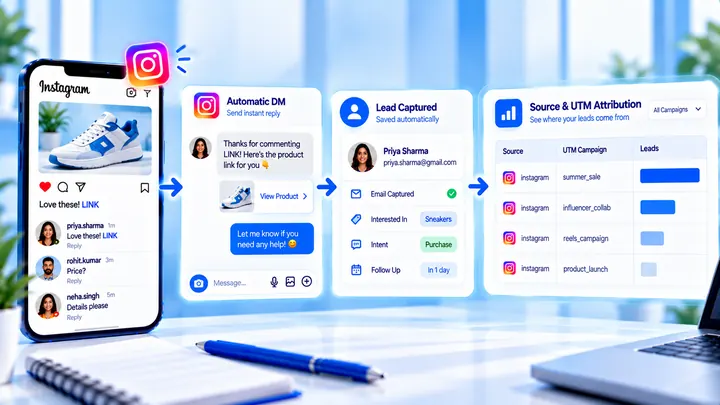
How to Measure Leads from Instagram Comments
A lead from a comment is a contact you can follow up — not a comment count. Wire keyword → DM → email or UTM before you celebrate.
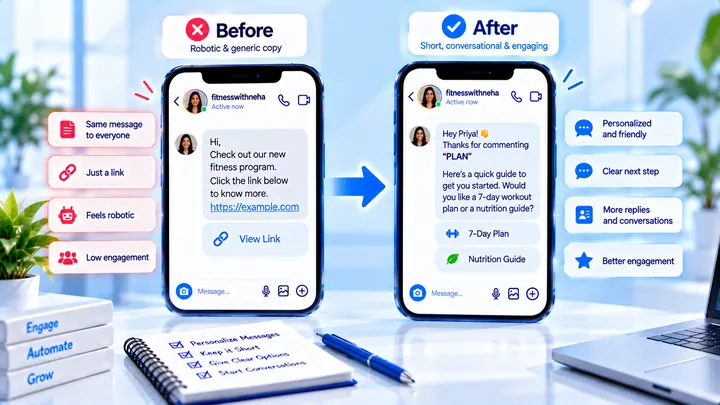
How to Write Automated Instagram DMs That Feel Human
Write human-sounding Instagram automated DMs: short openers, the promised next step, and a CTA that invites a reply — not a pitch wall.
How to Attribute Sales with Coupons in Instagram DMs
Unique codes in automated DMs can beat UTMs when checkout is messy — if you rotate codes and accept some leakage.