
How Meta's 24-Hour Messaging Window Affects AutoDM
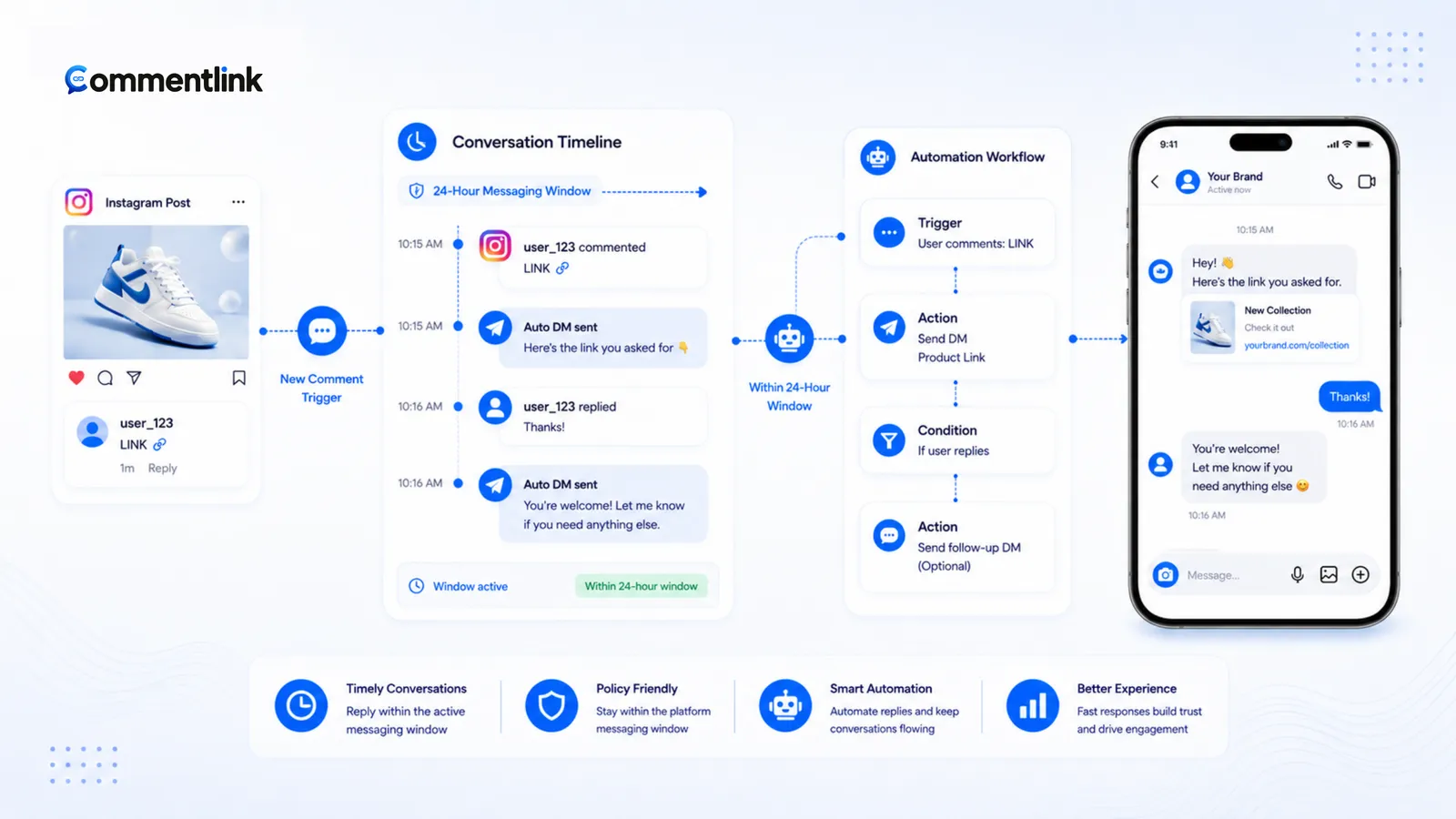
People search “Instagram 24 hour messaging window” after an AutoDM fails, a follow-up is blocked, or a vendor promises unlimited outreach. Those are three different problems. Meta’s messaging APIs are built around who started the conversation and how. A private reply to a comment is not a cold DM. A free-form follow-up after silence is not the same Graph call as the first reply. No workspace — including CommentLink — gets to ignore that.
This article separates the standard 24-hour customer care window from comment private replies and from Human Agent escalation. It does not invent extra windows, quotas, or loopholes. Where Meta’s current docs are the source of truth, it says so.
What people mean by AutoDM
In this category, AutoDM usually means: someone comments on your post or Reel, and your Professional account sends them a direct message with a link, a card, or a short thank-you. That is comment-to-DM, not blasting people who never touched your content.
It can also mean a Story reply automation, a keyword inside an existing DM thread, or a human typing in the inbox after the bot sent the first message. Each of those sits on a slightly different Meta path. Mixing them is how “the 24-hour rule ate my campaign” posts get written.
- Cold DM: you message someone who did not comment, reply, or write you. Official Instagram messaging APIs are not a licence for that.
- Private reply to a comment: the recipient is the commenter; the Graph call is tied to that comment. Native Comment to Message uses this family of behaviour.
- Customer care window: after a person messages you, many free-form message types are allowed for a limited time. On Instagram and Messenger, operators usually mean the 24-hour window.
- Human Agent: a Meta messaging type for a person taking over support, with its own documented window. It is not a growth hack.
The 24-hour customer care window (standard knowledge)
For Instagram and Messenger, Meta’s customer care model is documented as a 24-hour standard messaging window: once the person messages you, your app may send free-form replies for 24 hours after that user action (Instagram Messaging API / Messenger Send API, reviewed 20 August 2026). If they go quiet, the window closes. Opening it again generally requires them to write (or otherwise interact in a way Meta counts as a user message).
That window is why tools cannot honestly sell “nurture this stranger for two weeks with casual DMs” on the official API. It is also why WhatsApp operators talk about session messages versus templates — related idea, different product. WhatsApp’s session and template rules are covered separately in WhatsApp broadcast best practices.
CommentLink does not extend, pause, or buy extra hours in this window. If a send is rejected because the conversation is outside what Meta allows, the API is doing its job. Treat that as a policy event, not a bug in the queue.
Private replies to comments are a different Graph path
When someone comments, Meta’s comment-to-message products are allowed to send a private reply tied to that comment. Instagram’s native Custom Keywords / Comment to Message in Business Suite is the free, first-party version of this. CommentLink’s comment automations use official Meta login and Graph messaging — including sending with a comment as the recipient when that is the trigger — rather than logging in as you or scraping the site.
Two practical consequences follow. First, the legitimate first DM is “the reply to this comment,” not a cold outreach to a username you found in a spreadsheet. Second, the rules for that private reply are not identical to the rules for every later message in the thread. Meta documents private replies to comments, mentions, and story replies on the Instagram messaging APIs. This article will not invent how many hours or days a given comment stays eligible — read the current developer docs for that endpoint.
If you only needed “comment PRICE, get this URL,” start with native Comment to Message. The comparison of when that is enough lives in Instagram’s native comment-to-DM vs CommentLink. A workspace is for matching, queueing, follow-gates, public replies, and inbox — not for smuggling messages past Meta.
Human Agent versus standard messaging
Human Agent is a Meta messaging feature for a person — not an automation — handling support after the standard window. Meta’s developer docs (Human Agent feature reference, reviewed 20 August 2026) allow a human agent to reply with the human_agent tag within 7 days of the user’s message, for issues that cannot be finished in 24 hours (for example the business is closed, or the case needs more time). The feature requires App Review and business verification. It is not a growth hack and it is not a 7-day sales sequence. Confirm the live allowed-usage text on developers.facebook.com before you rely on it; lengths and policy change.
Honest limits: Human Agent is for human support escalation. Using it to drip promotional follow-ups is outside the documented allowed usage. Do not plan a launch around “the 7-day human tag will carry my sales sequence.” A blog post is not a substitute for the current policy page.
What to do after the first DM
Treat the first automated DM as the private reply to the comment: short, useful, one next step (the URL, the booking page, the “check Message Requests” line). If you need a conversation after that — sizing, dates, a custom quote — design for a reply. When they answer, you are in ordinary customer care messaging for as long as Meta keeps that window open.
If they never answer, further free-form follow-ups may simply not send. That is expected. Workarounds that are still honest: a public comment reply that tells them to check DMs (see how to automatically reply to Instagram comments); a Story or a later post that invites a new comment; on WhatsApp, an approved template when that channel is actually connected and the person is a WhatsApp contact. Instagram comments do not become WhatsApp chats.
- Write the AutoDM as the answer to the comment, not as episode one of a novel.
- Put the link or button in that first message if the job is link delivery.
- Use the inbox when they reply. Assign a human if the thread is a sale or a complaint.
- Do not schedule promotional IG DMs for “day 5 of silence” and expect the official API to cooperate.
What CommentLink will not claim
- We do not bypass Meta windows, rate limits, or comment eligibility.
- We do not send cold DMs, password-bot sessions, or comment-to-WhatsApp hops.
- We do not promise a secret extra window length. If Meta changes the docs, the API wins.
- Queueing (~200 Instagram DMs per hour per account in the safety queue) is about the hourly send cap, not about the messaging window. A queued DM can still fail later if the conversation is no longer eligible.
If an automation “does nothing,” check the boring list on the FAQs: Professional account, Page link, permissions, keyword match, then messaging eligibility. The 24-hour window is one item on that list, not the whole list.
How to tell a window failure from a cap failure
Operators mix these up because both look like “the DM never arrived.” A cap failure is throughput: the comment matched, the automation wanted to send, Instagram would not send another automated DM this hour. CommentLink holds that job in the safety queue. A window / eligibility failure is policy: Meta will not accept this message for this person on this path, queue or not. Native Custom Keywords typically drop at the cap rather than queue; they can also refuse a send for eligibility. Read the error, not the vibes.
A practical test: comment from a second account with the keyword, confirm the first DM. Wait, and have the same tester stay silent. Then try a free-form follow-up from the inbox. If that follow-up is blocked, you are looking at the care window (or Human Agent rules), not the hourly cap. If the first DM itself is delayed while many other matching comments sit in the queue, you are looking at the cap. The queue article is rate limits and the viral Reel DM queue.
Do not “fix” a window problem by disabling the safety queue. That only makes cap problems louder. Do not “fix” a cap problem by inventing a second Instagram password bot. Convert, connect, match, send the first private reply, then wait for a human reply if you need a conversation.
FAQ
Does comment-to-DM ignore the 24-hour window?
No. The first private reply is a comment-tied message on Meta’s allowed path. It is not a bypass. Later free-form DMs still have to fit whatever Meta allows for that thread.
Can I AutoDM people who never commented?
Not through this product, and not through native Comment to Message. Official APIs are for people who interacted — comment, Story reply, inbound DM — not for scraped usernames.
What is Human Agent in plain language?
A Meta messaging type so a human can keep supporting a person after the standard automated care window. It is not an AutoDM feature and not a licence to run ads in the inbox.
Why did the follow-up fail when the first DM worked?
The first send was likely the private reply to the comment. The follow-up was likely a free-form message after they went quiet. Have them reply, or stop expecting a second pitch.
Is native Business Suite different?
Native Custom Keywords also send a private reply to a matching comment. Same Meta family. CommentLink adds matching, queue, follow-gate, public reply, and inbox — not a private window.
Related reading
Automate DMs inside Meta’s rules
Comment-to-DM on official APIs: a private reply to the comment, then a shared inbox when a person needs to take over.
Automate Your Instagram DMsRelated articles
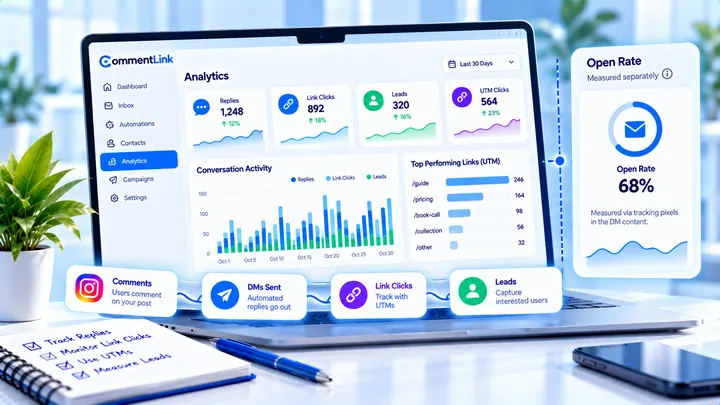
Instagram DM Open Rates: What’s Measurable (and What Isn’t)
Instagram does not give automation tools a standard DM open rate. Track replies, clicks, and attributed leads instead of vanity opens.
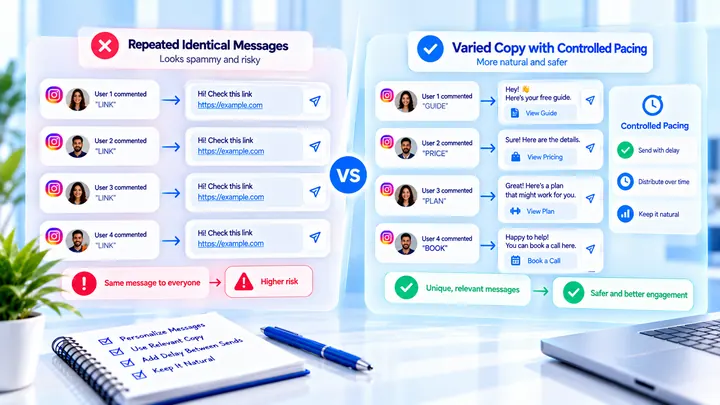
Why the Same Instagram Auto DM Can Hurt Delivery
Sending the same Instagram DM repeatedly at volume can look templated. Variation and pacing matter more than a new vendor.
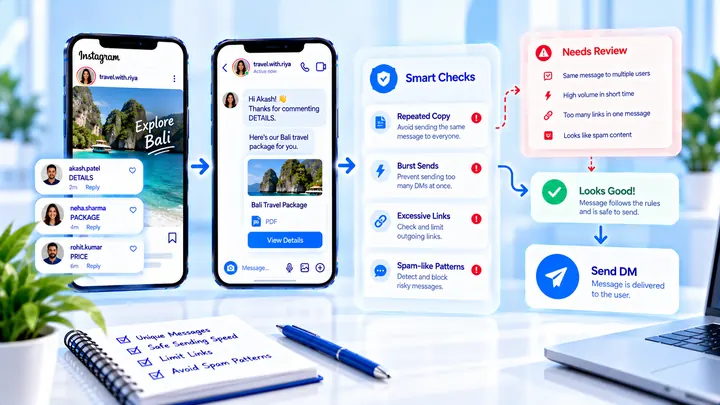
Instagram DM Automation Spam Triggers to Avoid
Avoid Instagram DM automation spam triggers: identical link-heavy first messages, burst sends, and copy that looks like cold outreach.