
Creator applying mascara while filming a makeup video on a camera and tripod, with beauty products on the table in front of her
BioFlow for businesses

Link in bio for business: contact, booking and offers in one place

Customers ask the same things: where are you, how do I reach you, can I book, can I pay. A BioFlow page answers them in one place, and shows you which answers people tap.

Create and publish without connecting Instagram.

40Blocks per page
365 daysAnalytics date range
QR per campaignNamed campaigns with UTM tracking
MultiplePages per organisation
What goes on the page

The things customers ask you for

Business information

Use text and heading blocks for who you are, what you offer and when to reach you, and link blocks for your location and website.

Contact form

Let visitors send an enquiry. Submissions arrive in your leads inbox.

WhatsApp contact button

A one-tap button that opens a chat with your number through a wa.me link. It is a plain link and doesn't send automatic replies.

Booking link

A booking block that opens your existing Calendly, Cal.com or other scheduling page.

Payment link

A payment block that opens a payment page you already use, such as a Stripe, PayPal, Ko-fi or Gumroad link.

Product and collection links

Link blocks to your store, a new collection or a launch page. A coupon block can point to a deal.

Be clear with customers

What BioFlow handles, and what it links out to

Booking and payments use external links. Here is exactly where the line sits.

Built into BioFlow

  • Page, themes and content blocks
  • Contact form, email signup and lead magnet
  • Leads inbox with CSV export
  • Named campaigns, UTM tracking and QR codes
  • Per-page analytics

Handled on external pages

  • Taking bookings and managing appointments
  • Taking payments and checkout
  • Delivering orders or invoices
By type of business

How different businesses use it

Local businesses

Hours, location links, a contact form and a WhatsApp button, plus a QR code for the window or counter. See link in bio for small business.

E-commerce brands

Lead with your newest collection, link to the store, and use a signup block for launches. Checkout stays on your store. See link in bio for ecommerce.

Agencies

Create a separate page for each client or campaign inside one organisation, each with its own address, theme and analytics.

QR codes

One QR code per place you print

Create a named campaign for each flyer, poster, receipt or location, then generate a QR code for it. The campaign's UTM parameters let your analytics break traffic down by campaign, so you can see which printed piece sends people. See how to create a QR code for your link in bio.
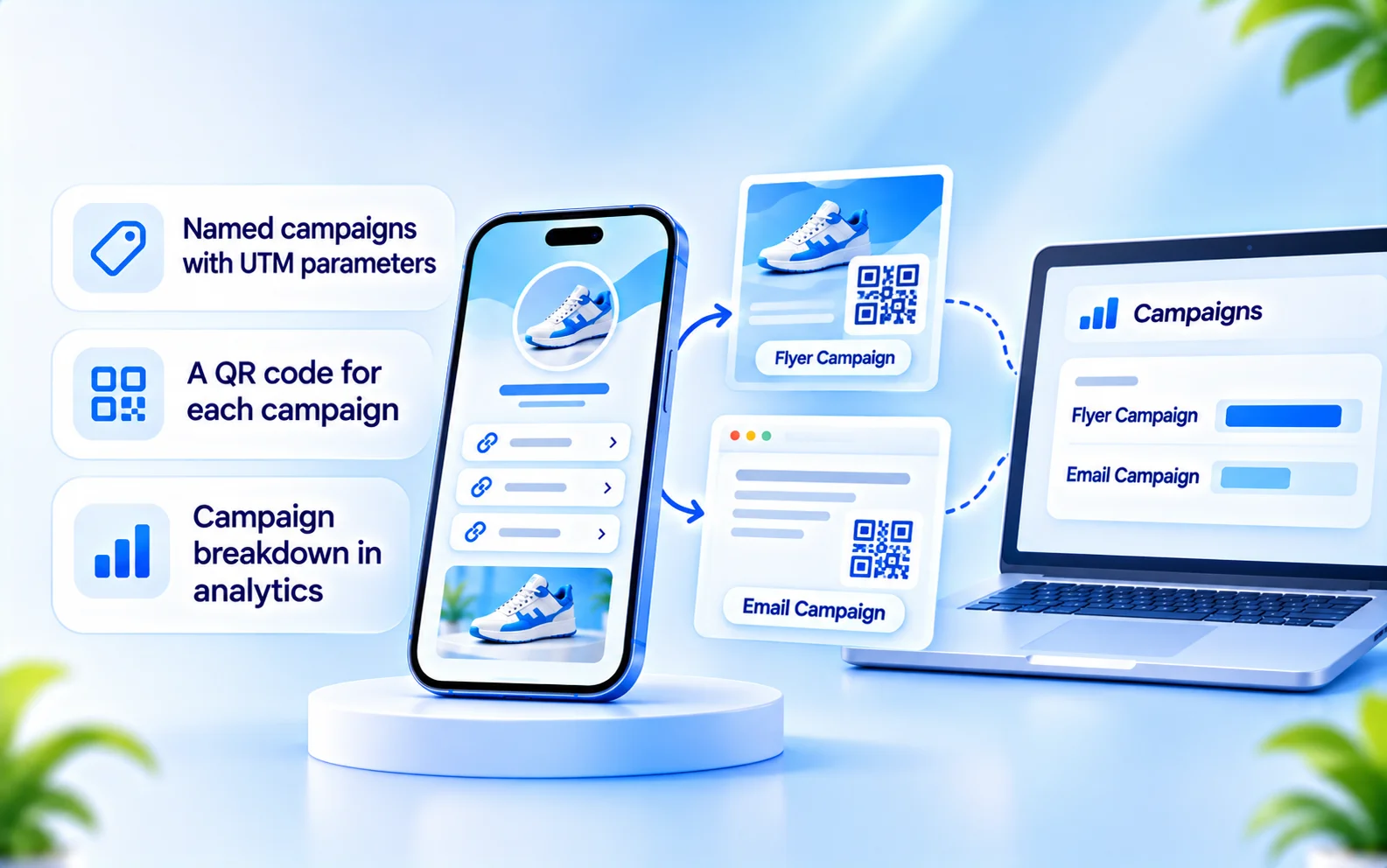
  • A named campaign for each flyer, poster or location
  • A QR code for each campaign
  • Traffic by campaign in your analytics
BioFlow named campaign with UTM tracking and a QR code
Leads and analytics

Know who got in touch, and what they tapped

Contact form submissions, signups and lead magnet requests all go into one leads inbox. Export a CSV when you want to follow up elsewhere. For follow-up ideas, read how to follow up with leads from your bio page.

Each page reports views, unique visitors, link clicks and CTR, for ranges up to 365 days.
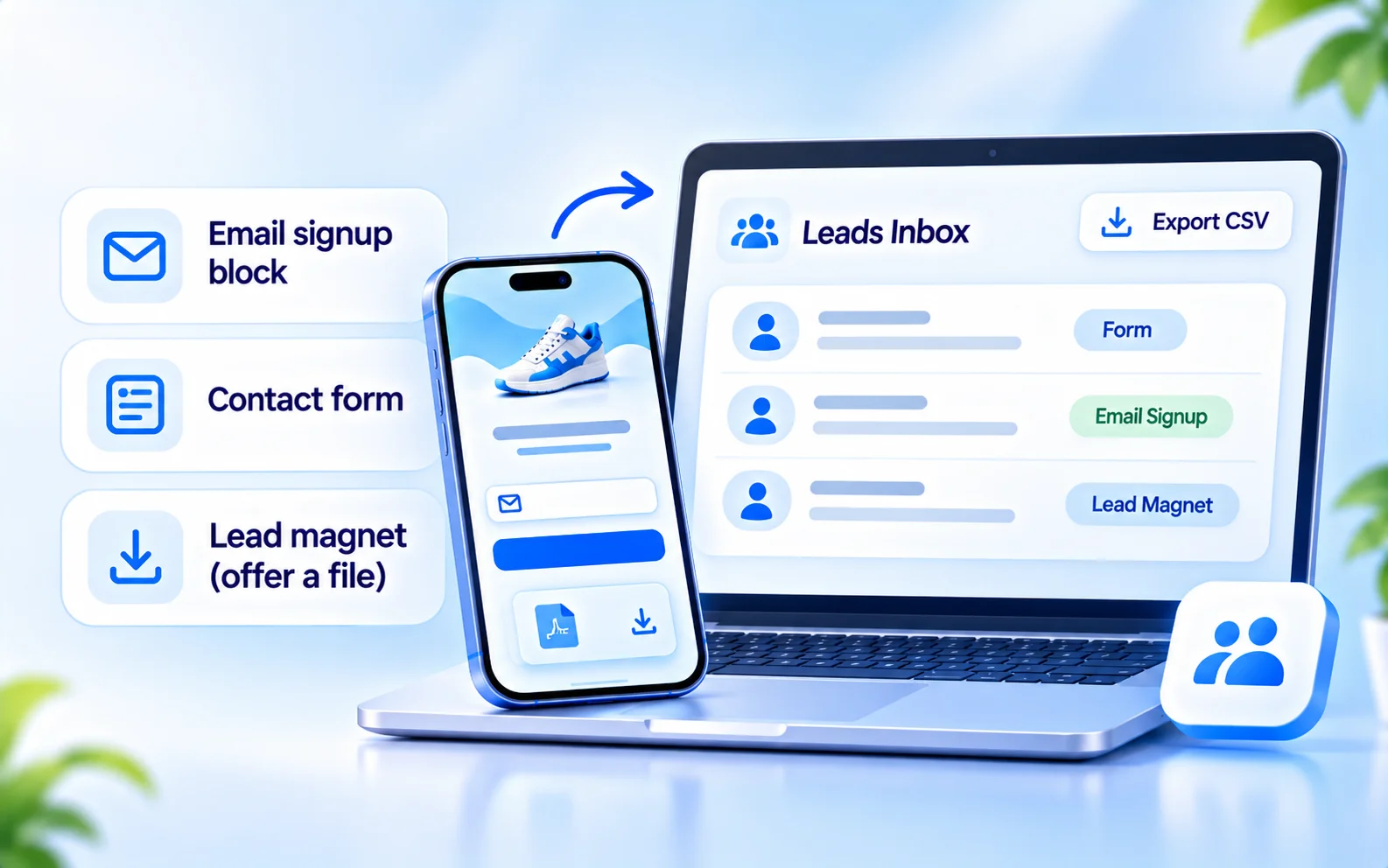
  • Contact form, signup and lead magnet
  • One leads inbox with CSV export
  • Views, unique visitors, clicks and CTR
BioFlow leads inbox with a CSV export option
Set up

Get your business page live

1

Create the page

Choose a name and address, and pick a theme close to your brand.

2

Add what customers need

Contact form, WhatsApp button, booking and payment links, and links to your products.

3

Publish

Instagram doesn't need to be connected.

4

Share it

Put the address in your profiles, and print a QR code for each campaign.

Alongside your automation

If you also answer Instagram and WhatsApp messages

BioFlow is part of CommentLink, which also offers Instagram and WhatsApp automation and a shared inbox as a separate product. The page's WhatsApp and Instagram buttons are plain links and don't trigger it. See Instagram comment-to-DM if you want replies to comments handled automatically.

See comment-to-DM automation
FAQ

Frequently asked questions

Customers can tap a booking or payment block that opens your existing scheduling or payment page. The booking and payment happen on that external page, not inside BioFlow.
Yes. The WhatsApp button opens a chat with your number through a wa.me link. It is a plain link and does not trigger automated replies.
Add a contact form or email signup. Submissions go to your leads inbox, where you can review them and export a CSV.
Yes. Create a named campaign, then generate a QR code for it. Use a different campaign for each poster, location or flyer to compare them.
One organisation can hold several pages, each with its own address, theme and analytics, so you can keep a page per location, campaign or client.
No. You can create and publish a BioFlow page without connecting Instagram, and share the address anywhere.

Last updated

Creator relaxing on a sofa with headphones

Give customers one place to start

Contact, booking, payment links and a QR code on one page, with analytics to see what gets used.